US • 7
BATTERY TYPES AND SETTINGS
MULTI US 25000 can easily be set for different types of batteries or conditions. The fol-
lowing recommendations should, however, only be seen as guidelines. Please consult the
battery manufacturer for further instructions.
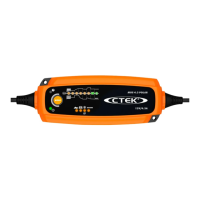
Settings are made by pressing the ”MODE-button” and stepping forward one press at a
time until the required mode is reached, the button is then released. After about 2 seconds
the charger activates the selected mode. The selected mode is saved in a memory in the
charger and remains even if the charger is switched off.
NORMAL
Mode 14.4V - Normal setting for wet batteries, Ca/Ca, maintenance free and
for most Gel batteries. Some Gel batteries prefer a slightly lower charging
voltage. Please consult the battery manufacturer when in doubt.
SUPPLY
Mode 13.6V / Supply - The charger is operating at a constant voltage of
13.6V. This is the maintenance mode for applications where maximum ca-
pacity from the battery is important. Note that the Spark protection function
is suppressed in this mode.
RECOND
Mode 15.7V / 3A / 0.5–4h - This mode is used to recover deeply discharged
wet batteries where you could expect a stratified acid (high acid weight in
the bottom, low on top). This mode will also recover some spiral cell AGM
batteries that has been deep cycled. Check with battery manufacturer when
in doubt.
Note that the battery has to be fully charged first. Use this mode with care,
because the high voltage will cause some water loss. 16V is normally no
problem for electronics, but consult your supplier when in doubt. Life of light
bulbs will be reduced at higher voltage. Try to avoid using 12V light from the
battery during this phase. Maximum effect and minimum risk for electronics
is achieved by charging a disconnected battery.
CHARGING
The battery charger must be connected to the battery according to
the instructions above.
Start charging
1. Connect the power cord to the power outlet.
2. Set the proper charging mode by pushing the Mode button until the correct setting.
Choosing settings for your battery is described under ”BATTERY TYPES AND
SETTINGS”.



 To Next Page