8 • US
3. The lamp for deeply discharged battery (1) will indicate if the battery voltage is
low. If lamp 1 blinks, this indicates that the battery is sulphated. Read more under
”CHARGING PHASES”
4. Normal charging is indicated by the following lamps: Deeply Discharged (1),
Bulk Charge (2), Absorption Charge (3) or Maintenance Charging (4). When the
maintenance lamp (4) is lit, the battery is fully charged. The charge will restart if the
voltage drops. The charger can be connected for months.
SUPPLY or RECOND are indicated when the lamps for these settings are lit (5 or 6).
5. If the battery cables are connected incorrectly, the reverse polarity protection will
make sure that neither the charger nor the battery are damaged. In this case, the red
warning lamp (0) will be lit.
6. If the setting lamp is lit but no other light comes on, the connection to the battery or to
the chassis may be poor, or the battery may be faulty. Start by improving the contact
between the battery and the charger.
7. Charging can be interrupted at any time by disconnecting the power cord from the wall
socket or switching to "Standby" mode (lamp A) by pushing the mode button. Always
disconnect the power cord from the socket before removing the battery cables. When
you interrupt charging of a battery mounted in a vehicle, always disconnect the battery
cable from the chassis before removing the other battery cable.
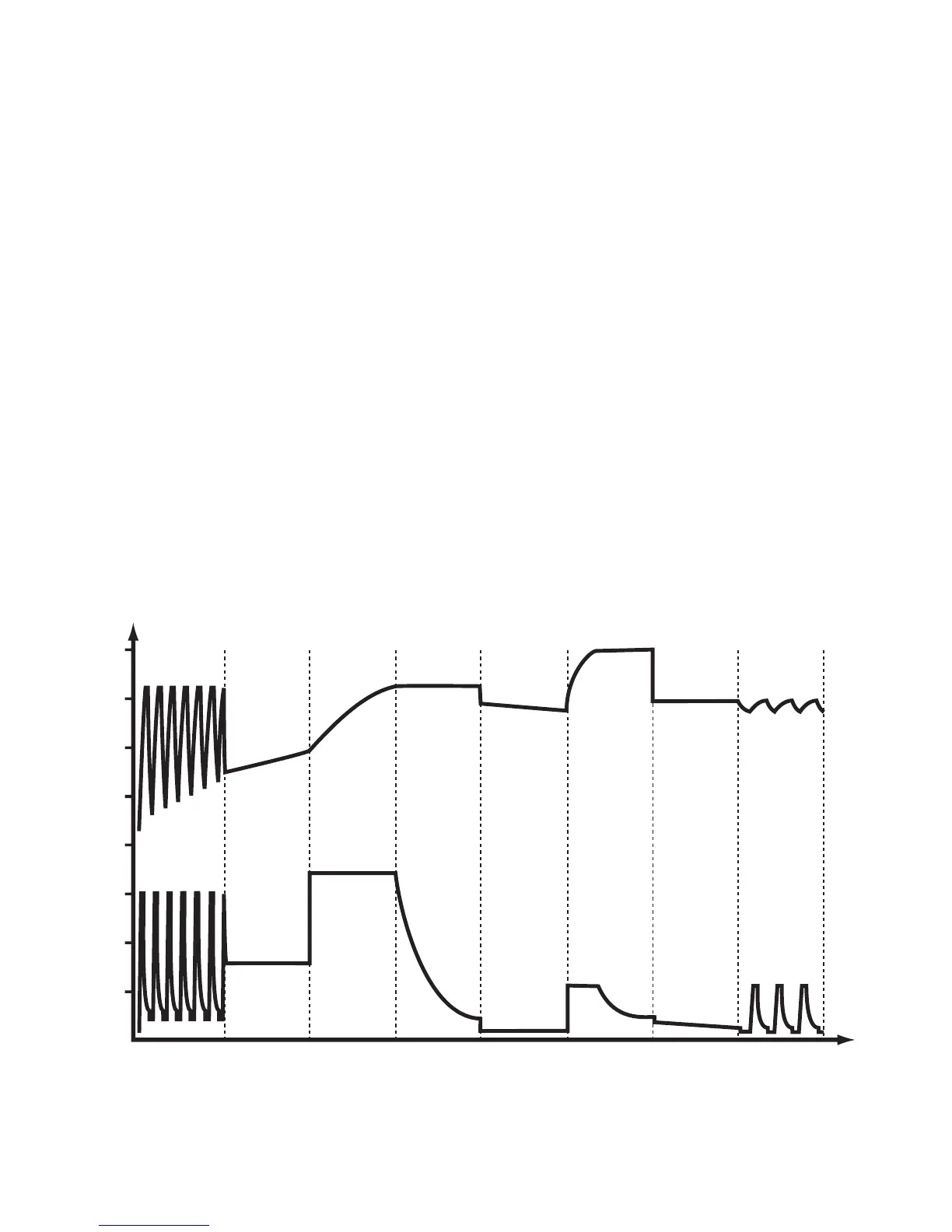
CHARGING PHASES
BulkSoft StartDesulphation Absorption Analysis PulseFloatRecond
Current Voltage




 To Next Page