Laser Sky | User Manual 1079V180912
The power to engage
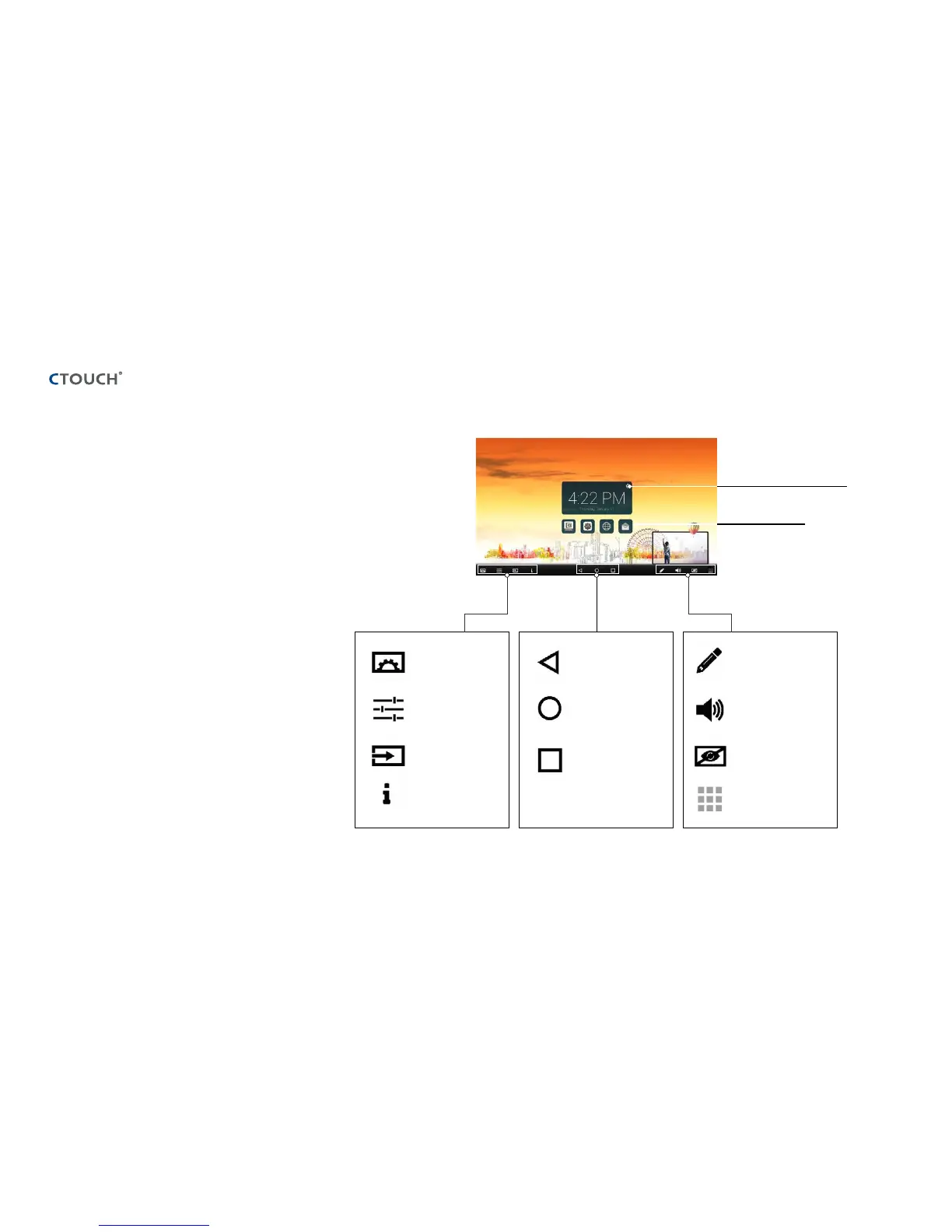
OPERATING THE NAVIGATION BAR
Slide up from the bottom of the
screen center by two fingers to call the
Navigation Bar
Setting the alarm clock
All applications
Display menu
Source menu
User Manual
COS
™
menu
Previous screen
Home page
Application history
Annotation tool
Volume bar
Backlight mute
function
N/A
Note: It can happen that icons in the Float Bar
are greyed out. This means that these functions
are hidden/locked. There is nothing wrong
with the display itself. If you want to get access
to these functions, please contact your ICT
contact person or dealer.



 To Next Page