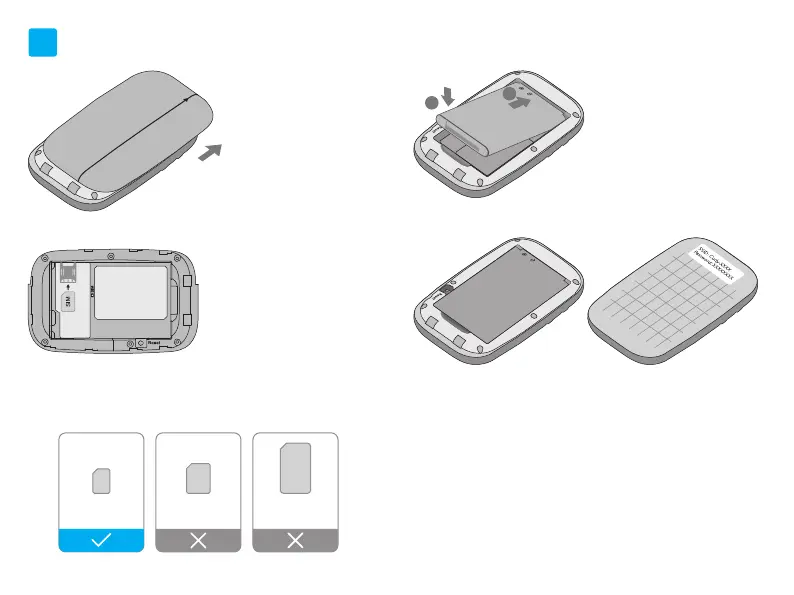
Install the SIM Card and Battery
a. Remove the back cover.
b. Install your Nano SIM card.
SIM card requirement
1
c. Install the provided battery.
EN
1 2
d. Note down the default SSID and Wireless Password.
Then install the back cover.
2
1
Micro SIM
3FF
Micro
Nano SIM
4FF
Nano
Mini
Mini SIM
2FF


 To Next Page
 Loading...