Customize the 4G LTE Router
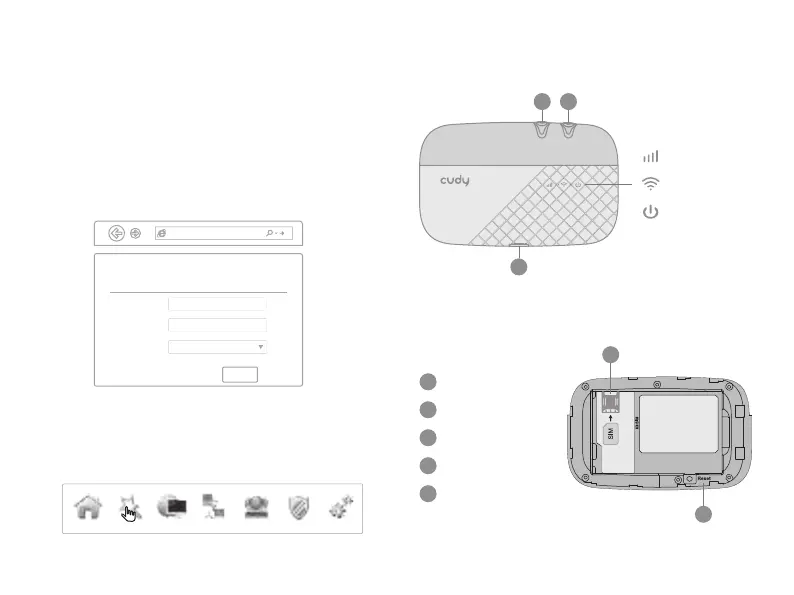
1. Make sure your computer is connected to the router.
2. Launch a web browser, and enter http://192.168.10.1/
in the address bar. Use admin for account and
password to log in.
3. Follow the step-by-step instructions of the Wizard to
complete the initial configuration.
http://192.168.10.1/
Login
Login
Account
Password
Language
English
admin
admin
Home Wizard WAN LAN WiFi Security System
5 6
EN
Button and Interface
1 2
3
1
2
3
4
5
WPS Button
Power Button
USB Port
Nano SIM Card Slot
Reset Button
Signal LED
Wi-Fi LED
Power LED
5
4


 To Next Page
 Loading...