18
3. Speci c programmes
Smoothies
The function used to prepare delicious smoothies is
already
programmed.
• To use this function, press . The light around
the button will start to ash. The appliance is then in
‘standby’.
• Press . The programme begins to run in
alternating on/o
cycles for 30 seconds.
• If the smoothie is not mixed enough, start another
cycle. To do so, go back to the ‘standby’ mode and
press again. An audible chime will sound
indicating the end of the programme.
• The programme can be stopped at any time by
pressing again or by pressing .
Ice Crush
• To crush ice, press . The light around the button
will begin
to ash. The appliance is in ‘standby’ mode.
• Press . The programme starts operating in
alternating on/o cycles for 1 minute.
• An audible chime will sound indicating the end of the
programme.
• To start a new cycle, press .
• To stop the programme, press . The appliance will
stop and switch to ‘standby’. To continue, press
again.
• To stop the cycle or start another programme, press
.
Ice Crush (Turbo)
Press for 2 seconds. The programme (lasting one
minute)
will begin.
• An audible chime will sound indicating the end of the
programme
• To start a new cycle, press .
• To stop the programme, press . The blender will
stop and switch to ‘standby’ mode. To continue, press
.
• To stop the cycle or start another programme, press
.
Soups & Sauces
• To use this function, press the on/o switch. The light
around the button will start to ash. The appliance
has returned to ‘standby’ mode.
• Press to start the programme (lasting one
minute).
• An audible chime will sound at the end of the cycle.
Purée
• Press . to use this function. The corresponding
light will begin to ash indicating that appliance is in
‘standby’ mode.
• Press to start the programme (lasting one
minute).
• An audible chime indicates the end of the programme.
N.B.: This function should be used to create semi-
liquid purées (carrots, celery, etc.). It cannot be used
with cooked potatoes.
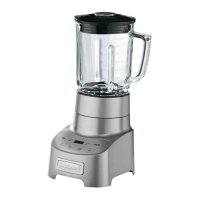
D. Using the blender
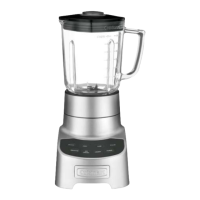
• Place the motor base on a flat surface. Assemble the
jar (see section 3A) and put it on the motor base.
• Place all the ingredients called for in your recipe in the
glass jar and put the lid back on. Other ingredients can
be added during mixing. To do so, lift the measuring
cap located on the lid and pour the ingredients
through the opening. Replace the measuring cap in
the lid after adding the ingredients.
• Press .
• Make your programme selection.
• When the programme is finished, press and





 To Next Page