EasyManua.ls Logo

Cuisinart CHW-16 Series - User Manual

Cuisinart CHW-16 Series
10 pages
Print Icon
To Next Page IconTo Next Page
Loading...
For your safety and continued enjoyment of this product, always read the instruction book carefully before using.
Coffee PLUS
®
12-Cup Programmable Coffeemaker & Hot Water System
CHW-16 SERIES
INSTRUCTION BOOKLET
Question and Answer IconNeed help?

Do you have a question about the Cuisinart CHW-16 Series and is the answer not in the manual?

Summary

Important Safeguards

General Safety Instructions

Key safety precautions for using the appliance, including handling, cleaning, and general usage.

Specific Warnings and Restrictions

Critical warnings about electrical shock, user serviceability, airflow, and operating environment restrictions.

Risk of Fire or Electric Shock Warnings

Special Cord Set Instructions

Guidance on using extension cords safely with the appliance, ensuring proper rating and arrangement.

Operating and Plug Notices

Information on polarized plugs, correct outlet use, and potential issues like clogging and hot water spills.

The Quest for the Perfect Cup of Coffee

Element 1: Water Quality

Emphasizes water quality's importance for coffee flavor and the role of charcoal filters.

Element 2: Coffee Bean Selection

Discusses coffee bean quality and freshness, recommending buying only a two-week supply.

Element 3: Coffee Grind

Explains the criticality of grind size for proper extraction and flavor, recommending medium-fine.

Element 4: Coffee Proportion

Addresses coffee strength, advising users to follow recommended portions and adjust to taste.

Unpacking Instructions

Preparing the Unpacking Area

Instructions for placing the box, removing literature, and positioning the unit for removal.

Removing the Unit and Packing Materials

Guidance on lifting the coffeemaker, removing packing materials, and handling the carafe.

Storage of Packing Materials

Advises saving all packing materials for future shipping needs.

Coffeemaker Features and Benefits

Reservoir and Filter Components

Details on the water reservoir, filter holder, charcoal filter, lid, filter basket, and showerhead.

Control Panel and Brewing Features

Information on the control panel, brew pause, carafe, heater plate, ready tone, and power loss backup.

Hot Water System Features and Benefits

Hot Water Reservoir and Filter

Describes the hot water reservoir, its filter holder, and the charcoal water filter.

Dispensing and Safety Features

Explains the dispensing lever, safety lock, spout, drip tray, and hot water release tab.

Getting to Know Your Control Panel

Coffeemaker Controls Overview

Detailed explanation of clock display, buttons, settings, and indicators for the coffeemaker functions.

Hot Water System Controls Overview

Explanation of buttons and indicators for operating the hot water system, including On/Off and safety lock.

Programming Your Coffeemaker

Setting the Clock and Time

Instructions for setting the current time, including hour, minute, and PM indicator.

Setting the Brew Start Time

Guides on programming the coffeemaker to start brewing automatically at a set time.

Setting the Auto Off Time

Instructions for programming the coffeemaker to automatically shut off after a set duration.

Brewing Coffee

Inserting Charcoal Water Filters

Procedure for preparing and inserting charcoal water filters into the coffeemaker.

Filling the Water Reservoir

Instructions on how to properly fill the coffeemaker's water reservoir using the level indicator.

Adding Ground Coffee

Guidance on using filter baskets and adding the correct amount of ground coffee per cup.

Brewing Process and Preferences

Steps for positioning the carafe, setting preferences like 1-4 cup and temperature, and starting the brew.

Brew Pause Feature

Using the Brew Pause Feature

Explanation of how the feature interrupts brewing for mid-brew pouring and its effect on flavor.

Using the Hot Water System

Preparing the Hot Water System

Steps for inserting the charcoal filter and filling the hot water reservoir.

Heating and Dispensing Water

Instructions for heating water, unlocking the safety switch, and dispensing hot water.

Turning Off the Hot Water System

Guidance on how to turn off the hot water system and the indicator lights.

Cleaning and Maintenance

General Cleaning Procedures

Instructions for cleaning the coffeemaker parts, including the reservoir, carafe, and base unit.

Emptying the Hot Water Reservoir

Procedure for draining the hot water reservoir, especially if the unit is stored.

Decalcification of Coffeemaker

Steps for removing calcium deposits using vinegar and water, guided by the Clean indicator.

Decalcification of Hot Water System

Instructions for cleaning the hot water system's heating element with vinegar twice a year.

Overview

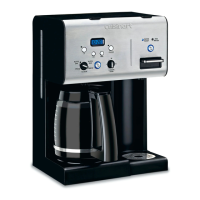
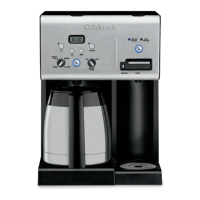
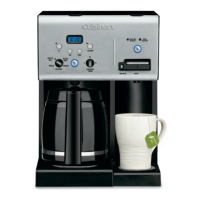
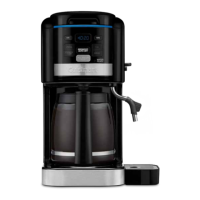
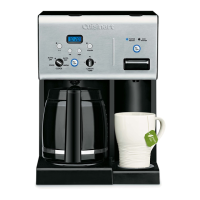
The Cuisinart Coffee PLUS® 12-Cup Programmable Coffeemaker & Hot Water System, CHW-16 SERIES, is a versatile appliance designed to provide both freshly brewed coffee and hot water for various needs. This 2-in-1 system allows users to enjoy Cuisinart quality for both coffee and hot beverages, either separately or simultaneously.

Function Description:

The coffeemaker side of the appliance is designed to brew up to 12 cups of coffee. It features a water reservoir with a water level indicator window, making it easy to fill with the desired amount of water. A charcoal water filter is included to remove chlorine, bad tastes, and odors from tap water, ensuring the purest coffee flavor. The filter basket, accessible by flipping open the coffeemaker lid, can accommodate either a #4 paper filter or a permanent filter. A showerhead ensures even distribution of water over the coffee grounds, minimizing temperature loss during brewing. The unit also includes an adjustable heater plate with a nonstick coating, which keeps brewed coffee at a desired temperature (Low, Medium, or High) for up to 4 hours, customizable by the user.

The hot water system operates independently but can also be used concurrently with the coffeemaker. It features its own hot water reservoir with a max fill line and a separate charcoal water filter to ensure clean, taste-free hot water. Hot water is dispensed through a dedicated spout with a carafe guard, designed to prevent the wand from contacting the carafe. A dispensing lever controls the flow of hot water, and a safety lock prevents accidental dispensing when in the locked position. The system dispenses up to 13 ounces of hot water at a time. A removable drip tray with a grate is provided for convenience, and it can be removed to accommodate taller mugs. The hot water system also includes a release tab located underneath the unit for draining the reservoir.

Usage Features:

The appliance is equipped with a comprehensive control panel that allows for easy programming and operation of both the coffeemaker and hot water system.

Coffeemaker Usage:

  • Clock Display: Shows the current time and includes indicators for PM, Add Water, and warming plate temperature (L, M, H).
  • Setting Time: Hour and Minute buttons are used to set the time of day, as well as Auto On and Auto Off times. Holding these buttons down scrolls through digits quickly, while pressing and releasing advances one digit at a time.
  • Programming Brew Start Time (Prog Button): Users can program the coffeemaker to automatically start brewing at a specific time. Pressing and holding the Prog button for 2 seconds enters the setup mode, where the desired brew start time can be set. The unit automatically exits setup mode after 5 seconds, and an indicator light confirms activation. To activate a previously set time, simply press the Prog button. To deactivate, press the illuminated Prog button again.
  • Carafe Temp Button: Allows adjustment of the heater plate temperature to Low (L), Medium (M), or High (H) to maintain coffee at the preferred warmth. This can be done before or during brewing.
  • 1-4 Cup Setting: An indicator button improves extraction, flavor, and temperature when brewing fewer than 5 cups of coffee.
  • Brew/Off/Auto Off Button: Turns the coffeemaker on and off. This button also allows programming of the Auto Off time, which can be set from 0 to 4 hours after the brew cycle finishes. Pressing and holding the button for 2 seconds enters the Auto Off setup mode.
  • Brew Pause™ Feature: This convenient feature temporarily stops the flow of coffee from the filter basket, allowing users to pour a cup mid-brew. However, it's noted that using this feature may weaken the flavor strength of the finished pot if the carafe is removed for more than 20 seconds, potentially causing overflow.
  • Ready Tone: Signals the end of the brew cycle with 5 beeps.
  • Power Loss Backup System: Provides one-minute protection against power failures, unplugging, or breaker trips, retaining all programmed information including time of day, Auto On, and Auto Off times.

Hot Water System Usage:

  • Hot Water On/Off Button: Activates and deactivates the hot water system. When activated, an indicator light illuminates.
  • Water Ready Indicator: Flashes while the unit is heating water and becomes solid once the water reaches serving temperature.
  • Add Water Indicator: Appears in the LCD display when the hot water reservoir needs refilling.
  • Dispensing Hot Water: To dispense, the safety switch, located below the dispensing lever, must be in the unlocked position (slid to the left). Placing a cup on the drip tray and pressing the lever down will dispense hot water. The safety lock can be returned to the locked position (to the right) after dispensing. The heater will immediately begin reheating more water after dispensing.

First Use and Preparation:

Before initial use, it is recommended to flush both the coffeemaker and hot water system. For the coffeemaker, fill the reservoir with cold water and run a brewing cycle without coffee. For the hot water system, fill the reservoir to the max fill line and follow the hot water dispensing instructions. Charcoal water filters for both systems must be prepared by removing them from their polybags, soaking them in cold tap water for 15 minutes, and then flushing them under cold tap water for 10 seconds before inserting them into their respective holders. The filters should be placed into their compartments and snapped closed, then slid back into the water reservoirs.

Brewing Coffee:

  1. Insert the prepared charcoal water filter into the coffeemaker water reservoir.
  2. Fill the coffeemaker water reservoir with the desired amount of cold water.
  3. Lift the coffeemaker lid, remove the filter basket, insert a #4 paper filter or permanent filter, and add 1 level scoop of ground coffee per cup (maximum 15 tablespoons). Replace the filter basket and close the lid securely.
  4. Place the carafe on the heating plate, ensure the coffeemaker lid and water reservoir cover are closed, and plug the unit into an electrical outlet.
  5. Set preferences: press the 1-4 Cup button if brewing fewer than 5 cups, and adjust the Carafe Temp button to the desired warming plate temperature.
  6. Press the Brew/Off/Auto Off button to start brewing.
  7. After brewing, the unit will beep 5 times. The reservoir cover may be hot, so wait at least 10 minutes before opening.

Maintenance Features:

Regular cleaning and maintenance are crucial for the longevity and optimal performance of the Cuisinart Coffee PLUS® system. Always turn the unit off and unplug it from the electrical outlet before cleaning.

General Cleaning:

  • Filter Basket and Permanent Filter: These can be washed in warm, soapy water, rinsed thoroughly, or cleaned in the upper rack of the dishwasher. Dry all parts after use.
  • Area Under Filter Basket: Wipe with a damp cloth; do not put water directly into the unit once the filter basket is removed.
  • Carafe and Lid: Wash in warm, soapy water, rinse thoroughly, or place in the upper rack of the dishwasher.
  • Base Unit: Never immerse the base unit in water or other liquids. Wipe with a clean, damp cloth and dry before storing. Fingerprints and blemishes on the housing can be cleaned with soap and water or a nonabrasive cleaning solution.
  • Heater Plate: Wipe with a clean, damp cloth. Avoid using rough, abrasive materials or cleansers.
  • Water Reservoir: Do not dry the inside with a cloth, as lint may remain.

Charcoal Water Filter Replacement:

  • It is recommended to change the charcoal water filters every 60 days or after 60 uses, and more frequently if you have hard water. Replacement filters can be purchased from Cuisinart Consumer Service or online.

Emptying the Hot Water Reservoir:

  • If the hot water system has not been used for over a week, or if the unit will be stored, the reservoir should be emptied completely. Place the unit over a sink and pull the water release tab from the bottom of the unit to drain the reservoir. Replace the tab once empty.
  • Important Safety Note: The hot water reservoir should only be emptied when the unit is cool to avoid injury from hot water.

Decalcification (Coffeemaker):

  • Decalcification is the process of removing calcium deposits that build up over time on the metal parts of the coffeemaker.
  • The frequency of decalcification depends on water hardness and usage. The flashing Clean light indicates when cleaning is needed.
  • To clean: Fill the water reservoir to capacity with a mixture of one-third white vinegar and two-thirds water. Press and hold the Clean button until the Clean LED indicator flashes, indicating clean mode. Release the button. One cycle is usually sufficient.
  • After the cycle completes and 5 beeps sound, the coffeemaker will shut off. Check if the Clean light still flashes; if so, repeat the procedure with a fresh solution of vinegar and water.
  • Once the Clean light no longer flashes, run one cycle of fresh cold water through the unit before brewing coffee again.
  • To exit clean mode at any time, press the Clean button again.

Decalcification (Hot Water System):

  • It is recommended to clean the hot water system twice a year to remove calcium residue from the heating element.
  1. Dispense all water from the reservoir until the Add Water indicator displays on the LCD.
  2. Add 32 oz. of white vinegar to the hot water reservoir. Turn the unit on to heat the vinegar.
  3. Dispense 16 oz. of vinegar and dispose of it. This will fill the inner tank.
  4. Let the vinegar solution sit in the unit for 20 minutes without dispensing.
  5. After 20 minutes, turn the unit off and allow the hot vinegar to cool. Then, drain the internal reservoir over a sink by removing the water release tab from the bottom of the unit.
  6. Once the vinegar has completely drained, replace the tab.
  7. Refill the reservoir with water and drain the internal reservoir again (by removing the tab) to flush thoroughly. Replace the tab.

All materials that come into contact with coffee or water in this appliance are BPA free.

Cuisinart CHW-16 Series Specifications

General IconGeneral
Capacity12 cups
Hot Water SystemYes
Weight8.5 lbs
Power1500 Watts
Carafe TypeGlass
ProgrammableYes
Charcoal Water FilterYes
Adjustable Keep Warm TemperatureYes
Self-CleaningYes
Voltage120V
TypeCoffee Maker
Brew Sizes8 oz, 10 oz
Compatible PodsK-Cup® pods
MaterialStainless Steel
ColorBlack

Related product manuals