flashing, simply press and hold Hour or Minute button to return to flashing Clock Set mode.
Setting Hours and Minutes
Press either button to select the desired time. Hold buttons down to scroll through the digits quickly, or press and release to advance one digit
at a time. Be sure the PM indicator is on if setting a PM time.
SETTING THE AUTO ON TIME
1. Press and hold the Prog/Auto On button for 2 seconds. The digital display will flash the default (12:00) or previously selected time. Follow
directions under SETTING THE CLOCK (above) to program your startbrew time. Five seconds after finishing, the unit will automatically
exit Auto On Setup mode and the indicator light will illuminate, letting you know Auto On is activated.
NOTE: To exit Auto On Setup mode, you can also just press Auto On button again.
2. To activate Auto On using previously selected time: Press the Prog/Auto On button. Previously set time will appear and indicator will light
up. Display will return to clock setting.
3. To deactivate Auto On: Press illuminated Auto On button; light will go off, indicating mode is turned off.
SETTING THE AUTO OFF TIME
1. Press and hold the Auto Off button for 2 seconds. The digital display will flash the programmed Auto Off default (2:00) or previously
selected time. Follow directions under SETTING THE CLOCK to program coffeemaker to shut off from 0 to 4 hours after brew cycle is
finished.
2. To exit/confirm Auto Off time setting: Do not touch any buttons. Auto Off Setup mode will be exited automatically after 5 seconds.
TURNING OFF READY TONE
Your coffeemaker features a Ready Tone that beeps 5 times when coffee is finished brewing. To turn this alert off, press Tone button; an
icon will appear in display to indicate tone is off. To turn tone back on, press Tone button again; icon will disappear.
MAKING COFFEE
Follow instructions in BEFORE BREWING YOUR FIRST POT OF COFFEE (page 7).
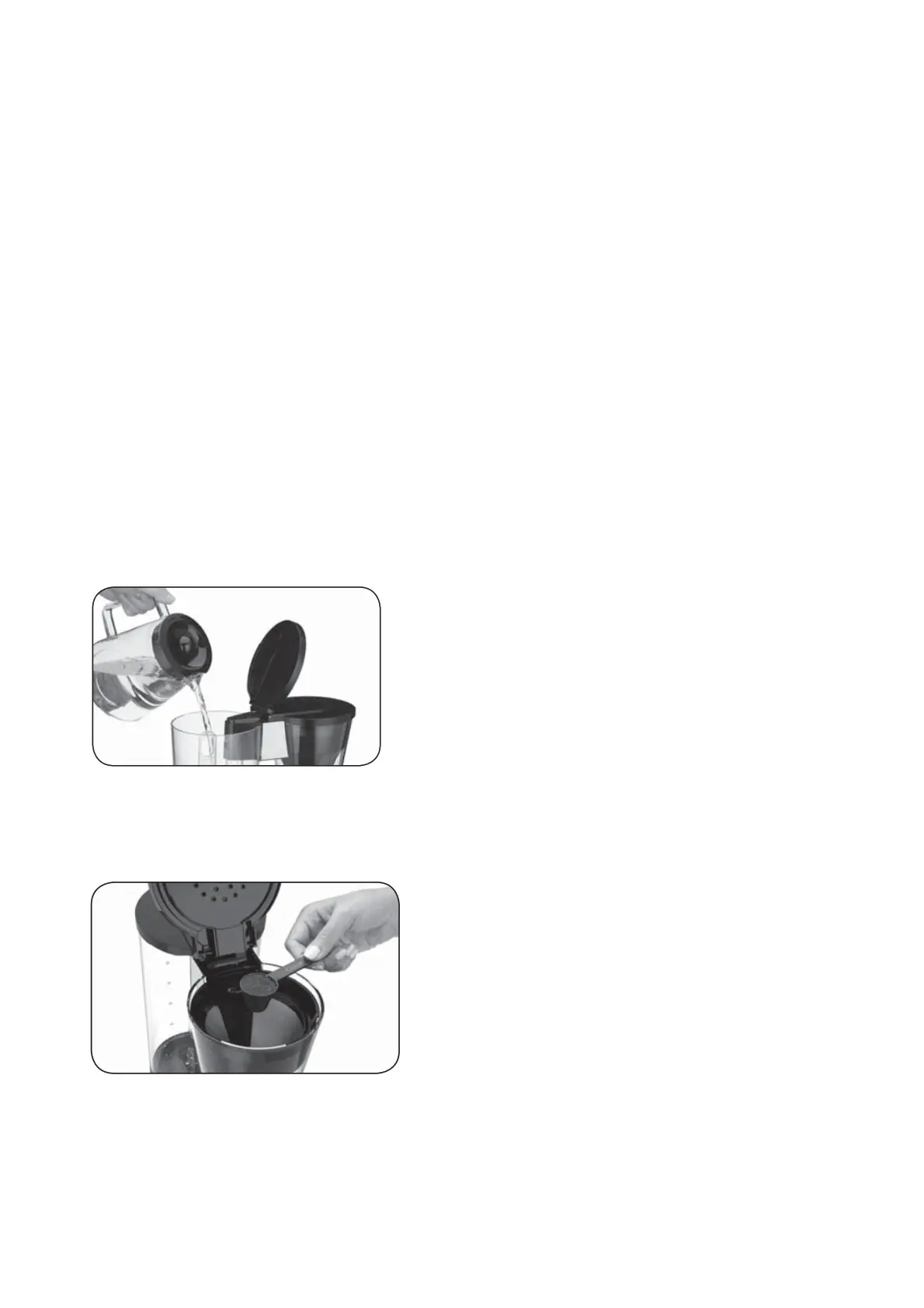
1. Fill the water reservoir
Lift the coffeemaker lid to open. Pour the desired amount of water into the water reservoir using the water level indicator located at the
side of the coffeemaker.
2. Insert Filter Basket Holder
Place the filter basket holder in the brew head. Press down firmly until it locks in place.
3. Add the ground coffee
Insert a #4 paper filter OR the gold-tone filter. Be sure that the paper filter is completely open and fully inserted in the basket. It may help
to fold and flatten the seams of a paper filter beforehand. Add 1 level scoop of ground coffee per cup. Adjust the amount according to
taste.
NOTE: The maximum capacity for ground coffee is 15 tablespoons for this
coffeemaker. Exceeding this amount may cause overflow if the coffee is too finely ground.
4. Position carafe and plug in unit Place carafe on heating plate and be sure coffeemaker lid is closed. Plug coffeemaker into an electrical
outlet.
5. Set preferences
a. Press the 14 cup button if you are brewing fewer than 5 cups. The indicator light will illuminate.
b. Press the Bold button to select stronger coffee flavor if desired. The button’s indicator light will illuminate. Press again to turn off light
and brew at regular strength.
c. Choose Low (L), Medium (M) or High (H) carafe temperature by pressing Carafe Temp button. Selection will appear in display.
6. Start Brewing Press the Brew/Off button to begin brewing.
7. After brewing When the brewing cycle has been completed, 5 beeps will sound. Coffee will continue to stream from the filter for several




 To Next Page