Page 22 40 Series Granulators
4. Tighten the fasteners in the front of the cutting chamber.
5 Accessing Screen Chamber
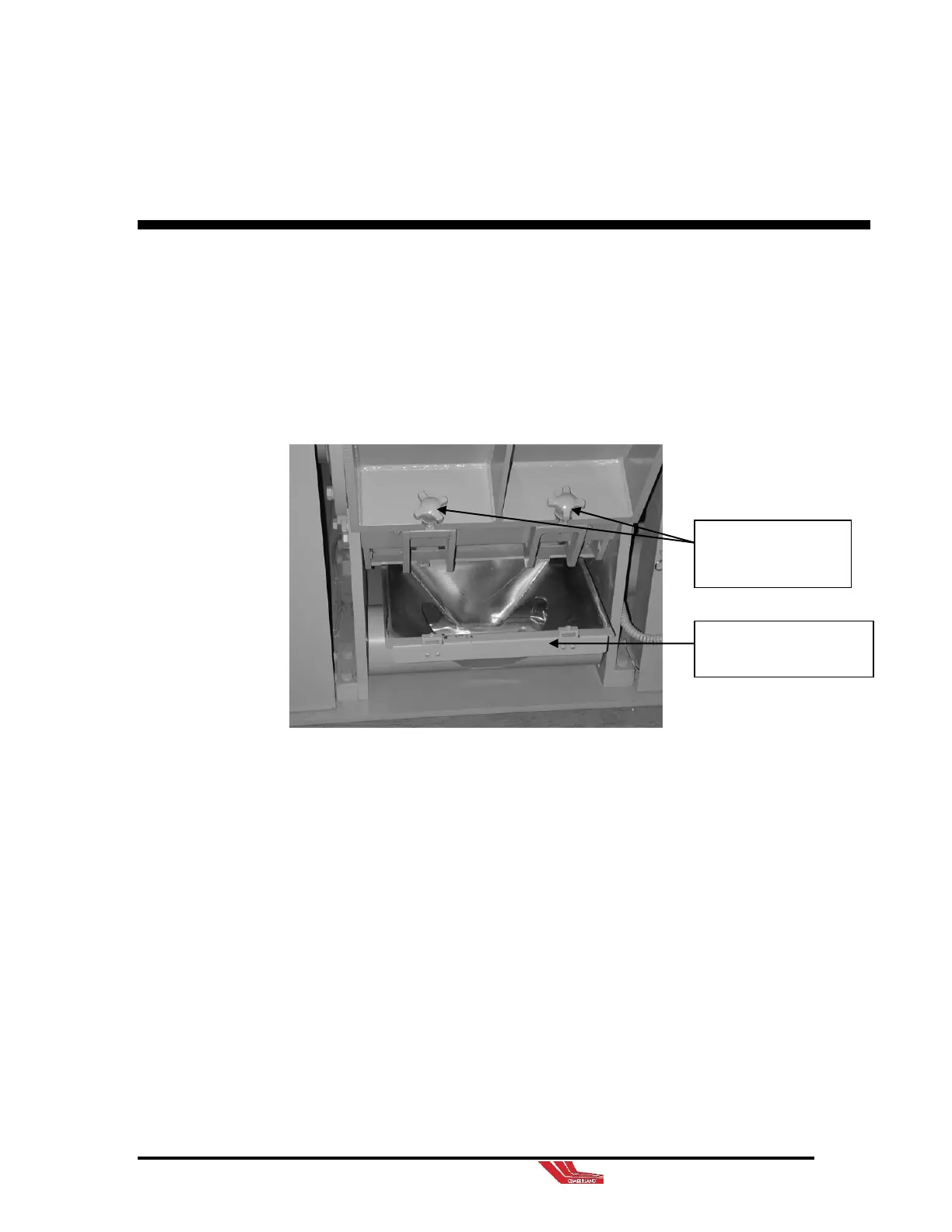
5-1 Opening Screen Chamber
1. Allow all material to run out of the cutting chamber and
screen chamber.
2. Shut OFF and LOCKOUT all power including the main
disconnect switch.
3. Remove hopper located below the screen chamber.
4. Loosen (2) fasteners holding the screen cradle in position.
As the fasteners are designed to remain with the screen
chamber, it is not necessary to totally remove them from the
screen chamber.
5. Guide the screen chamber to it’s resting position.
Hopper (Located under
screen chamber.)
2 fasteners holding
the screen cradle in
position.



 To Next Page