JetScan
™
DAILY CLEANING
2
JetScan
™
DAILY CLEANING
3
JetScan
™
Q
uick Reference
for
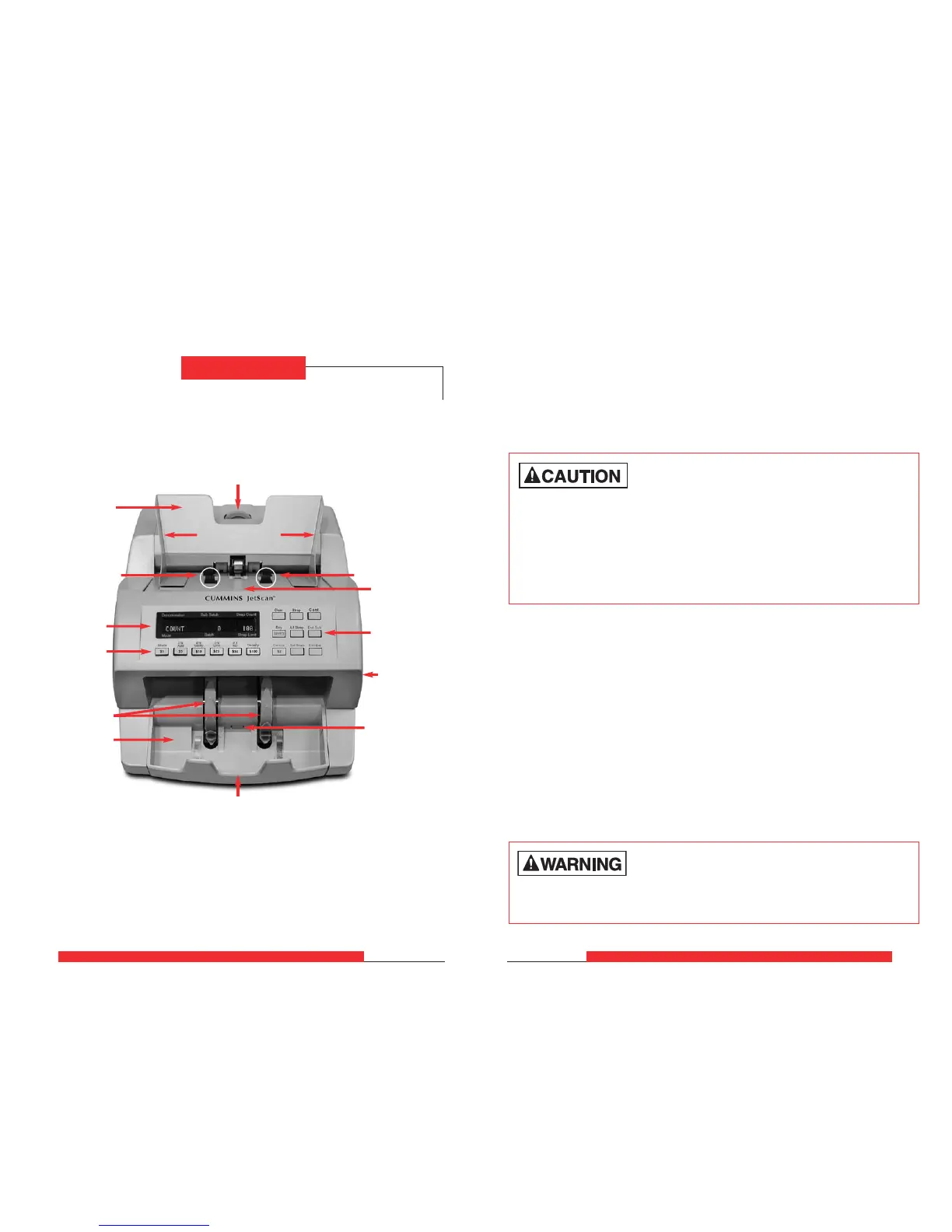
Machine Diagram
Display
Stacker wheels
Stacker mirror
Stacker
Function keys
Stacker sensor
Thickness adjustment dial
Hopper guides
Hopper
Function keys
Daily Cleaning Procedures
Daily cleaning of the JetScan™ currency scanner is recommended to ensure
maximum productivity and reliability, especially for high-volume applications,
as well as for those processing highly circulated (dirty) currency.
Follow these steps, which only will take a few minutes.
Recommended Cleaning Materials
Simple Green
®
, the recommended cleaning agent, can be an eye irritant.
Avoid eye contact.
If eye contact occurs, flush eye(s) with cool water for 5 minutes – remove
contact lenses if present – continue flushing eye(s) with cool water for
15 more minutes. If irritation persists, consult physician.
Individuals with sensitive skin should rinse hands after using.
High voltage inside. Risk of electric shock.
Turn power OFF and unplug power cord from machine before cleaning.
•
Simple Green
®
Safety Towels*. (Part number: 022-2118-00.)
A pre-moistened towelette or pre-moistened microfiber towel also may
be used. If using Simple Green
®
concentrate, dilute to: 1 ounce of Simple
Green
®
per 8 ounces of water.
• Microfiber towels. (Part number: 022-2223-00.)
• A clean, soft eraser. (Part number: 022-1695-00.)
• Vacuum. (Part number for standard vacuum: 022-1959-00; part number
for heavy-duty vacuum: 022-1308-00.)
* Simple Green
®
is a registered trademark of Sunshine Makers Inc. For a material-safety-data
sheet, see www.SimpleGreen.com.
Daily Cleaning
Feed roller
Feeder plate
Feed roller
Power switch
and power
cord on rear
of unit



 To Next Page