JetScan
™
STOPPING CONDITIONS & RECOVERY
11
JetScan
™
10
STOPPING CONDITIONS & RECOVERY
Remove all notes from the bottom stacker and place them on the top hop-
per. Press Cont. If an alarm repeatedly occurs, adjust the gray thickness
dial located on top of the machine behind the hopper extension. Rotate in
the negative (-) dir
ection as indicated by the numbers on the front of the
thickness dial.
Remove all notes from the bottom stacker. Separate the top note from the
remaining notes. Put the top note in the location for its denomination. Put all
the other notes (they are all the same) in the location for their denomination.
JetScan automatically will restart.
Remove all notes from the bottom stacker and put them on the top hopper.
Press Cont. If an alarm repeatedly occurs, adjust the gray thickness dial
on top of the machine behind the hopper extension. Rotate in the negative
(-) dir
ection as indicated by the numbers on the front of the thickness dial.
DISPLAY
DISPLAY
DISPLAY
JetScan may have processed
two or more notes as one.
JetScan has identified a note
that is different than those it
has been processing while
using sort mode.
This first note of the different
denomination is the top note
in the lower stacker.
JetScan may have processed
two or more notes as one.
➧
➧
➧
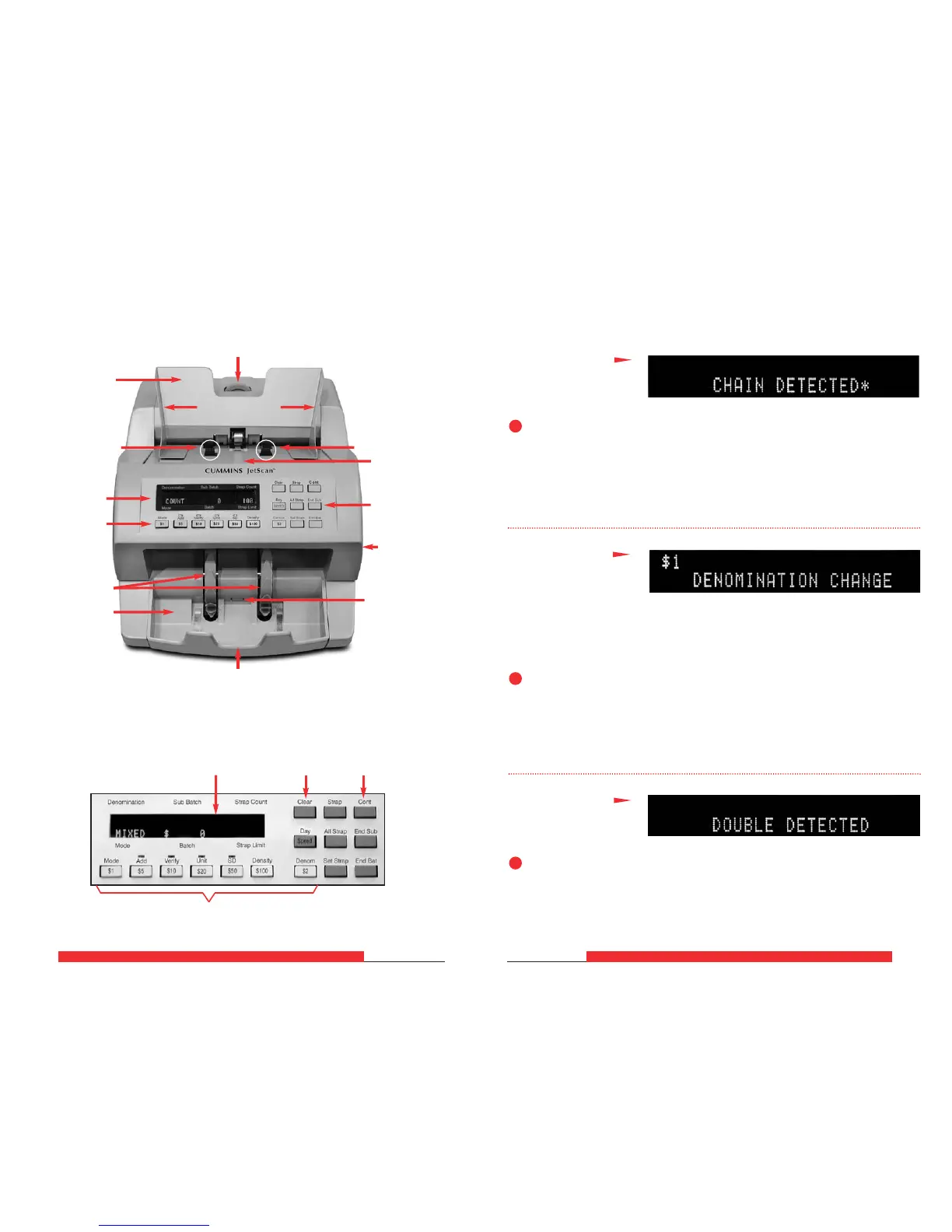
Stopping Conditions and Recovery Steps
Screens Listed Alphabetically
Display
Denomination value keys
Clear key
Cont
key
Machine Diagram
Display
Stacker wheels
Stacker mirror
Stacker
Function keys
Stacker sensor
Thickness adjustment dial
Hopper guides
Hopper
Function keys
Feed roller
Feeder plate
Feed roller
Power switch
and power
cord on rear
of unit



 To Next Page