JetScan
™
DAILY CLEANING
4
JetScan
™
DAILY CLEANING
5
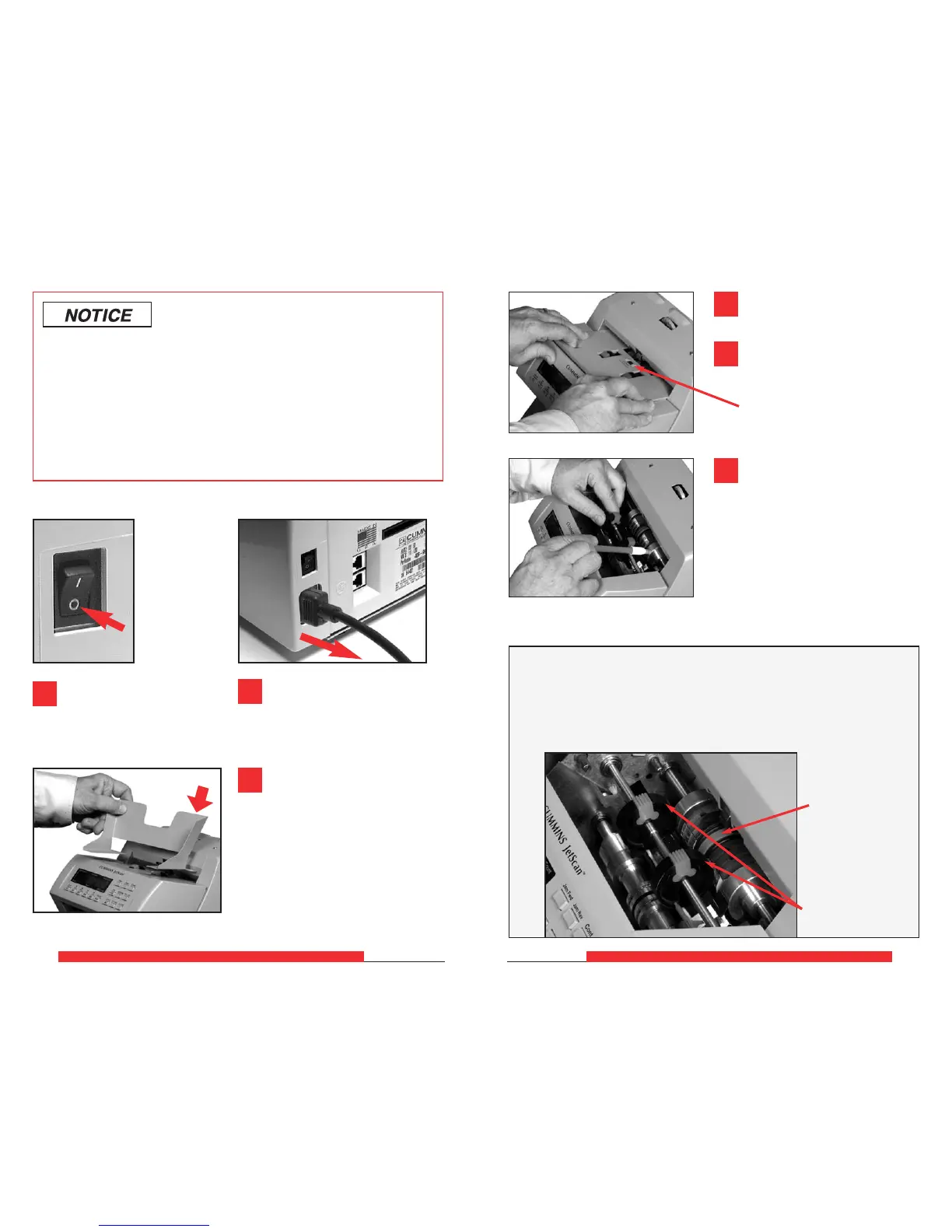
Turn power OFF
(rocker panel to 0).
Disconnect power cor
d from
the rear of the JetScan.
Helpful Hint: Rotating the large, black feed rollers will rotate
all other shafts and rollers in the machine. These rollers can be rotated
in either direction by using fingers. Generally, the top of these rollers
should be rotated forward (direction of note flow), so any dirt or stray
material is moved out of the unit.
Center rubber-
drive tire
Black feed rollers
Use a Simple Green
®
Safety
Towel to remove dirt buildup from
the upper and lower aluminum rollers.
To reach all exposed surfaces, rotate
the large, black feed rollers forward
(direction of note flow). (See Helpful
Hint below.)
If there is heavy buildup on the
aluminum rollers, remove it with
a clean, soft eraser as shown.
Remove feeder plate as shown
at left.
Use a microfiber towel to clean
the black start sensor at the top,
middle of the feeder plate.
Start sensor
To avoid machine/component damage and potential voiding of existing
warranty, follow these procedures:
Only use specified tools for cleaning machine. Never use metal tools.
If using Simple Green
®
concentrate, dilute to: 1 ounce of Simple Green
®
per 8 ounces of water.
Never use cleaners containing ammonia. Ammonia may remove labels
from machine.
Never spray cleaners directly on machine components.
1
2
6
4
5
Remove hopper extension.
3



 To Next Page