INSTALLATION
Setup Choices for Power ON
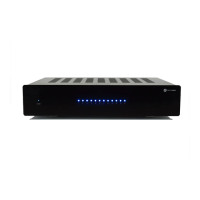
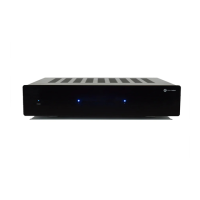
The AMP1270 and AMP870 amplifier provides three separate choices to energize the unit. See #10
Rear Panel Call Out on page 5.
Caution: Before making any changes to the AUTO MODE Switch insure that the Master Power switch
on the rear of the amp is OFF. Possible damage to the amp may occur due high transient current during
switching or from wiring misconfiguration.
It has:
• Constant ON. It is provided by the Front Panel ON/STANDBY Switch. LED must be Blue.
NOTE: The rear Master Power Switch must be ON.
• DC 12V TRIGGER. The Front Panel ON/STANDBY Switch must be in Standby mode. LED will
• indicate red. The tip of the plug is (+).
• Auto Mode Music. In this mode the amp will energize automatically by sensing a small current
when an audio signal is applied. The Front Panel ON/STANDBY Switch must be in Standby mode.
The switch LED will indicate red.
Constant ON Mode
In the Constant ON mode the amplifier is energized continually. This is the most inefficient mode of
operation. When in this mode the amp is always running and does not conserve energy. If this mode
is selected, careful attention should be given to the steady heat generated. Make sure there is ample
ventilation to accommodate the excess heat produced in this mode.
To have power ON constant the ON position of the AUTO MODE Switch on the rear of the panel must
be in the ON location to the left. Turn the MASTER POWER switch on rear of panel to the ON position.
With this switch ON you can now energize the amplifier from the front panel. The switch toggles from
ON to STANDBY. To indicate Constant ON the front LED lights will illuminate Blue.
MUSIC Auto Sense Mode
When the AUTO MODE Switch is in the MUSIC mode the power to the unit is controlled by the input
signal present on either the GLOBAL INPUT or any LINE IN for the separate Channel Zones. When a
low level signal is detected on either of these inputs the amplifier will energize and send speaker level
sound to the selected zones. If after 10 minutes no signal is present the amplifier will automatically turn
off. The delay prevents cycling when there is any pause in the sound/music source. The Front panel
switch must be in STANDBY indicated red on the switch. It should turn Blue when a signal is detected
on the inputs. The amplifier will energize.
DC 12V Trigger Mode
When the AUTO MODE Switch is in DC 12V position the system requires an external trigger to
energize the amplifier. Connect a remote two conductor via a male 3.5mm phone plug to the DC 12V
TRIGGER IN jack. The tip is (+) positive and the sleeve is (-) negative. If more than one device needs
to be controlled connect that device to the to the DC 12V TRIGGER Out jack via a male 3.5mm phone
plug. The front Power Switch must be in the Standby Mode to operate. The LED on the Switch will
illuminate red when in Standby mode and turn Blue when triggered. This indicates the amplifier is
active.
www.currentaudio.com
1890 Cordell Court, Suite 105., El Cajon, CA 92020 • 866-927-7181
©2014 Current Audio - All Rights Reserved.
Rev. 01, 04/14
9


 To Next Page
 Loading...