10
Oven Function Selector Control
This control is used to select the cooking functions. Turn the control clockwise or anti-clockwise to select the
required function.
1. Turn the control to the required setting. The yellow operation light will illuminate.
2. To switch o the oven, turn the control anti-clockwise to the ”O“ position. The operation light will go out.
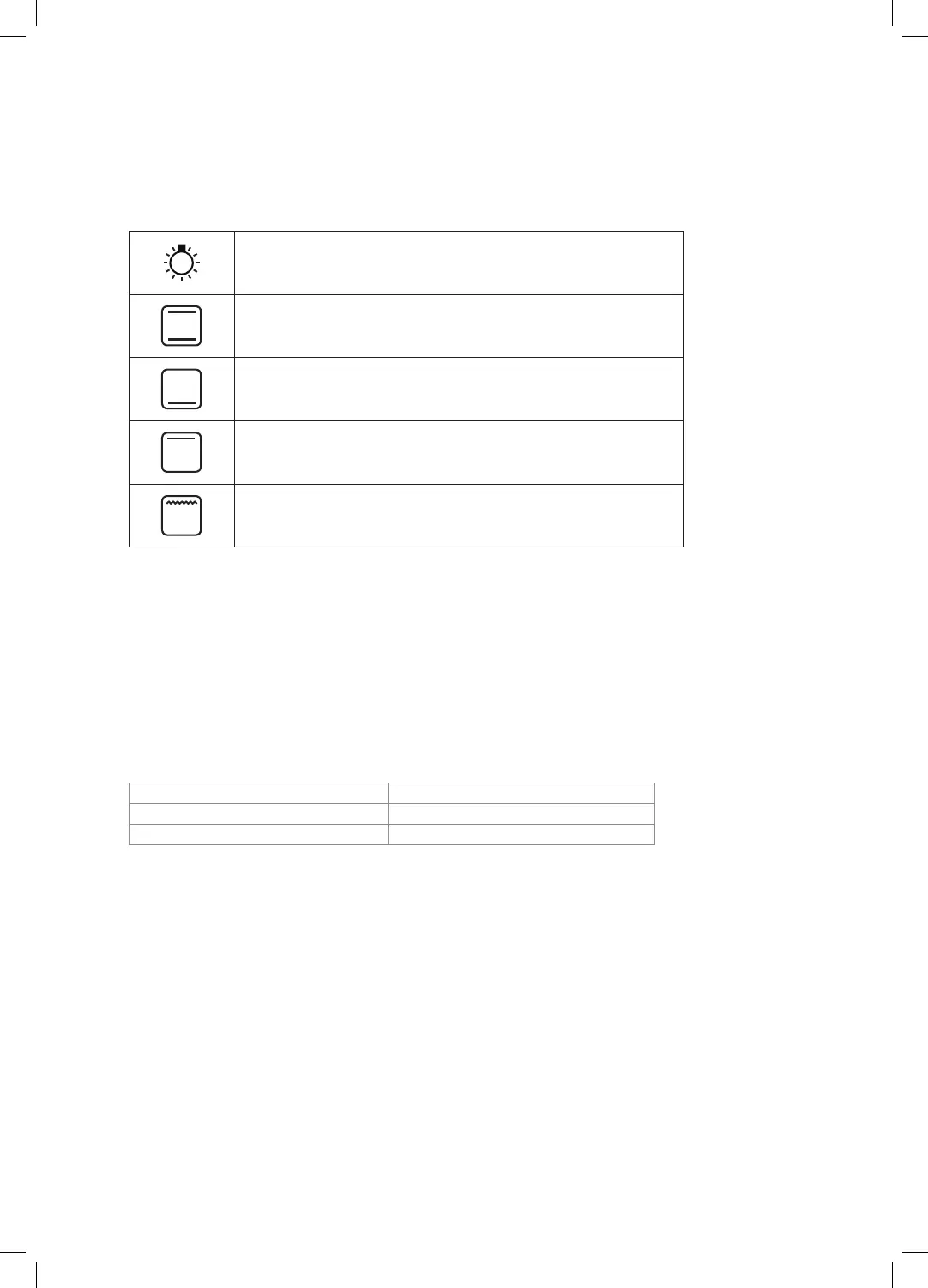
Switches on the oven lamp independently of all other functions.
The oven’s thermostat, indicator lamp and upper and lower heating
elements will be switched on.
The oven’s thermostat, indicator lamp and the lower heating element
will be switched on.
The oven’s thermostat, indicator lamp and the upper heating element
will be switched on.
The oven’s indicator lamp and grill heating element will be switched on.
Temperature (Thermostat) Control
This control is used to select the cooking temperature. Turn the control clockwise to select the required
temperature.
1. Turn the control to the required temperature. The red thermostat light will illuminate.
2. The thermostat light will go out once the set temperature is reached. The oven is ready to use.
3. Turn the control anti-clockwise to the ”O“ position when switching the oven o. The thermostat light
will go out.
The temperature can be set from 50°C - 250°C. Select the desired temperature, as follows:
To keep food warm 50 - 100°C position
For traditional oven cooking 50 - 250°C position
For all types of grilling The grill temperature can’t be adjusted
If accurate temperatures are required then this should be checked using an oven thermometer available
at most cookware shops.
* All images are for indication only; please refer to your individual unit for actual item.
CFSEWH14/SV14_IB.indd 10 31/03/2015 15:54


 To Next Page