EasyManua.ls Logo

Curt Manufacturing ECHO - User Manual

Curt Manufacturing ECHO
8 pages
Print Icon
To Next Page IconTo Next Page
Loading...
PAGE 1
51180-INS-RE
87 7.2 87.86 34
NEED ASSISTANCE?
CURTMFG.COM
Read and follow installation manual carefully.
Failure to do so could result in damage to the brake controller unit,
loss of trailer brakes or poor brake performance.
Avoid distracted driving. Only make
adjustments when the vehicle is stationary.
Do not mount the Echo
®
near the exhaust pipe.
Failure to do so may result in heat damage, loss of functionality
and risk of fire.
Prior to driving, test all trailer lights
while the trailer is plugged into the Echo
®
.
The vehicle must have +12V, ground and turn signals connected to
the 7-way socket. Brake output to the 7-way socket is not required.
See 'Vehicle-Specific Requirements'.
An existing aftermarket or factory brake controller will not
function if Echo brake controller is installed.
No special wiring or connectors are required for use.
Echo Smart Control IS NOT compatible with Apple CarPlay or
Android Auto. However, it will not interfere with these features.
Echo is designed to provide a Bluetooth connection, without
obstruction, up to 50 ft. Connection may also be limited by the
Bluetooth signal of your phone.
The Echo brake controller uses the 7-way connector's +12V
connection to power the brakes, and it shares this power with the
trailer. Ensure the fuse for this connection is rated for 30 amps.
See the vehicle owner's manual to determine the fuse location.
If the LED on the Echo does not light when plugged
into the 7-way connector, the +12V power pin may not
have power from the vehicle. Visit a CURT authorized
installer to install a power wire to the battery.
If the phone application cannot connect to the Echo due to an incorrect
or missing PIN, contact CURT Product Support. They will need the
serial number located on the label of your Echo brake controller.
Clean and store the Echo in a safe, dry place when not in use.
We recommend applying dielectric grease to the terminals.
Requires tow / haul mode activation and / or load detection on
7-way before the +12V output is activated on the 7-way connector.
Activate tow mode and connect trailer before attempting Bluetooth
connection to the Echo. The LED on the Echo must be on.
These vehicles may turn off the +12V output to the 7-way connector
when in park or during gear shifting, making the existing vehicle
wiring incompatible with the Echo. To use Echo with these vehicles,
visit a CURT authorized installer to install a power wire to the battery.
BEFORE YOU BEGIN
5118 0
ECHO
®
MOBILE BRAKE CONTROLLER
INSTALLATION MANUAL
Ford F-150 (15 - 17)
Ford F-150 (2018 to Current)
VEHICLE-SPECIFIC REQUIREMENTS
NOTICE
NOTICE
WARNING
WARNING
WARNING
Some vehicles may require a trailer to be connected
to detect a load and activate the +12V power.
Consult the vehicle owner's manual for vehicle-specific details or
contact CURT Product Support if you are having trouble diagnosing
the issue. Known vehicle-specific requirements are listed below:
If your vehicle comes with a trailering app or towing prep
package, it may be necessary to activate a tow / haul mode using
a push button or in-dash screen menu. This allows power at the
7-way connector of the vehicle.
See the vehicle owner's manual to enable this feature.

Other manuals for Curt Manufacturing ECHO

Question and Answer IconNeed help?

Do you have a question about the Curt Manufacturing ECHO and is the answer not in the manual?

Summary

Before You Begin

Vehicle-Specific Requirements

Ford F-150 (2018 to Current)

Specific requirements for Ford F-150 models from 2018 onwards regarding towing and brake controller connection.

Ford F-150 (15 - 17)

Specific requirements for Ford F-150 models from 2015-2017 regarding towing and brake controller connection.

Download the Mobile Application

Initial Setup for Bluetooth Connection

Enable Bluetooth and Device Pairing

Instructions for enabling Bluetooth on your device and pairing it with the Echo controller via the app.

Connect and Pair Echo Controller

Steps to launch the app, scan for the Echo controller, and complete the Bluetooth pairing process.

Trailer Connection and Calibration

Procedure for plugging the trailer into the Echo controller and the subsequent calibration process indicated by LED lights.

Installing the Safety Strap

Strap Installation Steps

Comprehensive steps for installing the safety strap, including fastener and connector insertion, and securing the strap.

Application Setup

Controller Profile Management

Accessing and managing saved controller profiles for different trailers, with options for quick setup.

Application Profile Features

Utilizing the application to create and store unlimited custom trailer profiles for various towing situations.

Activating a Profile

Procedure to select and activate a previously saved trailer profile for use.

Deleting a Profile

Steps to remove a specific trailer profile from the application.

Configuring Profile Settings

Manual Brake Activation

How to activate manual braking by holding the orange button in the app for gradual speed reduction.

Brake Output Indicator

Understanding the blue ring indicator that shows the current level of power applied to trailer brakes.

Max Output Adjustment

Setting the maximum power available to trailer brakes, crucial for initial setup and varying conditions.

Sensitivity Level Adjustment

Tuning trailer aggressiveness during braking for individual driver preference or load changes.

Vehicle Hazard Lights Control

Option to control vehicle hazard lights, preventing trailer brake pulsing during flashing.

Screen Theme Selection

Changing the application's display theme between light and dark modes for user preference.

Test Drive & Adjustment

LED Status Indicator

Condition Notifications

Bluetooth Connection Lost

Notification indicating a loss of Bluetooth connection, with the Echo functioning on saved settings.

Electrical Overload Warning

Warning for electrical overload detected, advising to stop, disconnect, and reinspect trailer wiring.

Trailer Disconnection Danger

Danger alert for trailer 7-way disconnection, requiring stopping, reinspection, and reconnection.

Troubleshooting Guide

Product Registration

Customer Feedback

Overview

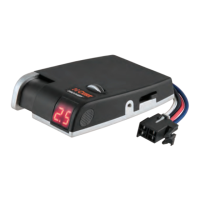
The CURT Echo® Mobile Brake Controller (Model 51180) is a device designed to provide wireless control of trailer brakes through a mobile application. It offers a convenient and flexible solution for towing, eliminating the need for a traditional in-cab brake controller.

Function Description:

The Echo® Mobile Brake Controller connects to a vehicle's 7-way trailer socket and communicates wirelessly via Bluetooth with a mobile application on a smartphone (Apple iOS 5 or higher, Android 4.3 or higher). It applies trailer brakes based on user-defined settings and vehicle braking. The device is designed to work with vehicles that provide +12V, ground, and turn signals to the 7-way socket. Brake output to the 7-way socket is not required from the vehicle. It is not compatible with existing aftermarket or factory brake controllers and will not function if one is installed. The Echo® is not compatible with Apple CarPlay or Android Auto but will not interfere with these features.

Important Technical Specifications:

  • Power Source: Draws power from the vehicle's 7-way connector's +12V connection.
  • Fuse Requirement: The +12V connection fuse should be rated for 30 amps.
  • Wireless Connectivity: Bluetooth, with an unobstructed range of up to 50 ft.
  • Mobile OS Compatibility: Apple iOS 5 or higher, Android 4.3 or higher.
  • LED Status Indicator: A single LED on the device indicates its status:
    • Flashing blue: Device not paired, no trailer connected.
    • Solid blue: Device paired, no trailer connected.
    • Flashing yellow: Calibrating Echo®.
    • Flashing green: Device not paired, trailer connected.
    • Solid green: Device paired, trailer connected.
    • Flashing red: Wiring error.
    • Solid red: Hardware fault.
    • No light: No power.

Usage Features:

  • Mobile Application Control: All settings and adjustments are made through the 'Echo® Smart Control' mobile app.
  • Initial Setup:
    • Vehicle must be running or ignition in 'ON' position with the vehicle in park.
    • Enable Bluetooth on the mobile device.
    • Install the safety strap to secure the Echo® to the 7-way cover and pin.
    • Insert the Echo® into the vehicle's 7-way socket.
    • Launch the app, scan for the Echo®, and enter a six-digit PIN (found on the device or quick reference card) for pairing.
    • Plug the trailer's 7-way connector into the Echo® for calibration (LED flashes yellow, then turns solid green).
  • Towing Profiles:
    • Controller Profile: Stores up to five recently used settings directly on the Echo® device, allowing quick access for multiple users or trailers. The active profile is displayed at the top of the menu.
    • Application Profile: Allows creation and storage of an unlimited number of vehicle-trailer profiles within the app. Profiles can be named descriptively, activated, and deleted.
  • Configurable Settings (within 'Active Profile'):
    • Manual Brake Activation: Press and hold an orange button in the app to manually apply trailer brakes for slow speed reduction.
    • Brake Output Indicator: A blue ring in the app visually indicates the current power level being applied to trailer brakes.
    • Max Output: Adjusts the maximum power available to the trailer brakes during braking. This should be set during initial setup, when trailer load changes, or for different trailers / road conditions.
    • Sensitivity Level: Adjusts the aggressiveness of trailer braking. This does not affect manual control and should be set based on driver preference, trailer load, or road conditions.
    • Vehicle Hazard Lights Bypass: A toggle switch to prevent trailer brakes from pulsing on and off when the vehicle's hazard lights are active.
    • Screen Theme: Option to change the app's theme from light to dark for day or night driving.
  • Test Drive & Adjustment: Output and sensitivity adjustments should be made while stopped, with the transmission in park or neutral, parking brake applied, and foot off the brake pedal. Drive at approximately 25 mph to test and adjust settings for firm, smooth stops, just short of lock-up.
  • Condition Notifications:
    • Bluetooth Connection Lost: The Echo® continues to function on the last saved settings, but manual adjustments are disabled.
    • Electrical Overload: A warning appears if an overload to trailer brakes is detected. Users are advised to safely stop, disconnect, and reconnect the trailer 7-way, and inspect wiring if the message reappears.
    • Trailer Disconnected: A warning appears if the trailer 7-way becomes disconnected. Users are advised to safely stop, reconnect, and the application will reactivate.

Maintenance Features:

  • Cleaning and Storage: Clean and store the Echo® in a safe, dry place when not in use.
  • Terminal Care: Apply dielectric grease to the terminals when not in use.
  • Troubleshooting Guide: The manual provides a comprehensive troubleshooting guide for various conditions, including LED status, connectivity issues, brake performance problems, and app signals, with corresponding problem causes and possible solutions.
  • Product Support: Contact CURT Product Support for issues like incorrect or missing PINs, or for vehicle-specific diagnostic assistance.
  • Vehicle-Specific Requirements: Some vehicles (e.g., Ford F-150 2018-Current) may require activating a tow/haul mode or load detection to enable +12V power at the 7-way connector. Older Ford F-150 models (2015-2017) may require a power wire installed directly to the battery by an authorized installer due to intermittent +12V output.
  • Registration: Users are encouraged to register their product at warranty.curtgroup.com/surveys and leave reviews on curtmfg.com/51180.

Curt Manufacturing ECHO Specifications

General IconGeneral
BrandCurt Manufacturing
ModelECHO
CategoryAutomobile Accessories
LanguageEnglish

Related product manuals