17
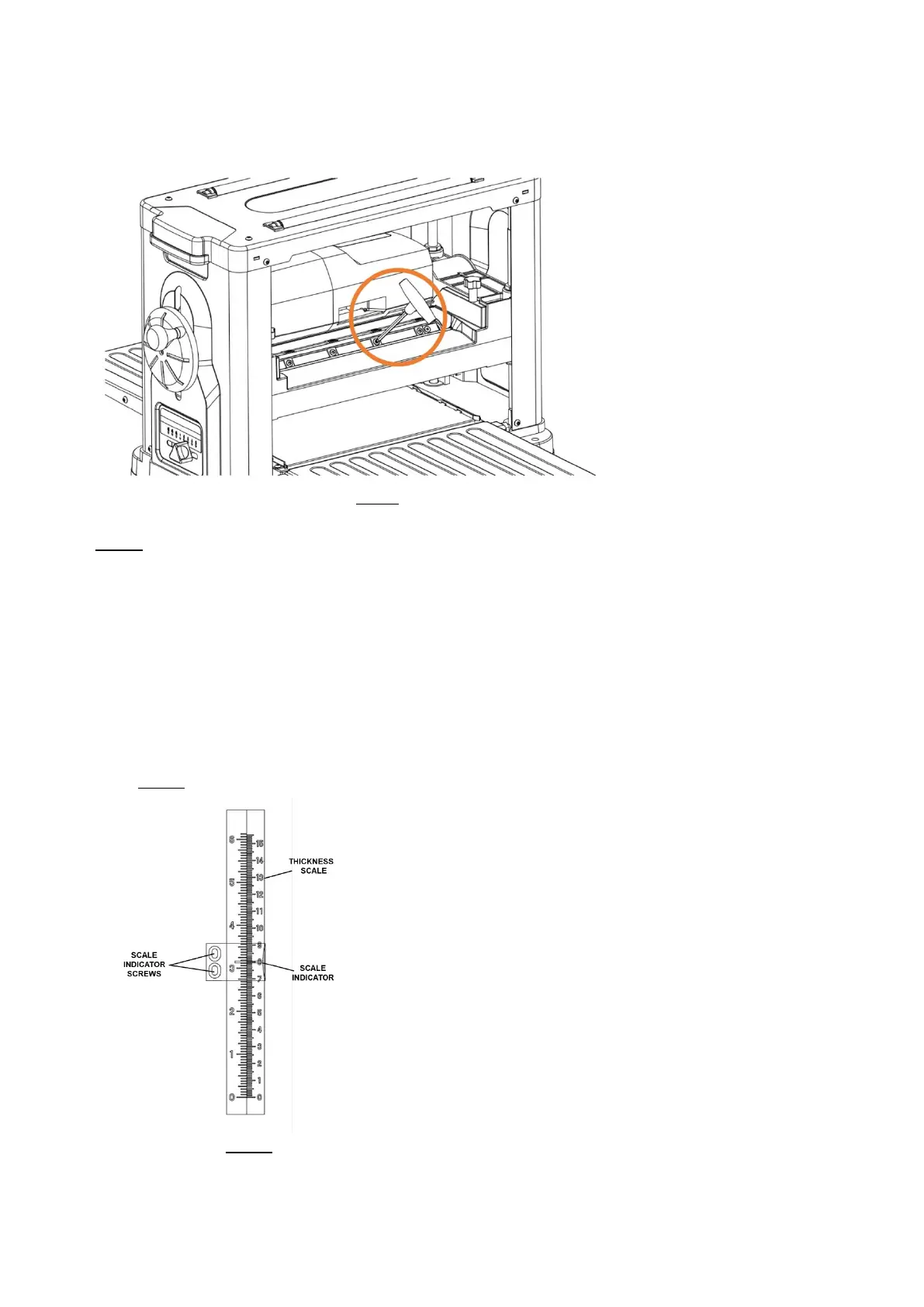
6. Lubricate the Torx screw threads with light machine oil and wipe the excess oil off the
threads. Install cutter tip insert and torque the Torx screw to 48-60 lbf-in.
FIG 7
Note: Proper cleaning of tips and cutterhead is critical to achieving a smooth finish. Dirt or
dust trapped between the cutter insert and cutterhead will slightly raise the cutter insert,
and make noticeable marks on your work piece the next time you plane.
THICKNESS SCALE ADJUSTMENT
The thickness scale, located on the right of the planer, shows the thickness of the finished
work piece. To make sure the scale is set properly, run a piece of wood through the planer
and measure the thickness of the wood. If the scale is out of alignment, loosen the two
round head screws holding the scale indicator and adjust the thickness indicator to the
correct setting. Make sure to re-tighten the two screws once the adjustment is complete.
SEE FIG 8.
FIG 8



 To Next Page