Fixing Video Flickering
Video ickering can be xed by following the recommended settings:
- The Flicker Control setting is preset at 60Hz.
- When traveling to another country where the PowerLine Frequency is 50Hz, you may nd that
the video is ickering. This will require switching the Flicker Control to 50Hz.
- When returning back to your home country, switch the Flicker Control back to 60Hz.
There are two ways to stop your video from ickering:
- Utilize a third-party application called AMCap
(see instructions below)
- Change through the settings of your Video Messaging
application
AMCap:
- Download and install AMCap Demo version from
https://amcap.en.softonic.com/download?ex=NB-6.2
- Launch AMCap
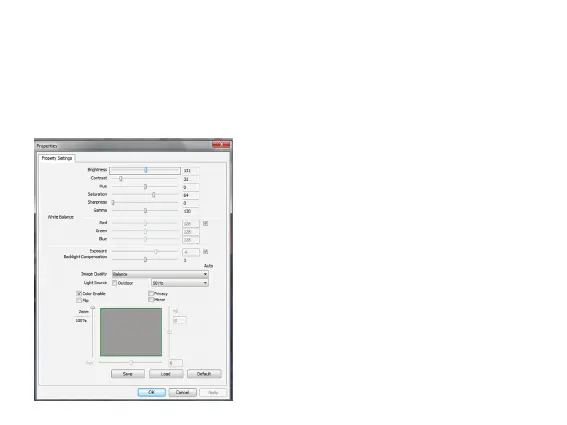
- Select Options --> Video Device -->Properties
- Select appropriate Flicker Control to 50Hz or 60Hz in
Light Source row.
Page 11



 To Next Page