CyberData Corporation
3 Justin Court, Monterey, CA 93940
www.cyberdata.net
P 831.373.2601 | F 831.373.4193
RING CENTRAL CONFIGURATION GUIDE: V3 PAGING SERVER
Doc. 931042C Page 31
Q: We only need one paging group and do not want to pay for a RingCentral user. Is there a
way to provision the paging extension as a Paging Device?
A: If you only want to use one paging group and do not need to set a security code for the
paging group, it is possible to provision the paging extension as a Paging Device and add the
Paging Device to a RingCentral Paging Group. Keep in mind that when you call the paging
group extension, the prompt you will hear to begin your voice page is coming from RingCentral
and not the paging server.
First, you may follow the instructions for provisioning a Paging Device and adding it to a Paging
Group in the RingCentral Configuration Guide: V2 SIP-Enabled IP Speakers or
RingCentral Configuration Guide: V2 SIP-Enabled Amplifiers configuration guides. This
process is documented in Section 4.0 “Configuration Procedure: Auto-Answer Paging” of each
configuration guide. Each were written for the respective device but the process is the same for
the paging server’s paging extension.
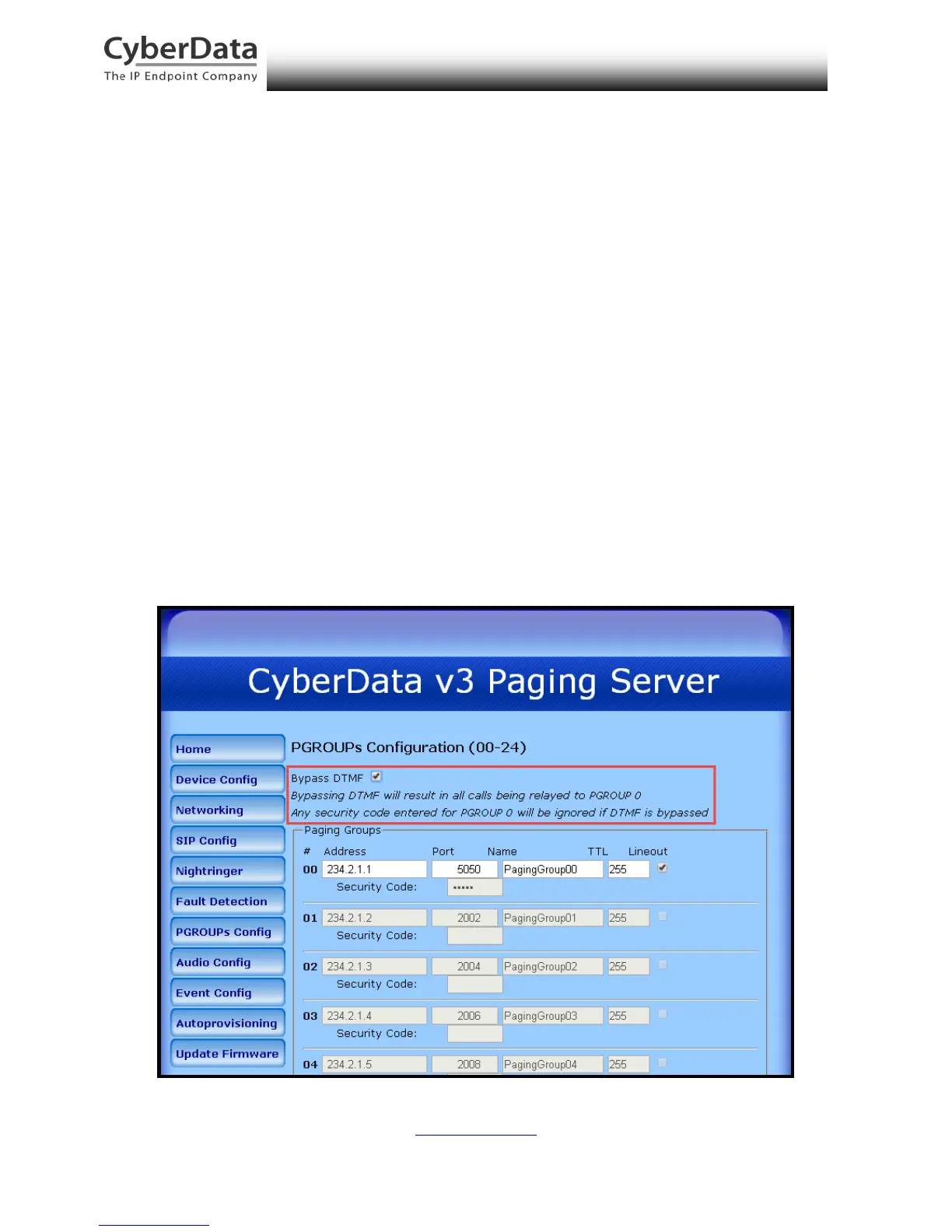
Next, be sure to set the option to Bypass DTMF on the PGROUPS Configuration page of the web
interface. This option will bypass the paging menu that normally plays to the caller and
automatically forwards all pages to paging group 00. Any configured security codes will be
ignored.
Figure 7-1. PGROUPS Configuration – Bypass DTMF


 To Next Page