Chapter 3: Replacing Components and Preventive Maintenance
66 SE500CP Hardware Manual
Replacing the Gantry Stator
Use this procedure to replace the stator on the left or right side of the gantry. This section shows
the procedures performed when the machine is not in the production line.
Parts
Stator
Required Tools
– Threadlock Sealant
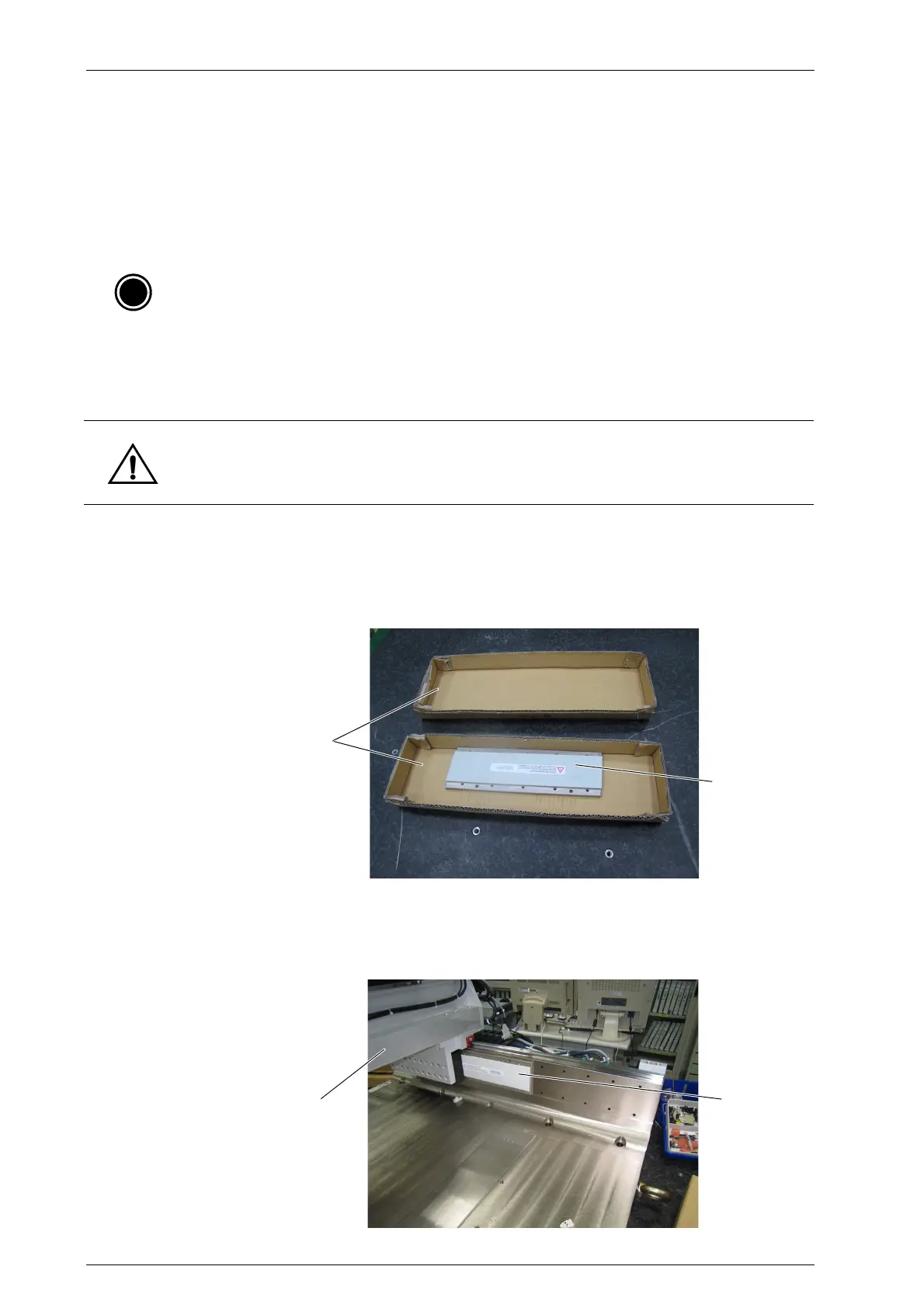
– Ironless container (For easy handling and housekeeping of the stators)
➢ To replace the gantry stator
1. Turn off all electrical power to the system. For more information, refer to the section
“Shutting Down the System” on page 50.
2. Prepare two ironless containers as shown.
3. Slide out the first piece of stator at the edge of the stage and place it in one of the ironless
container.
4. Move the carrier to the other end of the stage.
Note: For Parts Replacement, contact CyberOptics for part numbers.
Caution: Since the stator has a very strong magnetic attractive force. For safety reasons, place
each stator in each ironless container separately.
Ironless containers
Stator


 To Next Page