CyberOptics Corporation vii
Preface
Preface
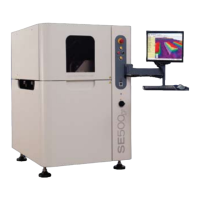
This SE500CP Hardware Manual is intended to provide comprehensive information about the
SE500
CP system.
If you have any questions that are not answered by this guide, contact CyberOptics Customer
Service and Support. Refer to “Technical Support” o n p a g e i x .
Prerequisite Knowledge
● Moderate computer experience
● Moderate Windows
®
experience
Documentation
Documentation for the SE500CP Solder Paste Inspection system consists of the following
information:
●
SE500CP Hardware Manual
Provides an overview of SE500
CP components, instructions for how to install and maintain
the SE500
CP system, parts replacement information, and system specifications.
●
SE Series Solder Paste Inspection Software User Guide and Online Help
Provides task-based, step-by-step procedures and descriptions of the software controls for the
Solder Paste Inspection Applications— Engineering Interface.
●
SPI Systems Inspection User Guide and Online Help
Provides task-based, step-by-step procedures and descriptions of the software controls for the
Solder Paste Inspection Applications— Operator Interface.
●
SE Series Solder Paste Inspection Safety User Guide
Provides safety guidelines, safety symbols and their meanings to help prevent personal
injury and equipment damage when operating SE500
CP system. Read, understand and follow
safety messages and instructions in this user guide.
Manual Change Request
Every effort has been made to provide complete and accurate information for operating and
maintaining the SE500
CP system. If you have suggestions for improvements or find an
inaccuracy, please complete the manual change request form on page viii and forward your
suggestions to CyberOptics.
Note: Include a copy of the change request form on the following page and, if applicable, a copy
of the page with the error marked.


 To Next Page