Need help?
Do you have a question about the CyberPower CSB604 and is the answer not in the manual?
Controls power to all outlets, acts as a 15A breaker, and resets on overload.
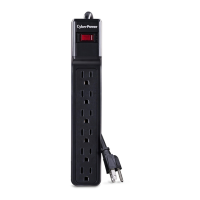
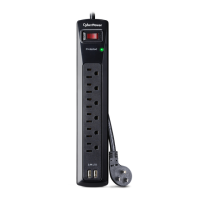
Provides six standard outlets for connecting electronic devices.
Steps for connecting the surge protector to a wall outlet and equipment.
Details what the warranty covers and who is eligible for protection.
Outlines the steps for initiating a claim for damaged connected equipment.
Explains CyberPower's actions for defective products or connected equipment damage.
Lists conditions and situations not covered by the product warranty.
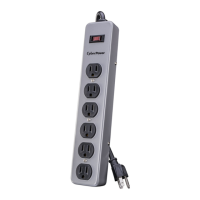
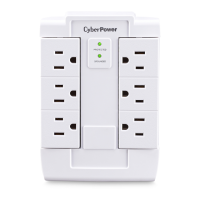
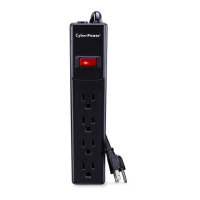
This document describes the CyberPower CSB604/CSB606/CSB606W 6-Outlet Surge Protector, a device designed to safeguard electronic equipment from power surges and provide a convenient power distribution solution.
The CyberPower surge protector serves as a crucial intermediary between your electronic devices and the electrical outlet, offering protection against sudden and potentially damaging power fluctuations. Its primary function is to absorb excess electrical energy from surges, preventing it from reaching and harming connected equipment. In addition to surge protection, it acts as a power strip, providing multiple outlets for connecting several devices simultaneously. The integrated circuit breaker adds an extra layer of safety by automatically cutting off power in the event of an overload, thereby preventing damage to both the surge protector and the connected electronics. This ensures a stable and protected power supply for your valuable equipment.
Operating the CyberPower surge protector is straightforward, designed for ease of use and maximum safety. To begin, ensure the power switch is in the "OFF" position. Then, plug the surge protector directly into a standard grounding wall receptacle, making sure the plug is fully inserted with no exposed conductors. It is critical to avoid using extension cords to connect the surge protector to the wall outlet, as this can compromise its effectiveness and safety. Before plugging in any electronic equipment, ensure that all devices are turned off. Once your equipment is ready, connect it to the surge protector's outlets. The device features six standard outlets, allowing you to power multiple devices concurrently. After all connections are made, set the power switch to the "RESET" position. This action activates the surge protector, providing both power and surge protection to your connected equipment. You can then proceed to turn on your electronic devices.
The ON/OFF Reset Control Switch serves a dual purpose: it controls the power supply to all outlets and acts as a 15 Amp circuit breaker. If an overload occurs, such as when too many high-power devices are connected, the circuit breaker will automatically trip, switching the unit OFF to prevent damage. To restore power after an overload, first identify and remove the device causing the overload. Once the overload condition is resolved, simply switch the ON/OFF switch back to the "RESET" position to resume operation. This integrated control and protection mechanism ensures that your equipment is always operating within safe electrical limits.
The surge protector is intended for use in dry, indoor locations only. It is crucial to adhere to specific safety guidelines to ensure proper function and prevent hazards. Do not plug the surge protector into another relocatable power tap, nor should you "daisy chain" multiple surge protectors together. This practice can lead to overloading and diminish the protective capabilities of the devices. The unit is not designed for use with aquarium equipment, medical equipment, or life support equipment, where continuous and uninterrupted power is critical. Furthermore, do not install the device if the electrical outlet is more than 10 meters (30 feet) or less than 10 meters (30 feet) from the electrical service panel, as this could affect its protective performance. The device incorporates an internal protection feature that will disconnect the surge protective component at the end of its useful life. However, even after this component is disconnected, the unit will continue to supply unprotected power to the load, meaning your devices will still receive power but without surge protection. This design allows you to continue using the power strip function while alerting you that the surge protection capability has been exhausted.
While the CyberPower surge protector is designed for robust and reliable performance, understanding its maintenance aspects, particularly in troubleshooting, is important. The primary maintenance feature is its self-resetting circuit breaker. If the power switch is in the "OFF" position and you suspect a power issue, it is likely that the 15 Amp circuit breaker has tripped due to an overload. This is a built-in safety mechanism that requires user intervention to reset. To resolve this, you must first examine all connected equipment to identify and remove the device that caused the overload. Once the problematic device is disconnected, you can then turn the ON/OFF switch back to the "RESET" position to restore power and resume normal operation. This process ensures that the underlying cause of the overload is addressed before power is re-established, preventing potential damage to the surge protector and your electronics.
The device is designed to be largely maintenance-free in terms of internal components. However, regular visual inspection of the surge protector and its connected cords is recommended to ensure there are no signs of wear, damage, or overheating. Always ensure that the surge protector is plugged directly into a properly wired and grounded wall outlet, in compliance with all electrical and safety codes. Avoid using any adapters or other connectors that could compromise the grounding integrity. The product must always be used within its specified VA capacity; exceeding this limit can lead to frequent tripping of the circuit breaker and potentially shorten the lifespan of the device. Should you encounter persistent issues or have questions regarding installation, troubleshooting, or general product inquiries, CyberPower offers technical support via phone and email. Their support team can provide guidance on resolving common problems and ensuring the optimal performance of your surge protector. This proactive approach to support helps users maintain the device effectively and ensures continued protection for their electronic investments.
 General
| Type | Surge Protector |
|---|---|
| Outlets | 6 |
| Amps | 15 |
| Protection Indicator Lights | Yes |
| Warranty | Lifetime |
| Cord Length | 6 feet |
| Response Time | 1 nanosecond |

 To Next Page