EasyManua.ls Logo

CyberPower CSP600WSU - User Manual

CyberPower CSP600WSU
2 pages
Print Icon
To Next Page IconTo Next Page
Loading...
CONGRATULATIONS ON YOUR PURCHASE
Thank you for selecting the CyberPower CSP600WSU
Surge Protector Wall Tap. This manual explains the
features and operation of the CSP600WSU. Please
take a few moments to read this manual.
FEATURES
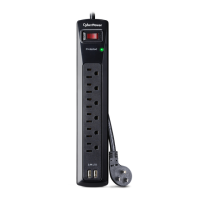
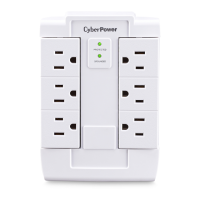
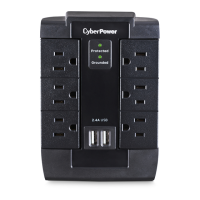
1. Surge Protected Indicator
Illuminated when the surge protection feature is
working properly.
2. Ground Indicator LED
Illuminated when the Ground protection feature is
working properly.
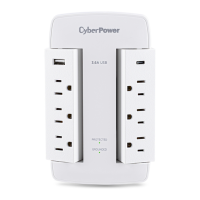
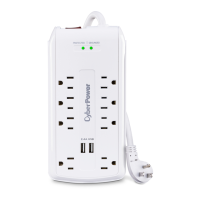
3. Pivoting Standard Grounded Outlets (6)
Pivoting outlets for ease of use and convenience,
fits standard-sized plugs.
4. USB Charging Ports (2)*
Connect and charge up to two (2) USB devices
using the surge protected USB charging ports.
*USB outlets cannot be used as a USB hub. This
device does not transfer data.
SPECIFICATIONS
• Model Number: CSP600WSU
• Outlets: 6 Standard Grounded Outlets, 2 USB
Charging Ports
• Surge Protection: 1,200 Joules
• Electrical Rating: 125 V/15 A/1875 W
• USB Charging Rating: 5 V/2.4 A total
UL Clamping Voltage: UL 1449 4th/400 V (H-N,
N-G), 500 V (H-G)
• Maximum Peak Current: 60,000 A
3 AC Lines Protected: H-N: 30,000 A, H-G: 15,000
A, N-G: 15,000 A; (The maximum surge possible on
household Wiring is 6,000 volts)
• Response Time: Less than 1 nanosecond
• Attenuation: Up to 32 dB
• EMI/RFI Filtration: 150 kHz to 100 MHz
CAUTION
TO REDUCE THE RISK OF ELECTRIC SHOCK - Use
only in dry locations and only indoors. DO NOT plug
into another relocatable power tap. DO NOT “daisy
chain” surge protectors. DO NOT use with any
aquarium equipment. DO NOT use if properly
grounded outlets are not available. DO NOT install
this device if there is less than 10 meters (30 feet) or
more of wire between the electrical outlet and
electrical service panel. DO NOT use for medical or
life support equipment. This device features an
internal protection that will disconnect the surge
protective component at the end of its useful life, but it
will maintain unprotected power to the load.
TROUBLESHOOTING
If the grounded indicator does not light when you
plug in the surge protector, move the surge
protector to a dierent grounded three-prong AC
outlet. If it still does not light, return the product to
the retailer for assistance. If the surge protector
appears to be working properly, your outlets may
not be properly grounded and need to be repaired
by a professional electrician. If the grounded
indicator turns o after a period of use, the surge
protection has been depleted. Replace your
surge protector.
If the protected indicator does not light, the surge
protector’s AC lines are no longer protected from
surge. The surge protector may have received a
power surge or spike beyond its specified limits
that overloaded the protection circuitry and
rendered it inactive. The surge protector has
protected your connected equipment as designed,
but it will not protect against future surges, and
spikes. It should be replaced.
TECHNICAL SUPPORT
Please contact our Tech Support Department
with installation, troubleshooting, or general
product questions.
• Phone: 1-877-297-6937
• Email: tech@cpsww.com
• Hours of Operation:
Monday – Friday 7:00am – 6:00pm CST
USER MANUAL
6-Outlet & 2 USB
Surge Protector Wall Tap
CSP600WSU
6-Outlet & 2 USB
Surge Protector Wall Tap
CSP600WSU
1
2
Copyright © 2018 Cyber Power Systems (USA), Inc. All rights reserved.
2
1
3
4
3
Question and Answer IconNeed help?

Do you have a question about the CyberPower CSP600WSU and is the answer not in the manual?

Summary

Introduction and Product Overview

Product Features

Details the key features of the CyberPower CSP600WSU surge protector, including indicators and outlets.

Technical Specifications

Lists the technical details of the surge protector, such as surge protection, electrical rating, and USB charging.

Safety and Warnings

Electrical Shock Risk

Provides essential safety precautions to reduce the risk of electric shock when using the device.

Troubleshooting and Support

Troubleshooting Indicators

Guides users on how to address issues if the Ground or Protected indicators do not light up.

Technical Support Contact

Provides contact information for the Tech Support Department for assistance with product questions.

Warranty and Claims

Limited Lifetime Warranty

Details the terms and conditions of the limited lifetime warranty and connected equipment guarantee.

Opening a Connected Equipment Claim

Step-by-step instructions on how to initiate a claim for equipment damaged by the surge protector.

Warranty Limitations and Exclusions

Outlines what is not covered by the warranty, including software damage and misuse.

Compliance and Environmental Information

FCC Compliance Approvals

Information regarding compliance with FCC rules for radio frequency energy.

Health and Environmental Warnings

Notifies users about chemicals in the product and environmental recycling efforts.

Summary

Introduction and Product Overview

Product Features

Details the key features of the CyberPower CSP600WSU surge protector, including indicators and outlets.

Technical Specifications

Lists the technical details of the surge protector, such as surge protection, electrical rating, and USB charging.

Safety and Warnings

Electrical Shock Risk

Provides essential safety precautions to reduce the risk of electric shock when using the device.

Troubleshooting and Support

Troubleshooting Indicators

Guides users on how to address issues if the Ground or Protected indicators do not light up.

Technical Support Contact

Provides contact information for the Tech Support Department for assistance with product questions.

Warranty and Claims

Limited Lifetime Warranty

Details the terms and conditions of the limited lifetime warranty and connected equipment guarantee.

Opening a Connected Equipment Claim

Step-by-step instructions on how to initiate a claim for equipment damaged by the surge protector.

Warranty Limitations and Exclusions

Outlines what is not covered by the warranty, including software damage and misuse.

Compliance and Environmental Information

FCC Compliance Approvals

Information regarding compliance with FCC rules for radio frequency energy.

Health and Environmental Warnings

Notifies users about chemicals in the product and environmental recycling efforts.

Overview

The CyberPower CSP600WSU is a 6-outlet and 2-USB surge protector wall tap designed to safeguard electronic devices from power surges and spikes while providing convenient charging options. This device is intended for indoor use in dry locations and should not be plugged into another relocatable power tap or "daisy chain" with other surge protectors. It is also not suitable for use with aquarium equipment, medical, or life support equipment.

Function Description

The primary function of the CSP600WSU is to provide surge protection for connected electronic equipment. It features an internal protection mechanism that will disconnect the surge protective component at the end of its useful life, ensuring that the device itself does not become a fire hazard. However, it's important to note that once the surge protection is depleted, the device will continue to supply unprotected power to the load, meaning connected equipment will no longer be shielded from future surges.

In addition to surge protection, the CSP600WSU offers two USB charging ports, allowing users to connect and charge up to two USB devices simultaneously. These USB ports are surge protected, adding an extra layer of safety for your mobile devices, tablets, and other USB-powered gadgets. It's crucial to understand that these USB outlets are solely for charging and cannot function as a USB hub; they do not transfer data.

The device is designed to be plugged directly into a grounded three-prong AC outlet. It should not be used with any adapters or other connectors, and the equipment connected to the product must be directly connected to the product itself, not "daisy chained" through extension cords or other power strips. Adhering to these usage guidelines is essential for the warranty to remain valid and for the device to function as intended.

Usage Features

The CSP600WSU incorporates several user-friendly features to enhance convenience and safety:

  • Surge Protected Indicator: A dedicated LED illuminates when the surge protection feature is actively working. This provides a quick visual confirmation that your connected equipment is protected. If this indicator turns off, it signifies that the surge protection has been depleted and the unit needs to be replaced.
  • Ground Indicator LED: Another LED indicates when the ground protection feature is working properly. This is a vital safety feature, as proper grounding is essential for effective surge protection and overall electrical safety. If this indicator does not light up, it suggests a potential grounding issue with the outlet or the device itself.
  • Pivoting Standard Grounded Outlets (6): The six AC outlets are designed to pivot, offering flexibility and ease of use. This feature allows users to accommodate various plug sizes and shapes without obstructing adjacent outlets, making it easier to manage cables and power multiple devices. The pivoting design is particularly useful in tight spaces or when dealing with bulky power adapters.
  • USB Charging Ports (2): The inclusion of two USB charging ports (2.4A total) provides a convenient way to charge USB-powered devices directly from the wall tap, eliminating the need for separate USB wall adapters. These ports are surge protected, ensuring the safety of your valuable mobile devices during charging.

Maintenance Features

While the CSP600WSU is largely a "set it and forget it" device, there are a few maintenance-related aspects and troubleshooting steps that users should be aware of to ensure its continued effectiveness and safety:

  • Monitoring Indicator Lights: Regularly checking the "Surge Protected" and "Ground" indicator lights is the primary form of maintenance.
    • If the grounded indicator does not light when the surge protector is plugged in, first try moving the surge protector to a different grounded three-prong AC outlet. If it still doesn't light, it suggests that your outlets may not be properly grounded, and a professional electrician should be consulted for repairs.
    • If the protected indicator does not light, it means the surge protector's AC lines are no longer protected from surges. This typically occurs after the device has absorbed a significant power surge or spike that overloaded its protection circuitry. In this scenario, the surge protector has fulfilled its purpose by sacrificing itself to protect your connected equipment. The device should be replaced immediately, as it will no longer offer surge protection.
  • Replacement After Surge Depletion: The CSP600WSU is designed with an internal protection mechanism that disconnects the surge protective component at the end of its useful life. When the "Surge Protected" indicator light turns off, it signals that the surge protection has been depleted. Although the device will continue to supply power, it will no longer protect against future surges. Therefore, prompt replacement of the surge protector is crucial to maintain protection for your connected equipment.
  • Proper Installation and Usage: Adhering to the installation guidelines outlined in the manual is a form of preventative maintenance. Ensuring the device is plugged into a properly wired and grounded outlet, avoiding "daisy chaining" with other power strips, and using it within its specified environmental limits (dry locations, indoors only) will prolong its lifespan and ensure optimal performance. Misuse, modification, or operation outside these limits can void the warranty and compromise the device's protective capabilities.
  • Warranty and Technical Support: In case of any issues or questions, CyberPower provides technical support via phone and email. The limited lifetime warranty and connected equipment guarantee offer peace of mind, covering defects in materials and workmanship, and in certain cases, damage to connected equipment if the product fails to protect it. Users are encouraged to register their product to ensure coverage and receive notifications about product enhancements or upgrades. When making a claim, it's important to follow the specified procedures, including providing proof of purchase and a description of the damage.

CyberPower CSP600WSU Specifications

General IconGeneral
ModelCSP600WSU
TypeSurge Protector
Outlets6
USB Ports2
Joules Rating600
Response Time< 1 Nanosecond
Amperage15 Amps
WarrantyLifetime
FilteringEMI/RFI Noise Filtering

Related product manuals