©2019 Cyber Power Systems (USA), Inc. All rights reserved. All other trademarks are the property of their respective owners.
7
VERTICAL/TOWER INSTALLATION
Step 1: Adhere rubber pads
Adhere the protective rubber pads to the left hand side of the step-down transformer.
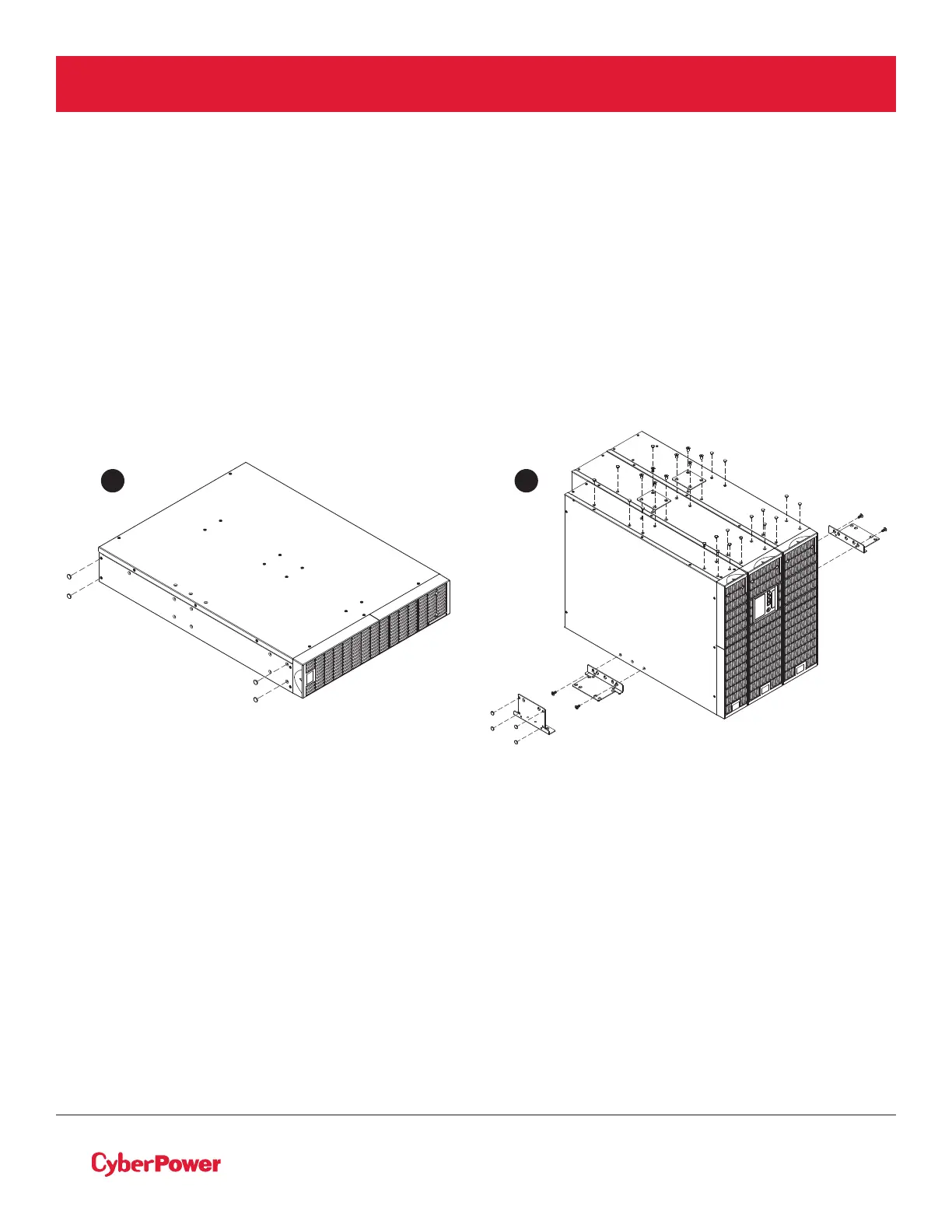
Step 2: Attach the base stands and attach the dust covers
Stand the step-down transformer on its side with the rubber pads facing down. Install dust covers on open
screw holes. If installing the step-down transformer together with a UPS and Extended Battery Module
(EBM) secure the tie plate between the UPS, EBM and the step-down transformer using four black M5X7L
flat head screws. Optionally adhere four circular rubber pads to each rack mount ear to use as tower stands
and screw them on to the EBM and the step-down transformer using four silver M5X6L pan head screws for
added stability as shown below.
HARDWARE INSTALLATION CONT.
1 2



 To Next Page