EasyManua.ls Logo

CyberPower P705G - User Manual

CyberPower P705G
2 pages
Print Icon
To Next Page IconTo Next Page
Loading...
CONGRATULATIONS ON YOUR PURCHASE
Thank you for selecting the CyberPower P705G Surge Protector.
This manual explains the features and operation of the P705G.
Please take a few moments to read this manual.
FEATURES
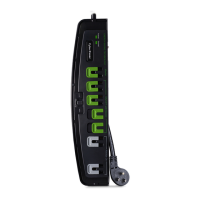
1. Protected LED Indicator
Illuminated when the surge protection feature is working properly.
2. Grounded LED Indicator
Illuminated when the ground protection feature is working properly.
3. ON/OFF Reset Control Switch and Circuit Breaker
Controls power to all outlets. The switch is also a 15 A breaker.
When an overload occurs, it will automatically switch o. To
resume operation, ensure the overload condition is removed
and reset the surge protector by switching the unit ON.
4. Safety Covers
All outlets on this surge protector include safety covers. Slide
the plastic outlet cover over outlets that are not used. This
ensures the safety of children and prevents potential electric
shocks and damage caused by highly dusty environments.
5. Always-On Grounded Outlets (2)
Provides continuous power regardless of whether the Master
and Master controlled outlets are on or o.
6. Energy-Saving Master Controlled Grounded Outlets (4)
Automatically switched on or o by master outlet.
7. Energy-Saving Master Grounded Outlet
Automatically switches four master controlled outlets on or o.
8. Transformer-spaced Grounded Outlet (1)
Easily plug in large chargers without interfering with the
other outlets.
9. Threshold Switch
Adjusts the threshold at which the energy saving outlets adjust
the switch according to the device plugged into the Master outlet.
High mode: For high wattage devices such as a TV or PC.
Low mode: For low wattage devices such as a laptop.
SPECIFICATIONS
• Model Number: P705G
• Outlets: Standard Grounded Outlets (6) and Transformer-spaced
Grounded Outlet (1)
• Surge Protection: 2,100 Joules
• Electrical Rating: 125 V/15 A/1875 W
UL Clamping Voltage: UL 1449 3rd/400 V (L-N, L-G, N-G)
Maximum Peak Current: 105,000A
• 3 AC Lines Protected:
L-N: 45,000 A
L-G: 30,000 A
N-G: 30,000 A
The maximum surge possible on household wiring is 6,000 volts)
• Response Time: Less than 1 nanosecond
• Attenuation: Up to 32 dB
• Circuit Breaker: Resettable 15 Amp
• EMI/RFI Filtration: 150 kHz to 100 MHz
CAUTION
TO REDUCE THE RISK OF ELECTRIC SHOCK - Use only in dry
locations and only indoors. DO NOT plug into another relocatable
power tap. DO NOT “daisy chain” surge protectors. DO NOT use
with any aquarium equipment. DO NOT use if properly grounded
outlets are not available. DO NOT install this device if there is less
than 10 meters (30 feet) or more of wire between the electrical
outlet and electrical service panel. DO NOT use for medical or life
support equipment. This device features an internal protection
that will disconnect the surge protective component at the end
of its useful life, but it will maintain unprotected power to the
load. If this situation is undesirable for the application, follow the
manufacturer’s instructions for replacing the device.
TROUBLESHOOTING
If the ON/OFF is switched OFF, the 15 Amp circuit breaker may
have tripped. Examine your connected equipment and remove
the device that is overloading the circuit. Then, turn the ON/OFF
switch back to RESET.
If the grounded indicator does not light when you plug in the
surge protector, move the surge protector to a dierent
grounded three-prong AC outlet. If it still does not light, return
the product to the retailer for assistance. If the surge protector
appears to be working properly, your outlets may not be
properly grounded and need to be repaired by a professional
electrician. If the grounded indicator turns o after a period of
use, the surge protection has been depleted. Replace your
surge protector.
If the protected indicator does not light, the surge protector’s
AC lines are no longer protected from surge. The surge protector
may have received a power surge or spike beyond its specified
limits that overloaded the protection circuitry and rendered it
inactive. The surge protector has protected your connected
equipment as designed, but it will not protect against future
surges, and spikes. It should be replaced.
If the Master-controlled outlets don't turn on or o when your
laptop computer or TV is connected to the Master outlet:
1. The power drawn from the Master Outlet must be below the
threshold setting (High/Low) for the Master Controlled
Outlets to turn o. Some computers will continue to consume
power during battery charging or in standby mode. In this
case, please make sure hibernate or sleep mode is enabled on
your computer.
2. The power drawn from the Master Outlet must be above the
threshold setting (High/Low) for the Master Controlled
Outlets to turn on. Some computers and TVs will not draw
enough power to turn on the Master Controlled outlets. In this
case, please try plugging a dierent primary device into the
Master Outlet or make sure the threshold switch is set to Low.
TECHNICAL SUPPORT
Please contact our Tech Support Department with installation,
troubleshooting, or general product questions.
• Phone: 1-877-297-6937
• Email: tech@cpsww.com
• Hours of Operation: Monday – Friday 7:00am – 6:00pm CST
USER MANUAL
7-Outlet Energy Saving
Surge Protector
P705G
7-Outlet Energy Saving
Surge Protector
P705G
1
2
Copyright © 2019 Cyber Power Systems (USA), Inc. All rights reserved.
1
2
3
4
6
5
7
9
8

Question and Answer IconNeed help?

Do you have a question about the CyberPower P705G and is the answer not in the manual?

Summary

Product Features

Protected and Grounded Indicators

LED indicators to confirm surge protection and proper grounding are active.

ON;OFF Reset Switch and Circuit Breaker

Controls power to all outlets and functions as a 15A resettable circuit breaker.

Safety Features and Outlet Types

Includes safety covers, two always-on outlets, and a transformer-spaced outlet.

Energy-Saving Master Outlets and Threshold

Four outlets switch based on the master outlet's power usage, adjustable by threshold.

Product Specifications

Safety Precautions and Warnings

Electrical Shock and Usage Restrictions

Instructions to reduce electric shock risk, including indoor use only and avoiding daisy-chaining.

Surge Protection Status and Replacement

Information on when surge protection is depleted and the device requires replacement.

Troubleshooting Guide

Circuit Breaker Reset Procedure

Steps to reset the 15 Amp circuit breaker after an overload.

Troubleshooting Indicator Lights

Guidance for issues with the Grounded and Protected LED indicators.

Master Outlet Control Issues

Resolving problems with energy-saving outlets not turning on or off correctly.

Limited Lifetime Warranty and Connected Equipment Guarantee

Warranty Coverage and Claims Process

Details on what the warranty covers and how to open a connected equipment claim.

Warranty Exclusions and Limitations

Conditions not covered by the warranty, including misuse and improper connections.

Product Registration and Contact Information

Product Registration Benefits

Information on how product registration ensures coverage and provides updates.

Customer Support Contact Details

Provides phone number, email, and hours for technical support.

Summary

Product Features

Protected and Grounded Indicators

LED indicators to confirm surge protection and proper grounding are active.

ON;OFF Reset Switch and Circuit Breaker

Controls power to all outlets and functions as a 15A resettable circuit breaker.

Safety Features and Outlet Types

Includes safety covers, two always-on outlets, and a transformer-spaced outlet.

Energy-Saving Master Outlets and Threshold

Four outlets switch based on the master outlet's power usage, adjustable by threshold.

Product Specifications

Safety Precautions and Warnings

Electrical Shock and Usage Restrictions

Instructions to reduce electric shock risk, including indoor use only and avoiding daisy-chaining.

Surge Protection Status and Replacement

Information on when surge protection is depleted and the device requires replacement.

Troubleshooting Guide

Circuit Breaker Reset Procedure

Steps to reset the 15 Amp circuit breaker after an overload.

Troubleshooting Indicator Lights

Guidance for issues with the Grounded and Protected LED indicators.

Master Outlet Control Issues

Resolving problems with energy-saving outlets not turning on or off correctly.

Limited Lifetime Warranty and Connected Equipment Guarantee

Warranty Coverage and Claims Process

Details on what the warranty covers and how to open a connected equipment claim.

Warranty Exclusions and Limitations

Conditions not covered by the warranty, including misuse and improper connections.

Product Registration and Contact Information

Product Registration Benefits

Information on how product registration ensures coverage and provides updates.

Customer Support Contact Details

Provides phone number, email, and hours for technical support.

Overview

This document describes the CyberPower P705G 7-Outlet Energy Saving Surge Protector, a device designed to protect electronic equipment from power surges and spikes while also offering energy-saving features.

Function Description

The P705G is a surge protector with seven grounded outlets, including one transformer-spaced outlet, designed to safeguard connected electronics from electrical overloads. It incorporates energy-saving technology that allows four of its outlets to be automatically switched on or off based on the power status of a "Master" outlet. Two "Always-On" outlets provide continuous power regardless of the Master outlet's status. The device also includes a circuit breaker for overload protection and EMI/RFI filtration to reduce line noise.

Important Technical Specifications

  • Model Number: P705G
  • Outlets: 6 Standard Grounded Outlets, 1 Transformer-spaced Grounded Outlet
  • Surge Protection: 2,100 Joules
  • Electrical Rating: 125 V/15 A/1875 W
  • UL Clamping Voltage: UL 1449 3rd/400 V (L-N, L-G, N-G)
  • Maximum Peak Current: 105,000A
  • 3 AC Lines Protected: L-N: 45,000 A, L-G: 30,000 A, N-G: 30,000 A (Maximum surge possible on household wiring is 6,000 volts)
  • Response Time: Less than 1 nanosecond
  • Attenuation: Up to 32 dB
  • Circuit Breaker: Resettable 15 Amp
  • EMI/RFI Filtration: 150 kHz to 100 MHz
  • Operating Environment: Dry locations, indoors only. Not for use with aquariums, medical, or life support equipment.
  • Warranty: Limited Lifetime Warranty and Connected Equipment Guarantee (up to $250,000 for the P705G).

Usage Features

  • Protected LED Indicator (1): Illuminates when the surge protection feature is functioning correctly. If this light turns off, the surge protection has been depleted and the unit should be replaced.
  • Grounded LED Indicator (2): Illuminates when the ground protection feature is working properly. If this light does not illuminate, the outlet may not be properly grounded.
  • ON/OFF Reset Control Switch and Circuit Breaker (3): This switch controls power to all outlets and acts as a 15 A circuit breaker. In case of an overload, it automatically switches off. To restore power, the overload condition must be removed, and the switch reset to ON.
  • Safety Covers (4): Plastic covers slide over unused outlets to prevent accidental electric shocks and protect against dust.
  • Always-On Grounded Outlets (5): Two outlets provide continuous power, independent of the Master outlet's status. These are suitable for devices that require constant power, such as modems or routers.
  • Energy-Saving Master Controlled Grounded Outlets (6): Four outlets that automatically switch on or off based on the power status of the Master outlet. When the device plugged into the Master outlet is turned on, these outlets receive power. When the Master device is turned off or enters a low-power state, these outlets lose power, saving energy.
  • Energy-Saving Master Grounded Outlet (7): This is the primary outlet that controls the power to the four Master Controlled outlets. A device plugged into this outlet (e.g., a TV or PC) determines when the controlled outlets receive power.
  • Transformer-spaced Grounded Outlet (8): One outlet is spaced further apart to accommodate larger power adapters or chargers without obstructing adjacent outlets.
  • Threshold Switch (9): This switch allows adjustment of the power threshold at which the energy-saving outlets respond to the Master outlet.
    • High mode: Recommended for high-wattage devices like TVs or PCs.
    • Low mode: Recommended for low-wattage devices such as laptops. This setting helps ensure the controlled outlets respond appropriately to devices with varying power consumption, especially those that might draw minimal power in standby or charging modes.

Maintenance Features

  • Circuit Breaker Reset: If the ON/OFF switch trips (switches OFF), it indicates a 15 Amp circuit breaker trip due to an overload. Users should examine connected equipment, remove the device causing the overload, and then reset the switch to ON.
  • Surge Protection Depletion Indicator: If the "Protected" LED indicator turns off, it signifies that the surge protection components have been overloaded by a power surge or spike and are no longer active. The surge protector has fulfilled its function by protecting connected equipment but should be replaced to ensure continued protection against future surges.
  • Grounding Indicator: If the "Grounded" LED indicator does not light up, it suggests a potential issue with the AC outlet's grounding. Users should try a different grounded three-prong AC outlet. If the issue persists, a professional electrician may be needed to inspect the wiring.
  • Connected Equipment Guarantee: The product comes with a Limited Lifetime Warranty and a Connected Equipment Guarantee of up to $250,000. This covers defects in materials and workmanship of the product and damage to connected equipment resulting from the product's failure. Claims require contacting CyberPower, providing purchase details, and submitting the product and damaged equipment for assessment.
  • Exclusions: The warranty does not cover software damage, data loss, misuse, modification, operation outside environmental limits, damage during transit or storage, or use with non-designed items (e.g., laser printers, aquariums, medical/life support devices). It also requires proper grounding and direct connection to the power source without "daisy chaining" or adapters.

CyberPower P705G Specifications

General IconGeneral
BrandCyberPower
ModelP705G
CategorySurge Protector
LanguageEnglish

Related product manuals