EasyManua.ls Logo

CyberPower PR3000ELCDRT2U - User Manual

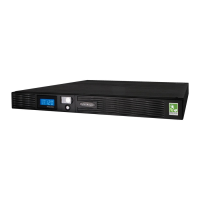
CyberPower PR3000ELCDRT2U
61 pages
Print Icon
To Next Page IconTo Next Page
Loading...
Users Manual
Professional Rack Mount LCD Series
PR3000ELCDRT2U
K01-0000433-01
EN

Questions and Answers

  • J
    James StewartAug 6, 2025
    What to do if CyberPower PR3000ELCDRT2U UPS outlet does not provide power?
    • B
      Brenda JohnsonAug 6, 2025
      If the CyberPower UPS outlet isn't powering your equipment, it could be due to a tripped circuit breaker from an overload. To resolve this, turn off the UPS, unplug a device, wait 10 seconds, reset the circuit breaker, and then turn the UPS back on. It may also be caused by discharged batteries – recharge the unit for at least 4 hours. Also, uncritical outlets may have turned off automatically due to an overload, push the toggle button to turn them on.

CyberPower PR3000ELCDRT2U Specifications

General IconGeneral
Power Capacity3000 VA / 2700 W
Output Voltage Regulation±5%
Typical Recharge Time8 hours
Operating Temperature32°F to 104°F (0°C to 40°C)
Warranty3 years
TopologyLine Interactive
Output Frequency50/60 Hz
Battery TypeSealed Lead Acid (SLA)
Data Line ProtectionRJ45
Communication PortsUSB, Serial
ManagementPowerPanel Business Edition

Related product manuals