EasyManua.ls Logo

CyberPower PR3000 - User Manual

CyberPower PR3000
23 pages
Print Icon
To Next Page IconTo Next Page
Loading...
User’s Manual
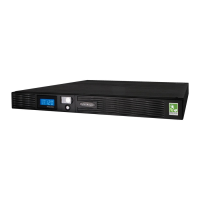
Professional Rack Mount UPS
PR3000
ADDITIONAL INSTALLATION TIPS CAN BE FOUND AT:
www.cyberpowersystems.com

Questions and Answers

CyberPower PR3000 Specifications

General IconGeneral
Power Rating3000 VA / 2700 W
Output Frequency60 Hz
Number of Outlets8
Nominal Input Voltage120V
Input Voltage Range90-140V
Communication PortsUSB, Serial
Form FactorTower
Frequency60 Hz
WaveformSine Wave
Input Voltage120V
Output Voltage120V
Battery TypeSealed Lead Acid
OutletsNEMA 5-15R
TopologyLine-Interactive
Data Line ProtectionRJ45

Summary

Safety Warnings

Installation and Setup

Block Diagram

Overview of the UPS internal components and their connections.

Unpacking and Contents

Details on what should be included in the UPS package upon receipt.

Power Requirements Estimation

Guide on calculating the power needs of connected equipment.

Hardware Installation Steps

Instructions for physically connecting the UPS and its components.

Basic Operation

Front Panel Description

Details the front panel layout, including switches and indicators.

Front Panel Indicators

Explains the meaning of load, power, battery, and AVR LEDs.

Rear Panel Description

Details the ports and connections on the rear of the UPS unit.

UPS Features and Connectivity

Battery and Surge Protection Outlets

Outlets providing battery backup, surge, and AVR protection.

Individual Critical Load Outlet

A dedicated outlet for the most critical connected equipment.

Communication Protection Ports

Ethernet RJ-45 ports for protecting network cables.

Dual Serial Ports

Ports for connecting the UPS to computers for monitoring and control.

Software and Shutdown Procedures

Dual Serial Port and Software Installation

Guidance on installing software and connecting for dual computer shutdown.

Troubleshooting

Outlets No Power

Solutions for when UPS outlets do not supply power to connected equipment.

Unexpected Runtime

Addresses issues where the UPS does not provide the expected runtime.

UPS Not Turning On

Troubleshooting steps if the UPS fails to power on.

Software Inactivity

Solutions for when the PowerPanel software is unresponsive.

Technical Specifications

LED Indicator Definitions

Normal Operation Indicators

States and conditions for normal UPS operation LEDs.

AVR Voltage Regulation

Indicators related to automatic voltage regulation modes.

Utility Failure Indicators

LEDs and alarms indicating a loss of utility power.

Overload Indicators

Indicators and alarms signaling an overloaded UPS condition.

Surge Protection Malfunction

Indication of a surge protection failure affecting the unit.

Battery Management

Battery Replacement Procedure

Safety precautions and steps for replacing UPS batteries.

Battery Storage Guidelines

Instructions for storing the UPS with a charged battery for extended periods.

Warranty and Guarantee Information

Registration Process

Steps to register the product for warranty coverage.

Limited Warranty Terms

Details of the manufacturer's limited warranty for the product.

Making a Limited Warranty Claim

Procedure for submitting a claim under the limited warranty.

Connected Equipment Guarantee

Protection for equipment connected to the UPS in case of defects.

Making a Connected Equipment Guarantee Claim

Procedure for claiming damages to connected equipment.

CyberPowers Duties and Liability

Outlines CyberPower's responsibilities and limitations for claims.

Warranty Conditions and Exclusions

Common conditions, limitations, and exclusions for warranty coverage.

Exclusion of Consequential Damages

Specifies damages that are not covered by the warranty terms.

High-Risk Activity Disclaimer

Warns against using the UPS for high-risk applications.

FCC Notice

Related product manuals