8
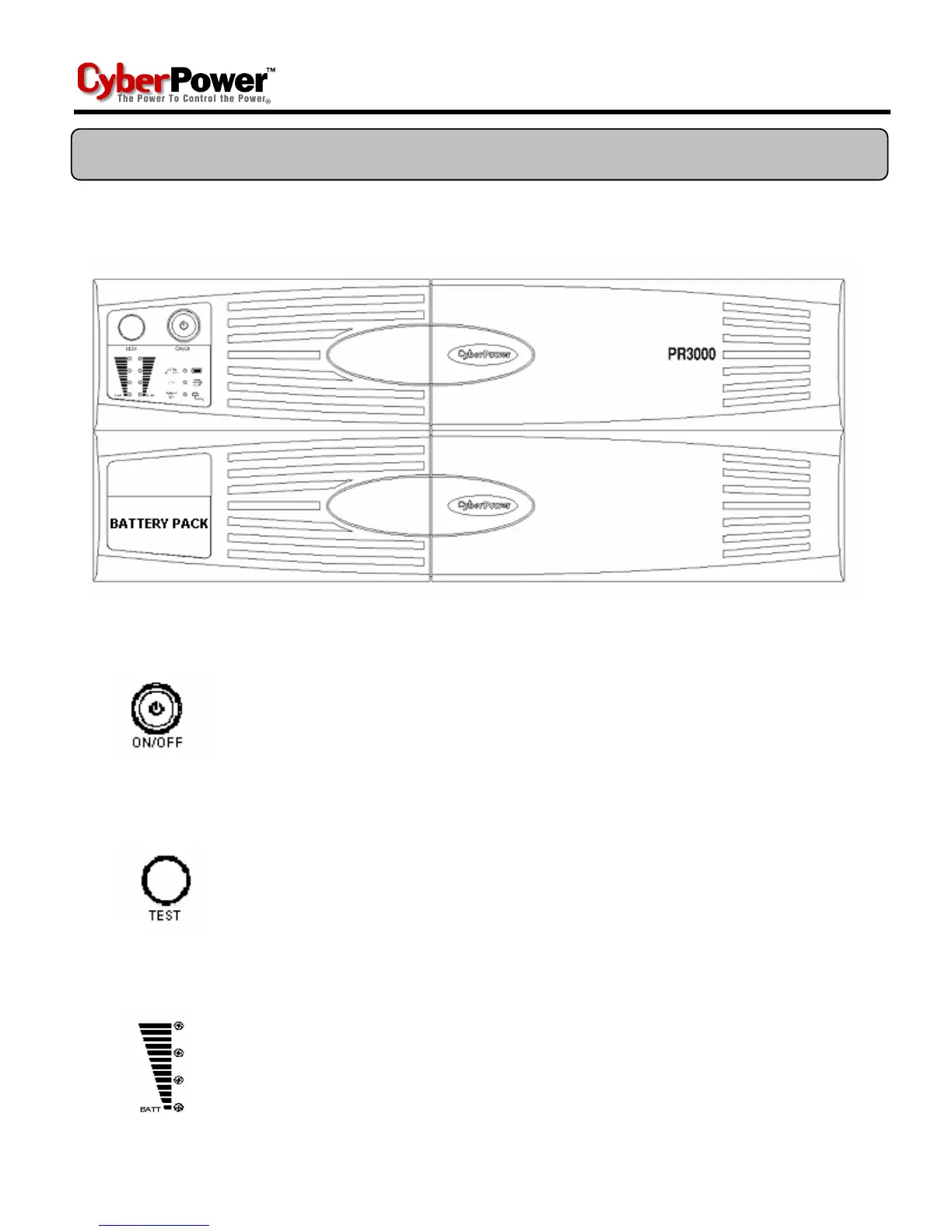
FRONT PANEL DESCRIPTION
Power Switch
Press the power button to turn the UPS ON or OFF
Test Switch
The PR-UPS performs a self-test automatically when power on.
If the UPS passes the test, it returns to on-line operation. If the
UPS fails the self-test, please recharge the battery for 4 hours
and perform another self-test. If it fails after recharging the
battery, please replace the battery.
Battery Indicators
This indicator shows a visual indication of the battery charge. If
battery capacity is under 20%, no indicator LED will illuminate
and UPS starts beeping.
BASIC OPERATION









 To Next Page