
 To Next Page
M
mary43Aug 4, 2025
Why my CyberPower UT650EG UPS will not turn on?
- WWilliam AndersonAug 4, 2025
If your CyberPower UPS won't turn on, it might not be connected to a functioning AC outlet. Ensure the unit is connected to a 220-240V outlet.

Why my CyberPower UT650EG UPS will not turn on?
If your CyberPower UPS won't turn on, it might not be connected to a functioning AC outlet. Ensure the unit is connected to a 220-240V outlet.
Why will my CyberPower UT650EG UPS not turn on?
Your CyberPower UPS might not be turning on because it is not connected to a 220-240V outlet. Ensure the unit is properly connected. If that's not the issue, the battery might be worn out, or there could be a mechanical problem. In both of these cases, you should contact CyberPower Systems Technical Support.
How to fix CyberPower UPS if it doesn't perform expected runtime?
If your CyberPower UPS isn't providing the expected runtime, it could be that the batteries are not fully charged. Try recharging the battery by leaving the UPS plugged in. If the battery is slightly worn out, it is recommended to contact CyberPower Systems Technical Support.
What to do if CyberPower UT650EG UPS outlets don't provide power?
If the outlets on your CyberPower UPS are not providing power, it could be due to a blown fuse or tripped breaker because of an overload, or discharged batteries. First, turn off the UPS and unplug at least one connected device. Then, unplug the UPS power cord and replace the blown fuse with a spare or press the circuit breaker knob. After that, connect the power cord and turn the UPS back on. If the batteries are discharged, allow the unit to recharge for at least 4 hours.
What to do if CyberPower UT650EG UPS outlets do not provide power to equipment?
If the outlets on your CyberPower UPS aren't providing power, the fuse might be blown, or the breaker tripped due to an overload. Turn the UPS off, unplug at least one connected device, and unplug the UPS power cord. Replace the blown fuse with a spare that meets the specifications or press the circuit breaker knob. Then, connect the power cord and turn the UPS back on. Alternatively, the batteries may be discharged. In this case, allow the unit to recharge for at least 4 hours.
Lists the items included in the UPS package.
Step-by-step instructions for physical connection and initial setup.
How to turn the UPS on/off and manage audible alarms.
Explains the meaning of UPS status LEDs.
Provides power for connected equipment during outages.
Protects against overloads and surges.
Connects the UPS to utility power.
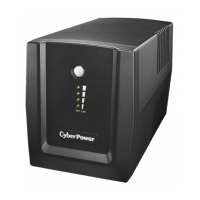
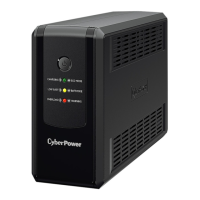
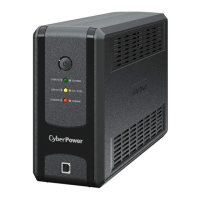
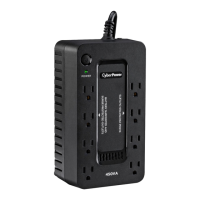
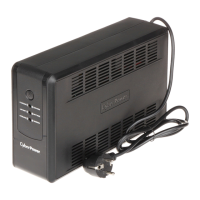
The CyberPower UT650EG, UT800EG, and UT1050EG are uninterruptible power supply (UPS) systems designed to provide temporary backup power and surge protection for connected electronic equipment. These devices are intended for indoor use in temperature and humidity-controlled environments, protecting against power failures, surges, and spikes.
The primary function of these UPS units is to safeguard electronic devices, such as computers, monitors, and external data storage, from power disturbances. When utility power is normal, the UPS operates in an energy-saving "ECO Mode" or charges its internal battery. In the event of a power outage, the UPS automatically switches to battery power, providing a continuous power supply to connected equipment for a limited duration, allowing users to safely shut down their systems and prevent data loss. The units also offer protection against voltage surges and spikes, ensuring the longevity of connected electronics.
The series includes three models with varying capacities:
All models operate within an input voltage range of 165-290Vac and support nominal frequencies of 50/60Hz +/-5Hz. The output voltage on battery power is 220/230/240Vac with a frequency of 50/60Hz +/-1%.
For overload protection, the UT650EG and UT800EG models utilize a fuse, while the UT1050EG employs a circuit breaker.
Physical dimensions and weight vary by model:
The UPS units are equipped with sealed, maintenance-free lead-acid batteries. The UT650EG uses one RBP0119 battery, the UT800EG uses one RBP0143 battery, and the UT1050EG uses two RBP0119 batteries. The typical recharge time to reach 90% of total discharge capacity is approximately 6 hours for all models.
The operating environment for these UPS systems is specified at 0°C to 40°C with a relative humidity of 0% to 90%.
 General
| Brand | CyberPower |
|---|---|
| Model | UT650EG |
| Category | UPS |
| Language | English |