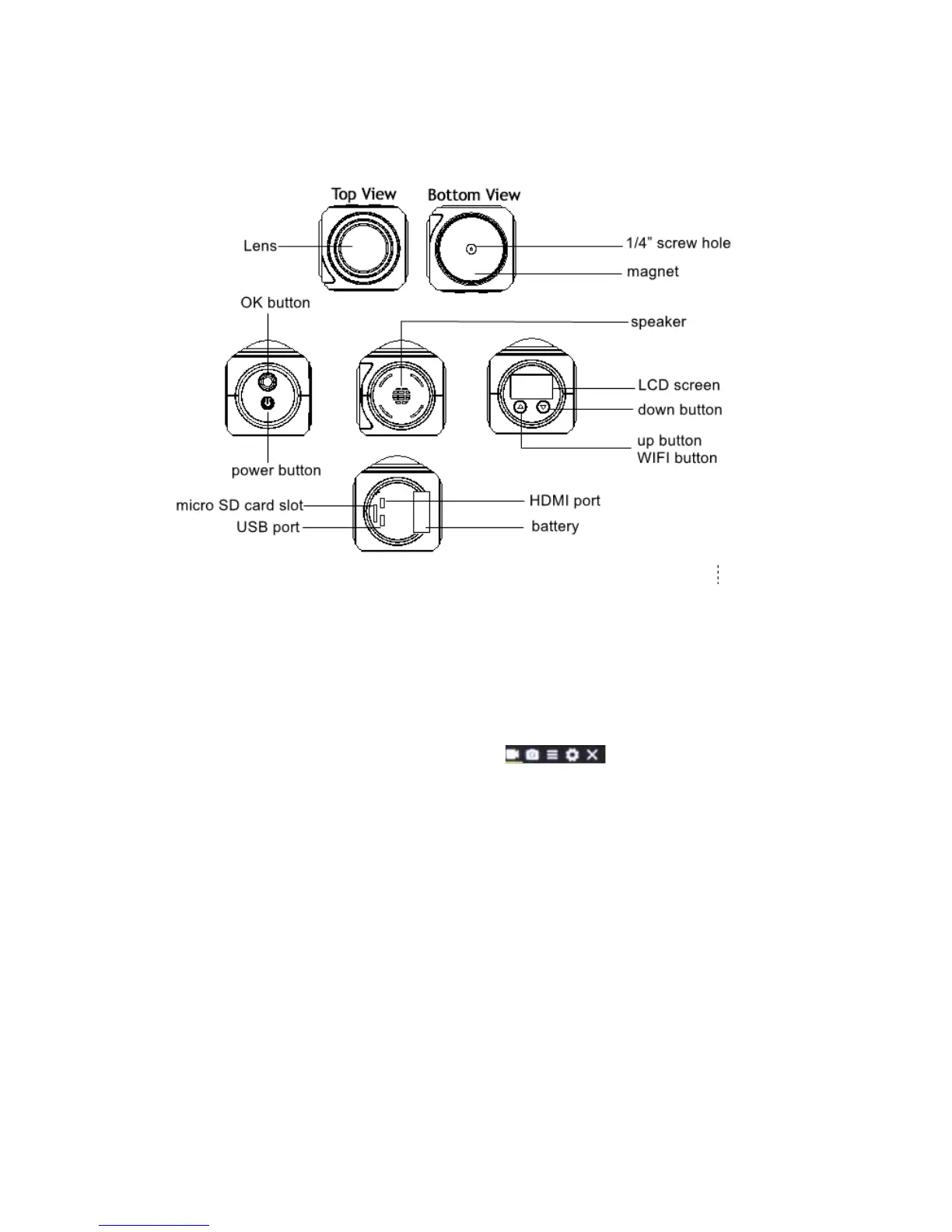
Camera Interface
Button Function
Power button:
Long press to turn on or turn off the camera
In standby mode - short press to switch into Video/Picture/Slow Motion/Menu Mode
In menu mode - short press to switch between Video menu/Picture menu/Function
menu/System menu and Exit
Shutter button:
In video mode: short press to capture
In picture mode: short press to take picture
In video/slow motion mode: short press to start/stop recording
In menu mode: short press to confirm setting
UP button/Wi-Fi button:
In menu mode: choose the last option or file
In video/picture/slow motion mode: long press to enter/exit Wi-Fi
Down button:
In video/picture/slow motion mode: short press to enter menu setting
In menu setting: short press to choose the next option or file


 To Next Page