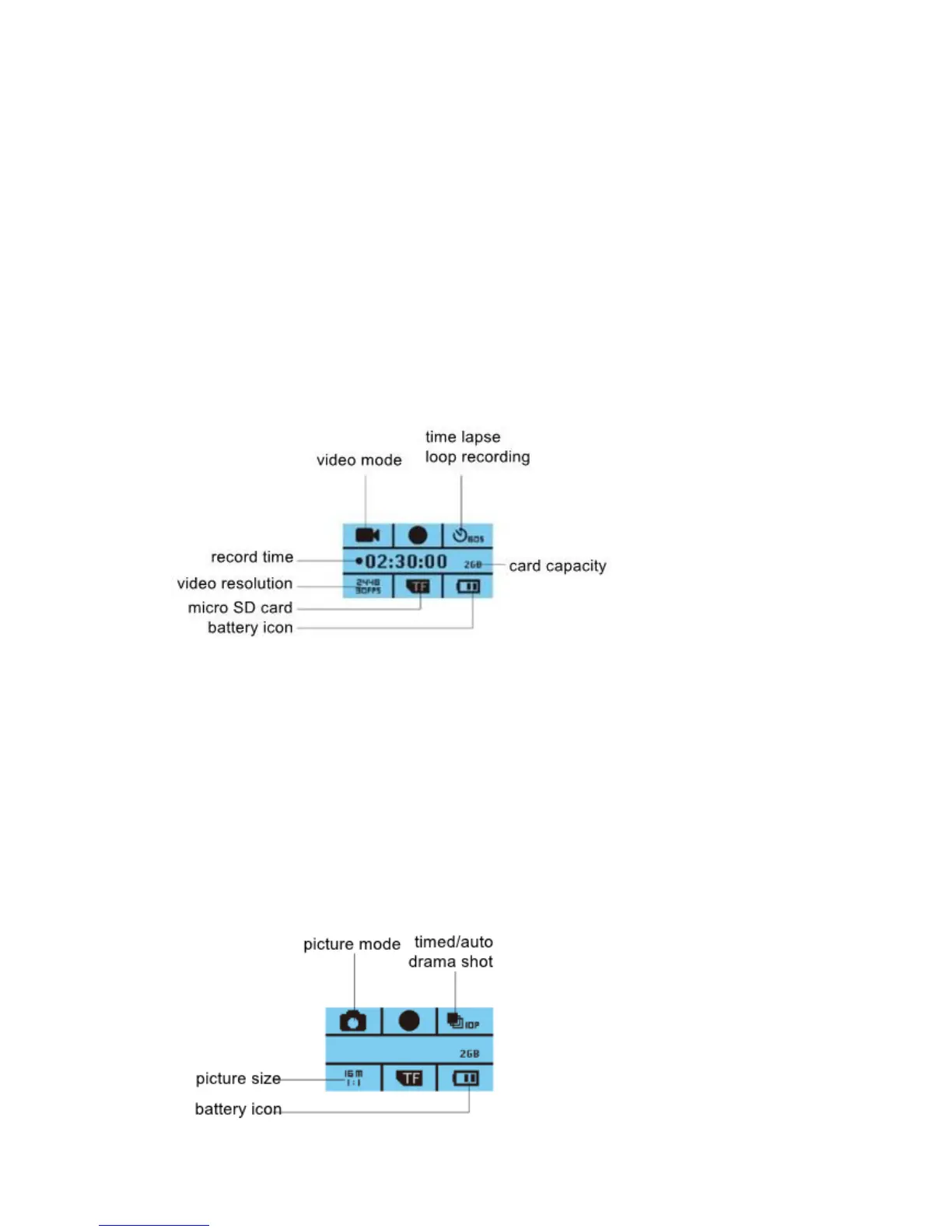
Camera Operation
Power on/off
Power on: Long press power button, the display illuminates with a beep, camera
enters standby mode.
Power off: When camera is on, long press power button to switch the camera off.
Battery Charging
Connect camera with power charger via USB cable, the camera will power on
automatically. To fully charge the camera it will take approximately 90 minutes.
Video Mode
Normal recording
Short press Shutter button to start the recording. Camera will record till card is full.
Short press Shutter button again to stop recording.
Loop recording (refer to menu setting)
In menu settings for loop recording, set to either 2, 3, or 5 minute intervals. In standby
mode, short press Shutter button to start recording, the video will be saved as every
2mins/3mins/5mins per your loop recording interval setting. The earliest video file will
be overwritten when micro SD card is full.
Picture Mode


 To Next Page