EN-5
Instructions for use
EN-4
It’s that simple
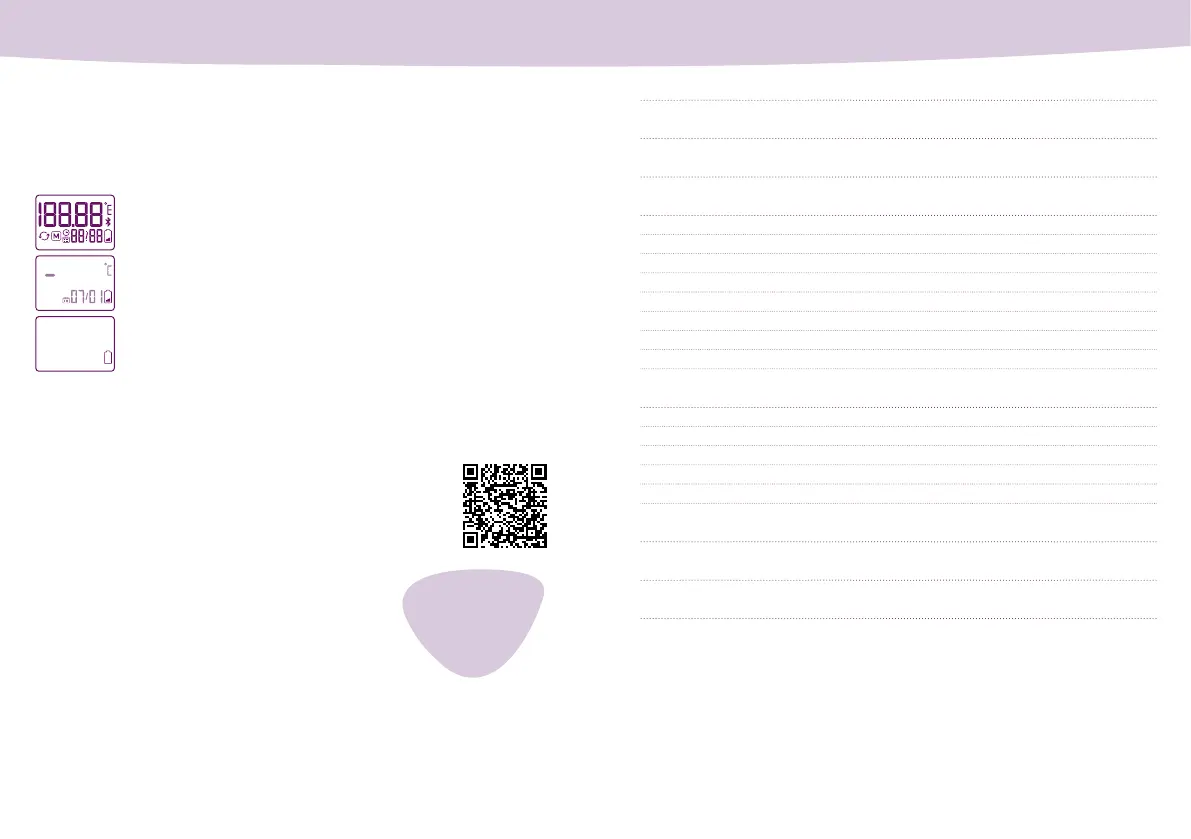
When you switch on the thermometer, it will perform a self-test during
which all segments of the display light up briey. Please do not confuse
this with the “battery low” or “battery drained” display.
The following pages contain the instructions for use for the thermom-
eter. Please read the instructions carefully to ensure that you are
using the app correctly.
Visit our website: www.cyclotest.com/cyclotest-mysense/
rst-steps-with-cyclotest-mysense
For more information, visit www.cyclotest.com/
cyclotest-mysense or complete our contact form at
www.cyclotest.com/contact.
Alternatively, you can contact customer service at:
Full-segment display during self-test: everything OK.
Battery low: you can still take a few more measurements, but
you should have a new battery ready.
Battery drained: you cannot take any more measurements.
Change the battery.
Note about the battery indicator
Intended use
It’s that simple
Safety instructions
Operating the device
Technical information
Cleaning and care
Warranty
cyclotest service hotline
Device description
Display
Initial device setup
Temperature measuring
Manually transferring data to the mySense app
Recalling saved measurement values
Battery display/changing the battery
Changing devices
Error messages
Technical data
Customer service
Explanation of symbols
Disposal
1
6
7
8
9
9
11
14
14
15
16
18
19
20
21
21
22
23
24
Still have questions?
www.cyclotest.com
+ 49 (0) 93 42 /
92 40 40


 To Next Page