The AU-IP21 is an IP Audio Controller designed to provide flexible audio input selection and output control, along with network-based remote management capabilities. This device is ideal for integrating into entertainment rooms, home theaters, showrooms, demo rooms, and any setup requiring centralized audio equipment control, particularly for adding remote volume control to amplification systems.
Function Description
The core function of the AU-IP21 is to act as an audio controller, offering a choice between optical and analog stereo inputs. It then outputs the selected audio to analog L/R outputs, with the additional flexibility of choosing between stereo or mono output modes. This allows for versatile integration with various audio sources and amplification systems.
Remote control is a key feature, facilitated through both Telnet and a Web GUI (Graphical User Interface). This network-based control allows users to manage the device from a PC or laptop, providing convenience and accessibility. The Web GUI further enhances usability by allowing users to customize input labels, personalizing the interface to match their specific setup and preferences.
Usage Features
The AU-IP21 is designed for straightforward operation, both locally and remotely.
- Input Selection: The device supports two primary input types: optical and analog L/R stereo. A single "IN" button on the front panel allows for easy switching between these audio sources. When the optical input is selected, an "OPTICAL" LED illuminates, providing clear visual feedback of the active source.
- Output Configuration: Users can choose between stereo and mono output modes, catering to different audio system requirements. The analog L/R outputs are designed to connect directly to active speakers or an amplifier's L/R inputs.
- Volume Control: The device offers comprehensive volume control, which can be managed remotely via Telnet commands or through the intuitive Web GUI. This allows for precise adjustment of the output audio level.
- Mute Functionality: A mute function is also available, controllable through Telnet, providing quick silencing of the audio output when needed.
- Network Control (Telnet): For advanced users and system integrators, Telnet provides a command-line interface for controlling the AU-IP21. Users can access a range of commands to manage source selection, volume, mute status, stereo/mono mode, and even rename input labels. Network configuration parameters such as IP address, subnet mask, and gateway can also be set via Telnet. The device's default Ethernet settings are static, with a predefined IP address, subnet, gateway, HTTP port, and Telnet port, ensuring easy initial setup.
- Network Control (Web GUI): The Web GUI offers a user-friendly graphical interface accessible through a web browser. By entering the device's IP address, users can access "Audio Settings" and "System Settings." The "Audio Settings" page allows for source selection, volume control for both optical and RCA inputs, and toggling between stereo and mono output. Crucially, it also allows for the editing of input labels, enabling users to assign custom names to their audio sources for better organization and clarity. The "System Settings" page provides access to network configuration, including IP mode (DHCP or Static), IP address, netmask, gateway, HTTP port, and Telnet port. It also includes options to reset network settings or perform a full factory reset.
- IP Searching Software: To simplify the discovery of the AU-IP21 on a network, a dedicated IP searching software application (CDPS V2.000) is provided. This software scans the network for compatible devices and displays their product name, description, IP address, and MAC address. Double-clicking on a device in the list or using its IP address allows direct access for control.
- Default Settings: The device comes with default static Ethernet settings, including a specific IP address, subnet mask, gateway, HTTP port, and Telnet port, making initial connection and configuration straightforward.
- Firmware Updates: A dedicated "SERVICE" USB slot on the rear panel is reserved for firmware updates, ensuring the device can be kept up-to-date with the latest features and improvements.
Maintenance Features
The AU-IP21 incorporates several features to ensure reliable operation and ease of maintenance.
- Reset Functions: The device offers multiple reset options. A long press (up to 4 seconds) of the "IN" button on the front panel will reset the device to its default Ethernet settings. Additionally, Telnet commands allow for a system reboot, a factory reset (FADEFAULT) that resets all configured settings, and an Ethernet parameter set factory default (ETH_FADEFAULT) for network-specific resets. The Web GUI also provides "NetWork Reset" and "ALL Reset" options under "System Settings."
- Status Indicators: A "POWER" LED on the front panel indicates the device's power status. The "OPTICAL" LED provides visual confirmation when the optical input is selected.
- Firmware Version Display: The current firmware version can be checked via Telnet using the "VER" command, allowing users to verify if their device is running the latest software. The Web GUI also displays the firmware and hardware versions.
- Safety Precautions: The operation manual emphasizes basic safety precautions, including protecting the unit from overheating by ensuring adequate ventilation, using only the supplied power supply unit, and avoiding liquid spills. These guidelines contribute to the longevity and safe operation of the device.
- Robust Construction: The device features a metal chassis, contributing to its durability and protection against physical damage.

 Need help?
 General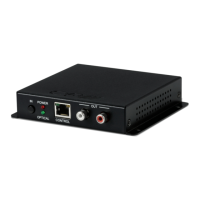

 To Next Page