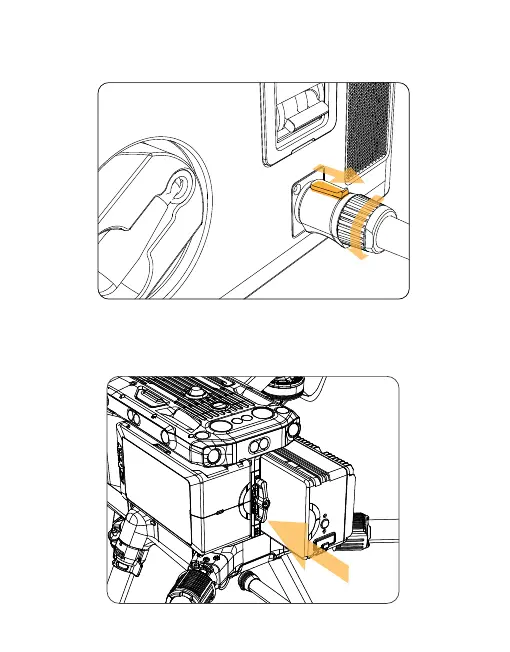
10) Move the button in the direction shown by arrow 1, turn it counterclock-
wise, unplug the power supply cable from the socket, retract the power
supply cable and close the power supply cover.
3.2 Installation Tutorial of Drone Power Supply
3.2.1 Replace the original right battery by installing the drone end into the
storage space for the UAV's right battery (the drone end can only replace
the right battery).
1
54



 To Next Page