III. Installation and Use Course of TK3 Power Supply System
3.1 Activation Steps (Using the device for the first time)
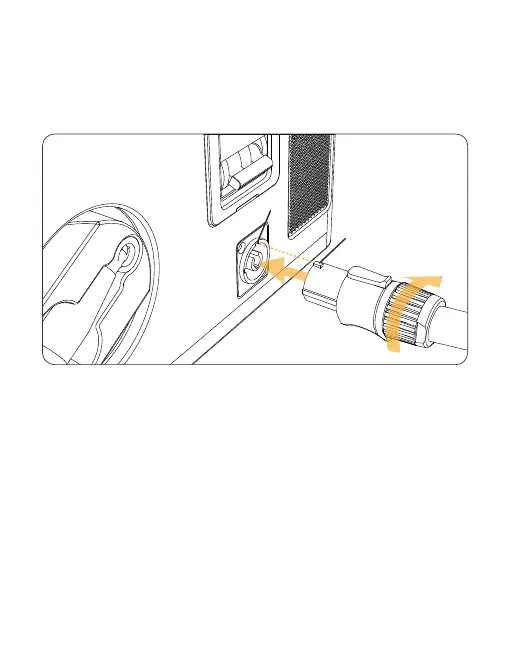
1) After aligning the tab at the 1 position with the slot at the 2 position in the
figure, insert the power cables and rotate them clockwise until you hear a
“click”, indicating that it is done.
2) The power plug is connected to the electric supply or generator socket to
complete the connection, and open the air switch.
3) Download APP :www.czi.com.cn
1
2
50



 To Next Page