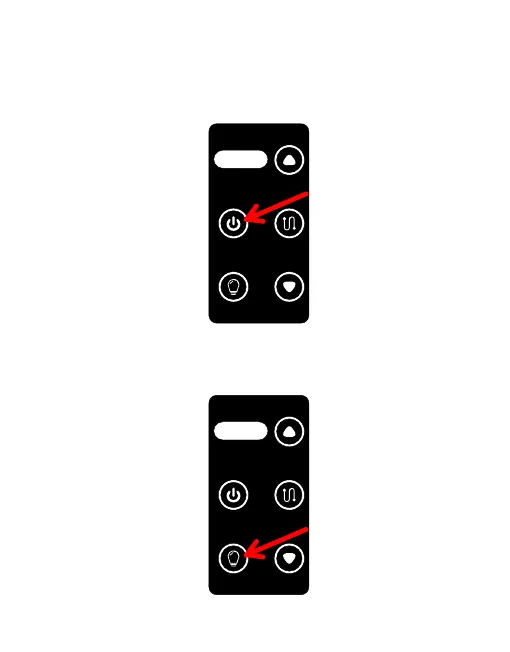
3.5.3 Turn on the UAV, unlock the drone, and drone hover at a height of 3m
above the ground.
3.5.4 Press and hold the “Power switch” for 3S to start the power output.
(Please note, do not start the power output before the drone takes off,
otherwise the UAV will not be able to take off)
3.5.5 Press “Light switch” briefly to turn on the light. (If the UAV does not
take off, the lights will come on for 3S and then turn off automatically)
电源开 关
Powe r switc h
收线开 关
Lin e switc h
灯光开 关
Lig ht swit ch
此键长 按
3秒
Pres s and hol d this
Botto m for 3 seco nds
电源开 关
Powe r switc h
收线开 关
Lin e switc h
灯光开 关
Lig ht swit ch
此键长 按
3秒
Pres s and hol d this
Botto m for 3 seco nds
64



 To Next Page