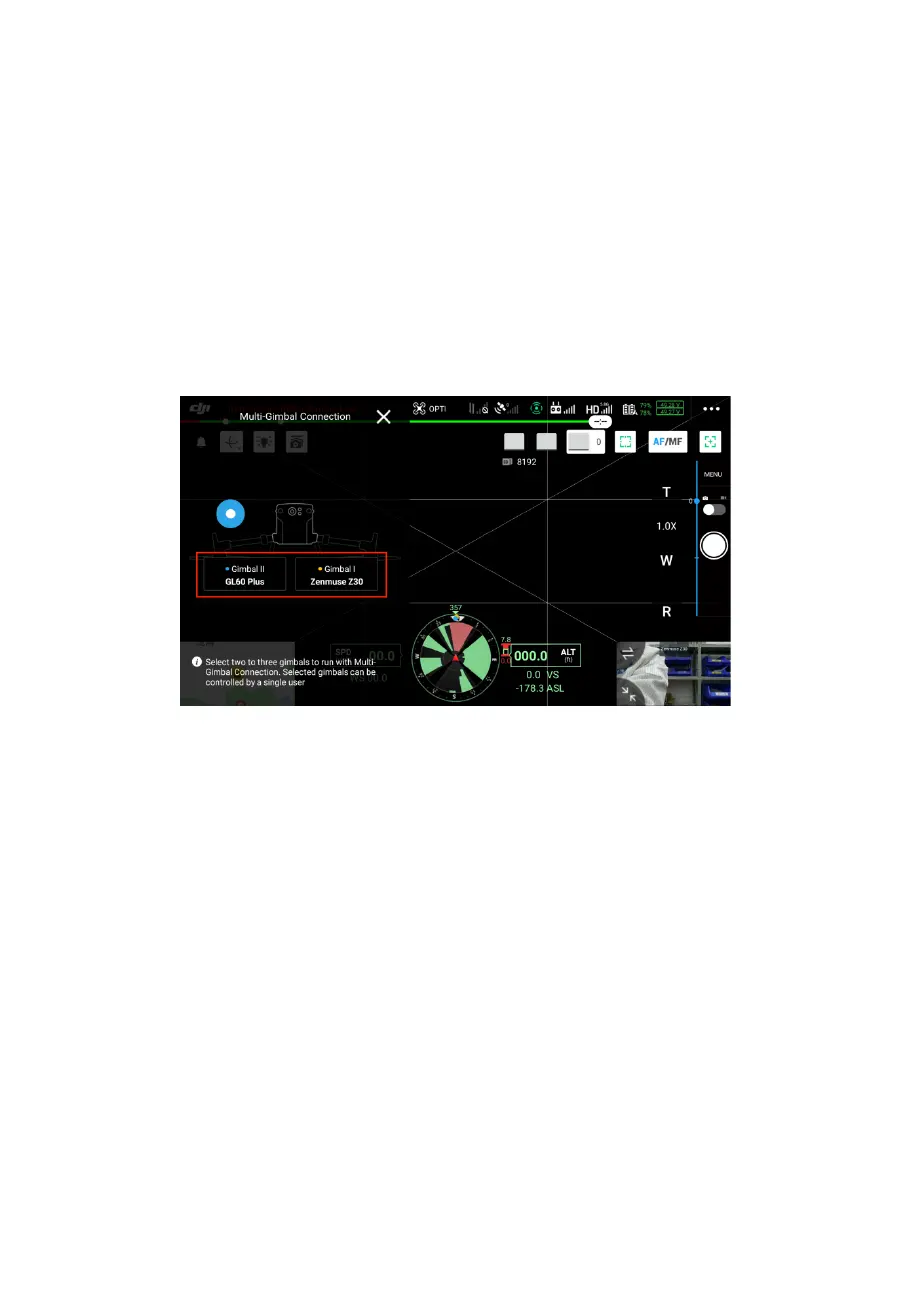
3、After entering the main interface, click on the
multi-gimbals synchronization button, select gimbal
Ⅰ and gimbal Ⅱ to synchronize the gimbals, and
when synchronizing the payloads following, the
horizontal angle of GL60 plus is the same as the
payload being followed.
4. Click on the menu bar and click on the third party
payload option to enter the GL60 Plus gimbal searching
light interface.


 To Next Page