VII.
Firmware Upgrade
7.1 Online firmware upgrade
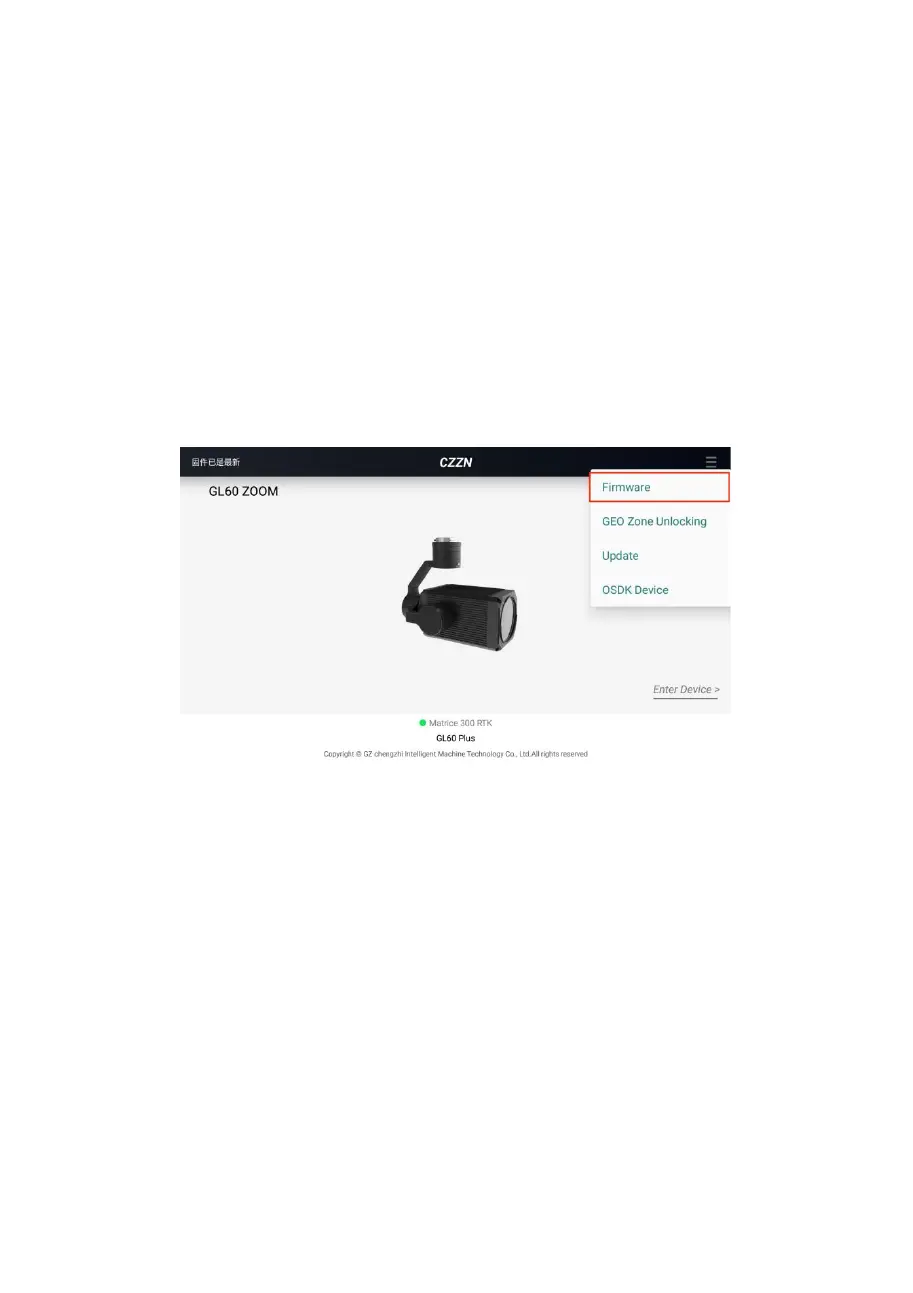
1. Open the CZZN software, click on the menu button
at the top right and click on Firmware Management.
2. Go to the firmware management interface, find the
latest version of Firmware and click Refresh or Upgrade.


 To Next Page