Home
CZZN
Lighting Equipment
GL60 Plus
Page 21
CZZN GL60 Plus - Page 21
24 pages
Manual
Save Page as PDF
To Next Page
To Next Page
To Previous Page
To Previous Page
Loading...
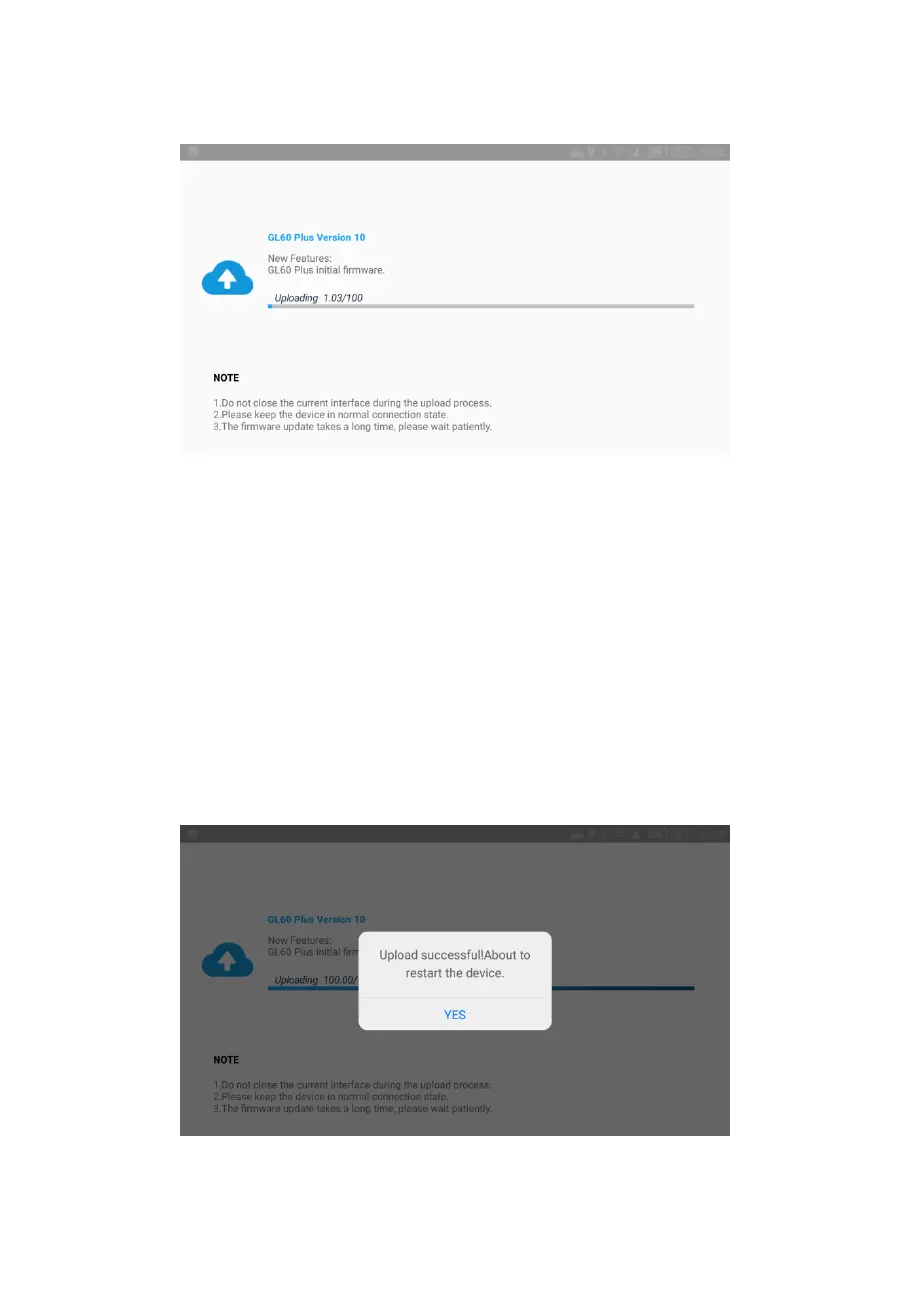
5,
f
irm
ware
update
successfully
,
the
GL6
0
plus
is
into
the
re-cali
bration
status,
w
ait
a
few
se
conds
t
o
complete
the
upda
te
operation
.
(tip
s:
If
the
GL60
plus
does
not
respond,
you
need
to
resta
r
t
the
drone
and
wait for the
successful calibra
tion.)
20
22
Table of Contents
Main Page
Table of Contents
2
Disclaimer and Warning
3
GL60 Plus Gimbal Searchlight Installation Tutorial
9
CZZN APP Installation and Use of Tutorial
11
DJI Pilot APP Use Tutorial
14
Firmware Upgrade
19
7.1 Online Firmware Upgrade
19
TF Card Firmware Upgrade
22
Related product manuals
CZZN LP12
18 pages


 To Next Page