EasyManua.ls Logo

D.A.S. LX-218CA - User Manual

D.A.S. LX-218CA
19 pages
Print Icon
To Next Page IconTo Next Page
Loading...
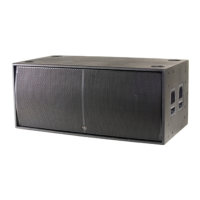
LX-218CA / LX-218CA-R
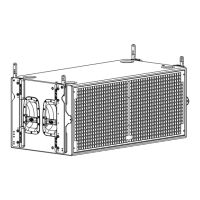
LX-218CA-NET / LX-218CA-R-NET
User's Manual
Antes de utilizar el equipo, lea la sección
“Precauciones de seguridad” de este manual.
Conserve este manual para futuras consultas.
Before operating the device, please read the
“Safety precautions” section of this manual.
Retain this manual for future reference.
series

Questions and Answers

  • M
    Michelle WestAug 13, 2025
    Why is there no sound from my D.A.S. LX-218CA Subwoofer and the SIGNAL LED is off?
    • F
      fraziermichelleAug 13, 2025
      The absence of sound and the SIGNAL LED being off could stem from a few reasons: 1) The signal source might not be sending any signal. Ensure your mixer or sound source is actively transmitting a signal to the subwoofer. 2) A defective cable could be the culprit. Verify that the cable connecting your sound source to the unit is properly connected and replace it if necessary. 3) The amplifier may have overheated. Allow the unit to cool down for a few minutes; it should then function normally. Check the main output level of the mixer or channel gains, as the unit might have been operating with excessive levels.
  • H
    Hannah MartinAug 16, 2025
    What to do if my D.A.S. LX-218CA sound is distorted, very loud and the LIMIT (or CLIP) LED is on?
    • D
      Dr. Cody Montgomery DVMAug 16, 2025
      If the sound from your subwoofer is distorted and very loud, and the LIMIT (or CLIP) LED is illuminated, it indicates that the system is overloaded and has reached its maximum power. To resolve this, simply turn down the mixer's output.
  • M
    Matthew ClayAug 20, 2025
    What to do if the ON LED doesn't light up on my D.A.S. Subwoofer?
    • T
      Thomas RichmondAug 20, 2025
      If the ON LED does not illuminate when the mains connector is connected and the unit is switched on, it could be due to: 1. A bad or loose AC connection to the unit or the mains outlet. Check your connections to ensure they are secure. 2. A faulty AC cable. Inspect the cables, connectors, and AC power using a suitable mains tester. 3. A blown fuse. Replace the blown fuse with another of the same type and size.
  • K
    Kaitlyn MathewsAug 25, 2025
    How to fix hum or buzz in my D.A.S. LX-218CA when a mixer is connected?
    • E
      ericajimenezAug 25, 2025
      A hum or buzz when a mixer is connected to the unit can be caused by several factors: 1. The console may have unbalanced outputs, and an incorrect unbalanced to balanced cable might be in use. Create a correct unbalanced to balanced cable. 2. The mixer and the powered speaker might not be plugged into the same mains outlet. Connect the mixer and the unit to the same mains outlet. 3. The audio signal cable might be too long or too close to an AC cable. Use a cable that is as short as possible and/or move the audio signal cable away from mains cables.
  • C
    Candace LittleAug 27, 2025
    Why is my D.A.S. LX-218CA Subwoofer sound distorted even when the LIMIT (or CLIP) LED is off?
    • G
      Gregory LuceroAug 28, 2025
      If the sound from your D.A.S. Subwoofer is distorted, and the LIMIT (or CLIP) LED is either off or only lights up occasionally, the issue likely stems from the mixer or the signal source itself distorting. Try turning down the mixer channel gains and check all your signal sources to ensure none are distorting.
  • K
    Kristin AverySep 1, 2025
    Why does my D.A.S. LX-218CA have no sound?
    • L
      laura69Sep 1, 2025
      The absence of sound from your D.A.S. Subwoofer could be due to several reasons: 1. Mains voltage being very low or very high. Check the mains voltage with a suitable mains tester. 2. Overheating. Check the input signal because the level or the EQ are very high. 3. Overload or short-circuit. Take the unit to a service centre. 4. DC at amplifier’s output. Take the unit to a service centre.
  • E
    Eugene MurphySep 4, 2025
    How to eliminate hum or buzz in my D.A.S. LX-218CA when using lighting controls?
    • J
      jonesalexandraSep 5, 2025
      Hum or buzz occurring when using lighting controls in the same building can be due to: 1. The audio signal cable being too long or too close to the lighting cable. Move the audio signal cable away from lighting cables and try to pinpoint where the noise is entering the system. 2. On a sound system with three-phase AC, the lighting equipment and the unit being connected to the same phase. Connect the sound system to a different phase than the lights. You may need the assistance of an electrician.
  • J
    jerry49Sep 8, 2025
    Why can't I get full power from my D.A.S. Subwoofer?
    • E
      Elizabeth GillSep 8, 2025
      If you're unable to obtain full power from your D.A.S. Subwoofer and the LIMIT (or CLIP) LED never illuminates, it suggests that the signal source does not have a sufficiently strong output. If you are using a mixer, utilize the balanced output if it's available. Consider using a professional mixer with a hotter output.

Summary

Safety Precautions

General Safety Warnings

General safety instructions for operation, grounding, heat sources, liquids, and disposal.

Warranty

Warranty Terms and Conditions

Details warranty period, exclusions for misuse, authorized repair centers, and claim procedures.

Declaration of Conformity

Compliance and European Norms

Declares compliance with EU directives (Low Voltage, EMC, RoHS, WEEE) and harmonized European norms.

Introduction

Product Overview

Introduces the LX series subwoofers, their construction, versions, and key features like DSP and DASnet.

Accessory Summary

Lists and briefly describes available accessories for rigging, transport, and system combination.

Line Drawings

Dimensional Drawings

Provides technical drawings with dimensions for LX-218CA/LX-218CA-NET and LX-218CA-R/LX-218CA-R-NET models.

Specifications

Technical Specifications

Details amplifier power, input type/impedance, frequency range, SPL, transducers, materials, connectors, and power requirements.

Amplifier Description

Model Comparison: LX-218 CA vs LX-218 CA-NET

Explains the differences between LX-218CA and LX-218CA-NET models, focusing on controls and connectors.

Front Panel Controls and Indicators

Identifies and explains the function of each control and indicator on the front panel of the units.

Operational Guidelines

Preliminary Usage Guidelines

Specifies suitable environments, rain protector use, ventilation, and power connection best practices for optimal performance.

Operation Modes and Indicators

Explains ON/OFF sequence, overheating protection, overload indicators (LIMIT/CLIP LEDs), and signal distortion warnings.

Cardioid Preset Configuration

Details how to set up two or three units in cardioid configurations for directional bass control.

System Connections and Protection

System Cabling and Connections

Describes common connection methods with satellite systems, using THRU output, and external delay processors.

Rain Protector Usage

Explains the purpose and material of the rain protector for outdoor use and ventilation.

Troubleshooting

Troubleshooting Common Issues

Provides solutions for common problems such as no sound, no full power, distortion, hum, buzz, and unit not turning on.

Installation

Rigging System Safety

Provides essential information and safety precautions for flying DAS Audio line array systems.

Rigging Hardware and Accessories

Details the rigging structures, quick release pins, and accessories for flying and stacking LX-218CA-R/NET.

Rigging System Details

Rigging Structure Labeling

Explains the sticker on rigging structures indicating splay angles for stacking and flying.

AX-AE50 Rigging Accessory

Describes the AX-AE50 accessory for flying, its construction, and usage for achieving desired array inclination.

Rigging Configuration

Omnidirectional and Cardioid Configurations

Illustrates the step-by-step process for setting up omnidirectional and cardioid subwoofer configurations.

Rigging Accessories

AX-AE50 Silkscreen and Rigging Kit R

Shows silkscreen markings for AX-AE50 and explains the KIT-R-LX218C for transforming stackable units to flyable.

Front Dolly Platforms PL-LX218 C

Details the PL-LX218C front dolly platforms used for transport and rigging of units.

Transport Accessories

Caster Kit and Dolly Panel PL-218 CS

Describes the KIT-W100 caster kit and PL-218CS dolly panel for transport of LX-218CA models.

Annex I: Line Connections

Unbalanced vs. Balanced Audio Connections

Explains the principles of unbalanced and balanced audio lines and their connectors (XLR, Jack, RCA).

Signal Connection Diagrams

Provides diagrams illustrating recommended wiring for various unbalanced and balanced audio connections.

Annex II: DASnet Cables

DASnet Cable Types and Structure

Details the types of cables used for DASnet systems, their specifications, and construction.

EtherCon to XLR Pinout

Shows the pinout configuration for connecting EtherCon connectors to XLR for audio and data transmission.

D.A.S. LX-218CA Specifications

General IconGeneral
Impedance4 ohms
Input Impedance20 kohms
Enclosure MaterialBirch Plywood
Color/FinishBlack
AC PowerIEC
EnclosureBass-reflex
TypeSubwoofer
Max SPL136 dB
LF Driver2 x 18"
AC Power Requirements115 V, 230 V
Connectors InputXLR
Connectors OutputXLR
ConnectorsXLR, IEC

Related product manuals