35
Networking Basics
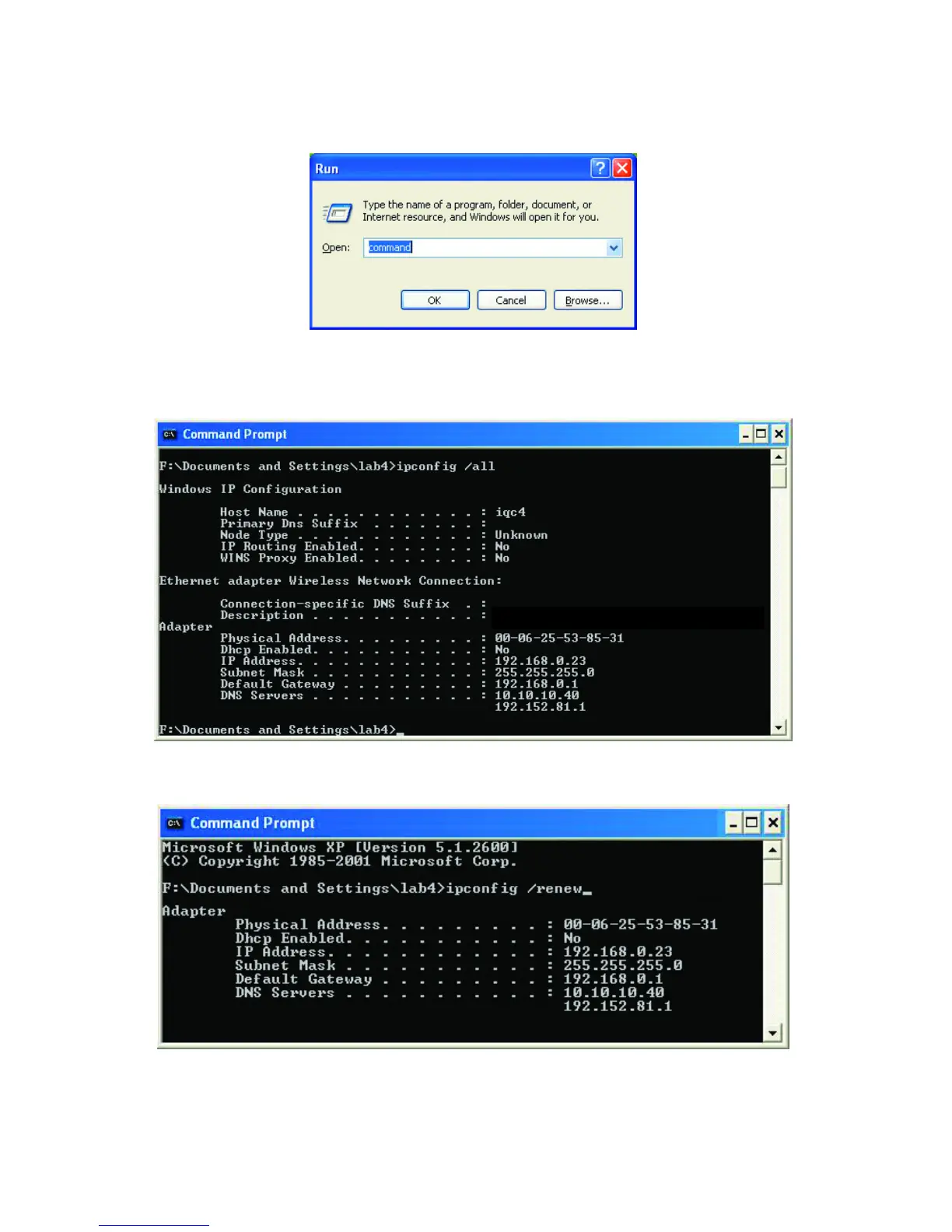
Checking the IP Address in Windows XP/2000
Type Command
Type ipconfig /all at the prompt. All the configuration settings are displayed
as shown below.
Type ipconfig /renew at the prompt to get a new IP Address, shown below.
(Windows 98/ME users: go to Start > Run. Type Command. Type
winipcfg at the prompt. Click Release and Renew to obtain a new IP
Address.)
Fig. 8.18
Fig. 8.19
Fi








 To Next Page