36
Networking Basics
Assigning a Static IP Address
Note: Residential Gateways/Broadband Routers will automatically assign IP
Addresses to the computers on the network, using DHCP (Dynamic Host
Configuration Protocol) technology. If you are using a DHCP-capable
Gateway/Router you will not need to assign Static IP Addresses.
If you are not using a DHCP capable Gateway/Router, or you need to assign
a Static IP Address, please follow these instructions:
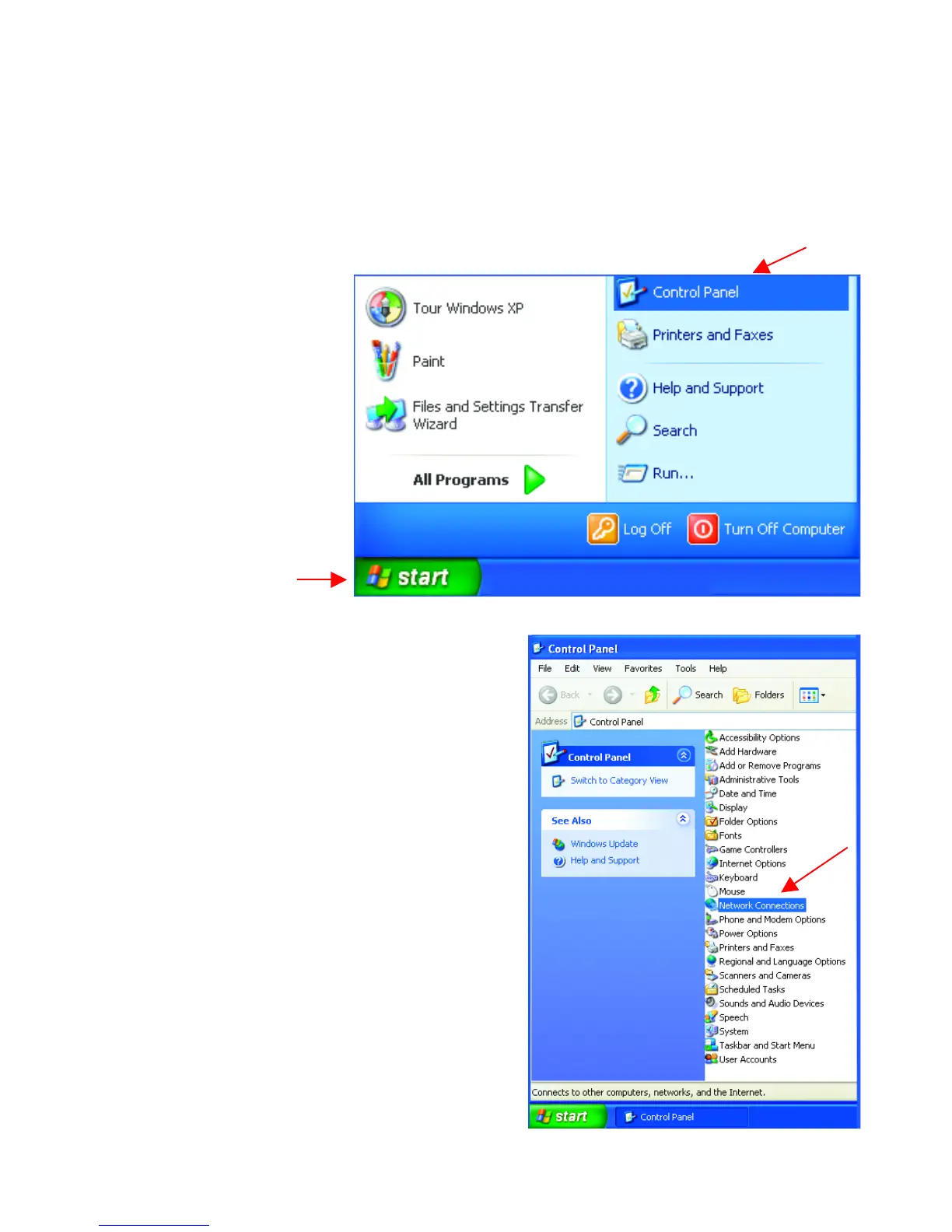
• Go to Start
• Double-click on
Control Panel
• Double-click on
Network Connections
Fig. 8.21
Fig. 8.22







 To Next Page