5D-Link COVR-C1210 User Manual
Section 1 - Product Overview
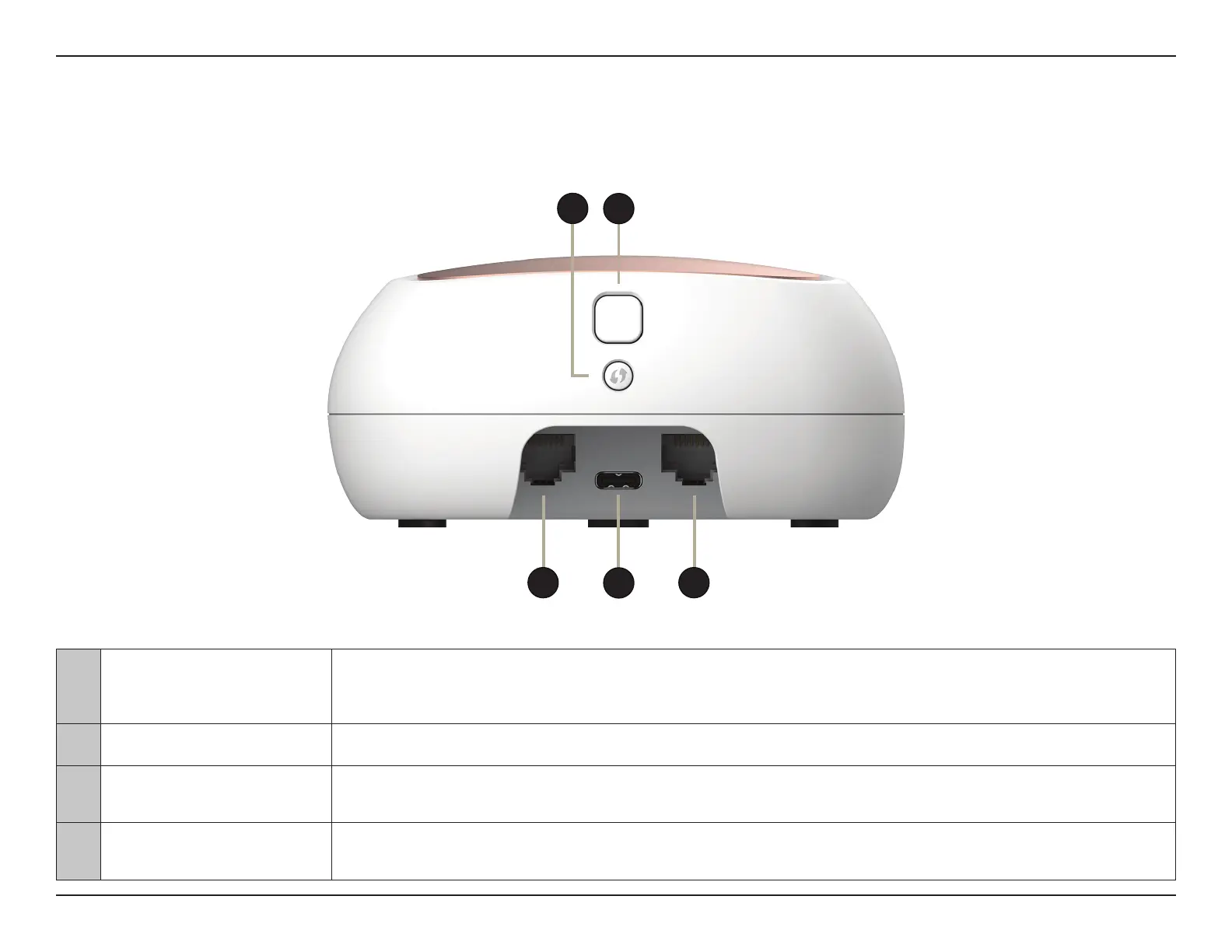
Rear Panel
1 Gigabit LAN ports
Connect Ethernet devices such as computers, switches, storage (NAS) devices, and game consoles.
On the COVR-C1210, LAN port 1 is designated as the WAN port that connects to your modem.
2 Power Connector Connect the included power adapter here to power on the device.
3 WPS
Press this button to establish an instant connection to a wireless client using Wi-Fi Protected Setup
(WPS).
4
Cover Plate Removal
Button
Press this button to release the top cover plate on the device to replace it with a dierent color plate.
1 1
2
3
4


 To Next Page
 Loading...