12 DAP-2690 Install Guide
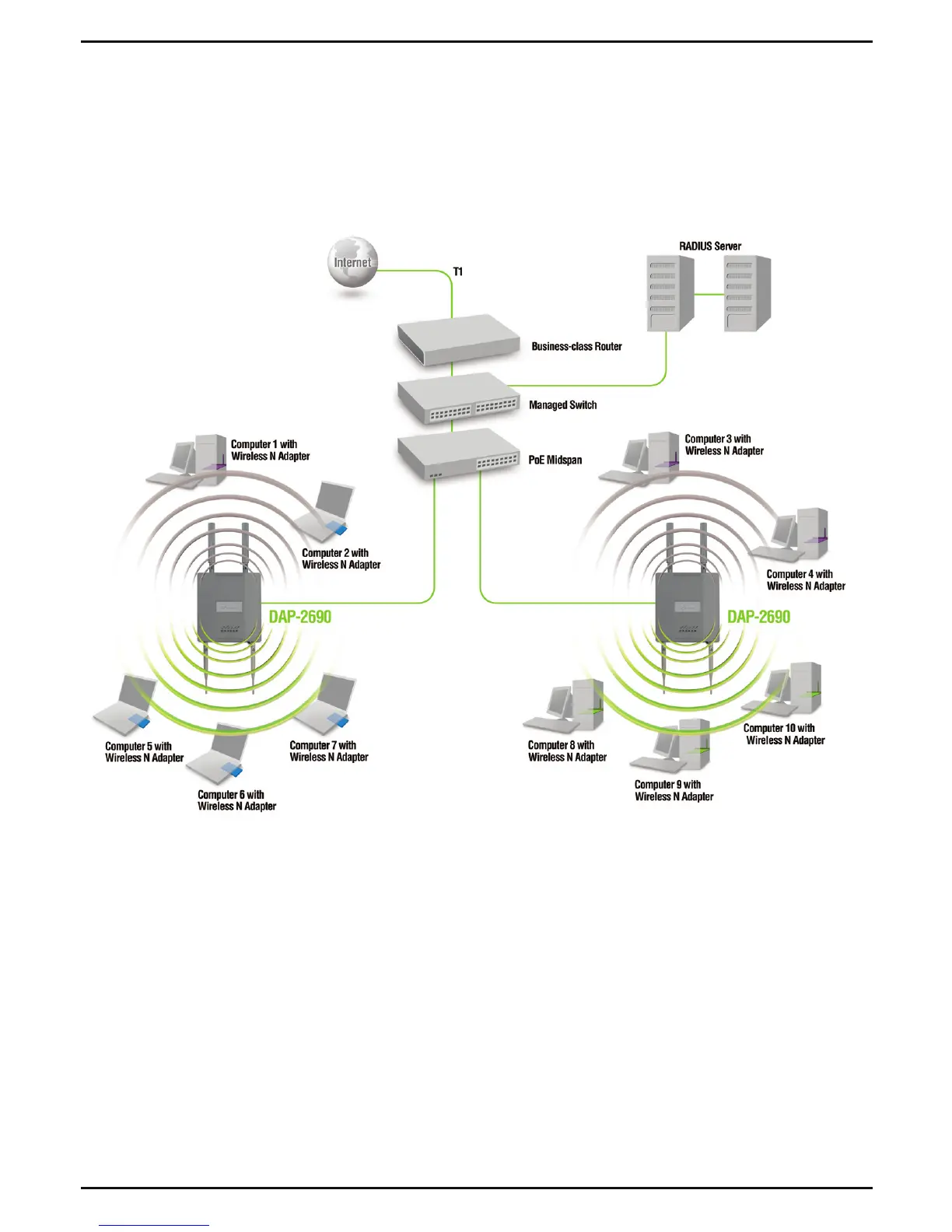
When you have completed the steps in this Installation Guide and congured
your for your network, your network should look similar to this:
Your Setup is Complete
* Maximum Wireless signal rate derived from IEEE 802.11n (draft 2.0) specications. Actual data throughput will
vary. Network conditions and environmental factors, including volume of network trafc, building materials and
construction, and network overhead lower actual data throughput rate.
To setup and manage the DAP-2690 from a computer, use one of the following
methods:
1. Connect a straight through Ethernet cable between the access point
and your computer.
2. Connect the access point to a switch or router and use a computer from
a computer that is also connected to that switch or router.














 To Next Page