17D-Link DCS-935L User Manual
Section 2 - Installation
mydlink
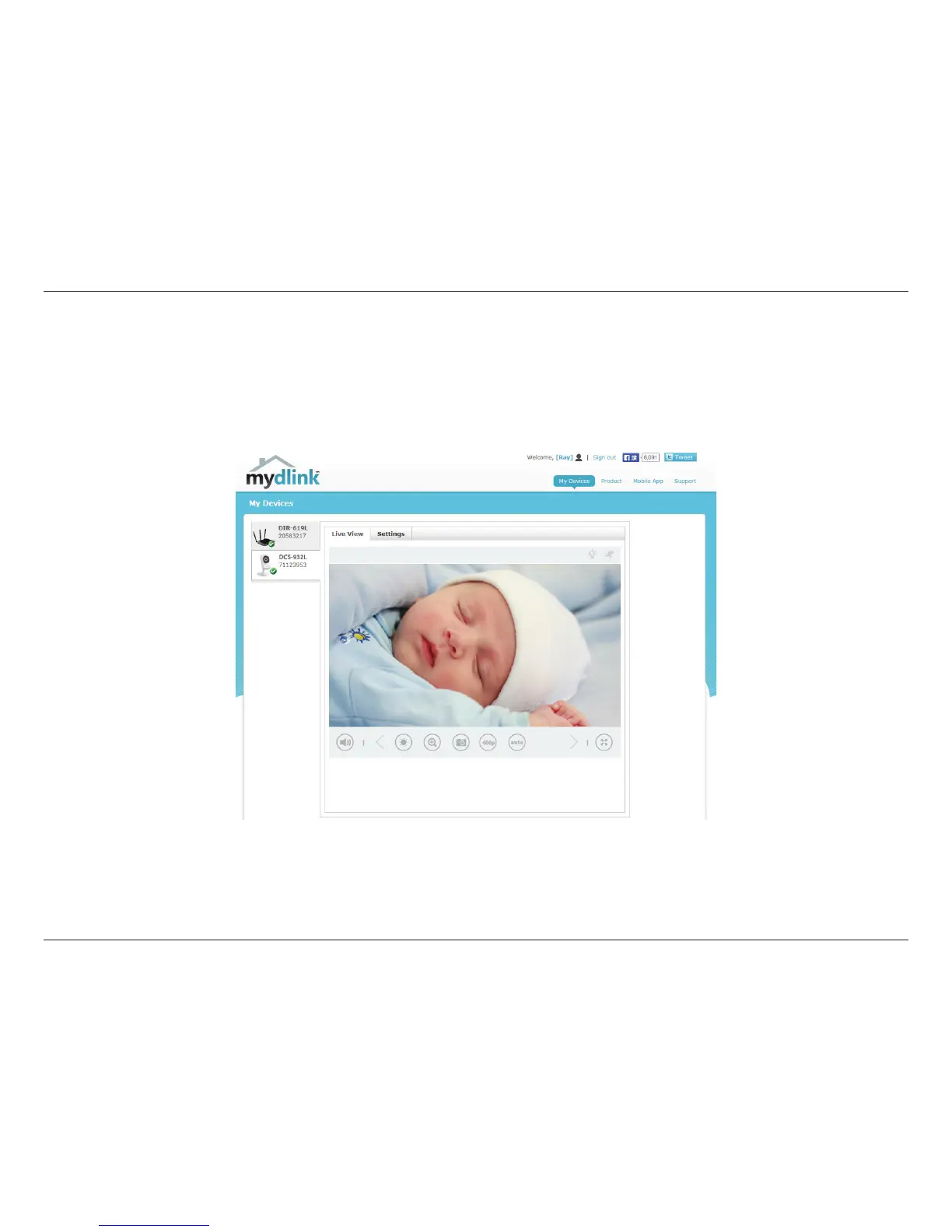
After registering your camera with a mydlink account in the Camera Installation Wizard, you will be able to remotely access
your camera from the www.mydlink.com website. After signing in to your mydlink account, you will see a screen similar to
the following:
For more details on using your camera with mydlink, go to the Support section of the mydlink website and check the User
Manual section for your product to nd the latest instruction guide for your camera’s mydlink features.


 To Next Page