35D-Link DCS-935L User Manual
Section 3 - Conguration
Snapshot
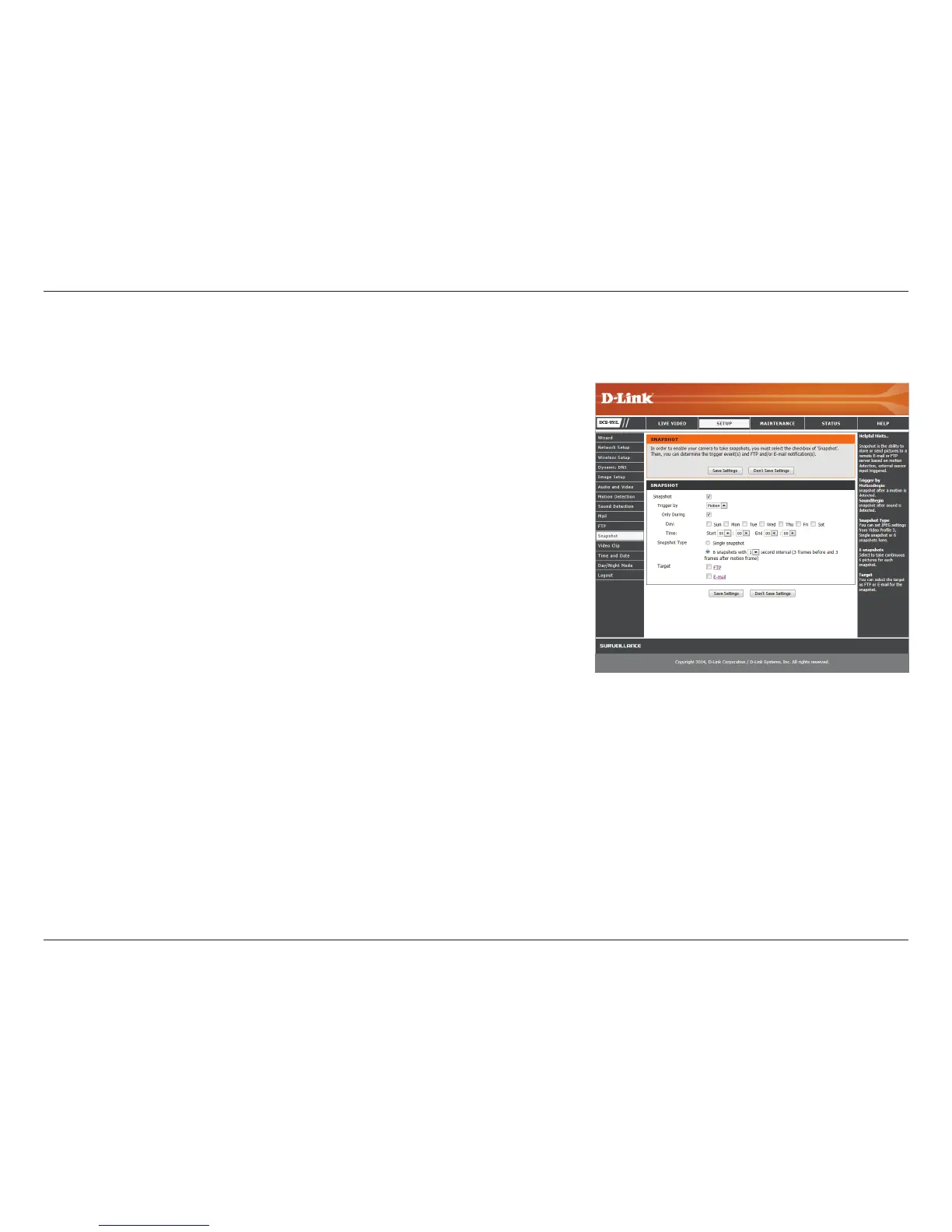
The snapshot feature lets you send image snapshots via FTP or e-mail when a trigger is activated.
Snapshot:
Trigger By:
Snapshot Type:
Target:
Check this box to enable the Snapshot function.
Select whether to record when triggered by Motion or Sound, according to a
Schedule or Always record.
Select whether to take a single snapshot or to take 6 snapshots with a selectable
interval between them.
Select where you want the snapshot to be sent. It may be uploaded to an FTP or
sent to an e-mail address.
Click Save Settings to save your changes.


 To Next Page