
 Need help?
Do you have a question about the D-Link DES-1210-08P and is the answer not in the manual?
Detailed steps for firmware upgrade via Command Line Interface using Telnet.
Step-by-step guide for firmware upgrade via the Web-based User Interface.
Instructions for performing firmware upgrades using the SmartConsole Utility.
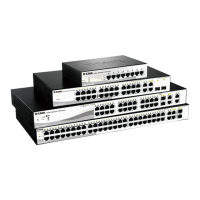
The D-Link DES-1210-08P is a Smart Switch designed to facilitate network management and connectivity. Its primary function is to provide reliable and efficient data transfer within a network environment, supporting various protocols and features to enhance network performance and security.
One of the key usage features of this device is its flexible firmware upgrade capability. Users can update the switch's firmware via a TFTP server or through a web-based graphical user interface (GUI). For TFTP upgrades, the process involves connecting to the switch via Telnet, using a command-line interface (CLI) to initiate the download of the firmware file from a specified TFTP server. This method is particularly useful for network administrators who prefer CLI-based operations or need to automate upgrades. The switch provides clear messages during the upgrade process, indicating when the device will reboot and when the image has been successfully upgraded. After the upgrade, users can verify the new firmware and boot versions using the "show switch" command.
Alternatively, the web-UI offers a more user-friendly approach to firmware upgrades. This involves connecting a workstation with a Java SE runtime environment to a switch port, opening a web browser, and entering the switch's IP address. After logging in with the default administrator password, users can navigate to the "Tools" menu, select "Firmware Backup & Upgrade," and choose between HTTP or TFTP methods. The HTTP method allows users to browse their local drive for a saved firmware file, making it convenient for direct uploads from a PC. The TFTP method, accessible via the web-UI, requires entering the firmware file name located on a remote TFTP server. Both web-UI methods provide clear prompts and status messages, guiding the user through the process and indicating when the upgrade is complete and a login is required after the device reboots.
Another method for upgrading firmware is through the SmartConsole Utility. This utility, also requiring a Java SE runtime environment, allows users to discover target switches on the network. Once a switch is selected, users can access the firmware upgrade function, browse for the firmware file on their local drive, enter the administrator password, and initiate the upgrade. This utility provides a centralized platform for managing multiple D-Link Smart Switches, simplifying the upgrade process for larger networks.
The DES-1210-08P also incorporates several features to address network security and performance. For instance, firmware updates have included fixes for security vulnerabilities related to OpenSSL, specifically addressing issues like the "CCS Injection" vulnerability (CVE-2014-0224). These updates ensure that the switch's communication protocols are robust against potential man-in-the-middle attacks, protecting sensitive information and preventing session hijacking.
Performance enhancements are also a focus, with updates addressing issues such as incorrect system uptime display, SNMP port speed issues, and telnet session stability during reboots. The switch's firmware has been refined to improve the reliability of various network functions, including Ping and Login Failure handling in SmartSW series, and the ability to set STP external cost on specific ports.
For advanced network configurations, the switch supports features like Auto Surveillance VLAN (ASV). Firmware revisions have enhanced ASV functionality, allowing for better management of surveillance traffic. This includes addressing issues where the ASV WEB display might not correctly show default OUI information in summary tables. The device's MIB (Management Information Base) and D-View modules are regularly updated to reflect new features and improvements, ensuring compatibility with network management systems. Users can download these modules from the D-Link web site to maintain an up-to-date network management environment.
Maintenance features extend beyond firmware upgrades. The device's design and accompanying documentation, such as the User Manual and Getting Started Guide, provide comprehensive information for troubleshooting and configuration. The release notes themselves serve as a crucial maintenance tool, detailing revision history, system requirements, new features, changes in MIB and CLI, and known issues with their respective workarounds. This transparency allows network administrators to anticipate potential challenges and plan their maintenance activities effectively.
For example, known issues have been documented, such as GUI display errors on the IGMP Settings page when accessed via certain web browsers (Google Chrome and Safari). Another known issue relates to the dynamic forwarding table display, where MAC addresses added to the ASV OUI list might still appear as "dynamic" rather than reflecting their ASV status. Furthermore, the dynamic forwarding table might display the same MAC address in a removed VLAN interface by ASV, even after the OUI MAC is transmitted to the DUT via unplugging and plugging the interface. Workarounds for these issues are often provided in the release notes, guiding users on how to mitigate these problems.
Other documented issues include the inability to add "00-00-00" OUI to the ASV user-defined MAC list, and challenges with port security and ASV learning table interactions. Specifically, when port security is set to a maximum learning address of one and ASV function is enabled, the DUT might only learn one MAC address, potentially conflicting with the independent operation of port security and ASV learning tables. The ASV auto-detect function has also been noted to have errors, particularly when creating user-defined OUIs and transmitting different MAC addresses, leading to situations where a port cannot dynamically join an ASV Untag member.
Earlier firmware versions also reported issues such as incorrect cable length detection, VLAN settings page display errors in certain browsers, and warning messages related to VLAN maximum groups. The SmartWizard page and PoE Time Range settings page also experienced display errors in specific browser environments. Additionally, the multi-language wording list provided by D-Link was found to sometimes omit functional (firmware and configuration) warning messages, and some multi-language wording lengths were too long, causing abnormal GUI display. These detailed descriptions of problems and their fixes or workarounds are invaluable for maintaining the device's optimal performance and user experience.
In summary, the D-Link DES-1210-08P is a versatile Smart Switch with robust functionality for network connectivity and management. Its usage features include flexible firmware upgrade options via CLI, web-UI, and SmartConsole Utility. Maintenance is supported through detailed release notes, security updates, performance enhancements, and documented workarounds for known issues, all contributing to a reliable and manageable network infrastructure.
 General
| Power over Ethernet (PoE) | Yes |
|---|---|
| Layer | Layer 2 |
| MAC Address Table Size | 8K |
| Ports | 2 x 100/1000BASE-X SFP ports |
| Dimensions | 280 x 180 x 44 mm (11.02 x 7.09 x 1.73 inches) |
| Power Input | 100-240V AC, 50/60Hz |
| Jumbo Frame Support | Yes, up to 9K bytes |
| Operating Temperature | 0°C to 40°C (32°F to 104°F) |
| Storage Temperature | -40°C to 70°C |
| Humidity | non-condensing |





 To Next Page

