DES-3326S Layer 3 Fast Ethernet Switch User’s Guide
266 Web-Based Switch Management
To delete an existing static/default route, click corresponding
click-box and the click the Delete button.
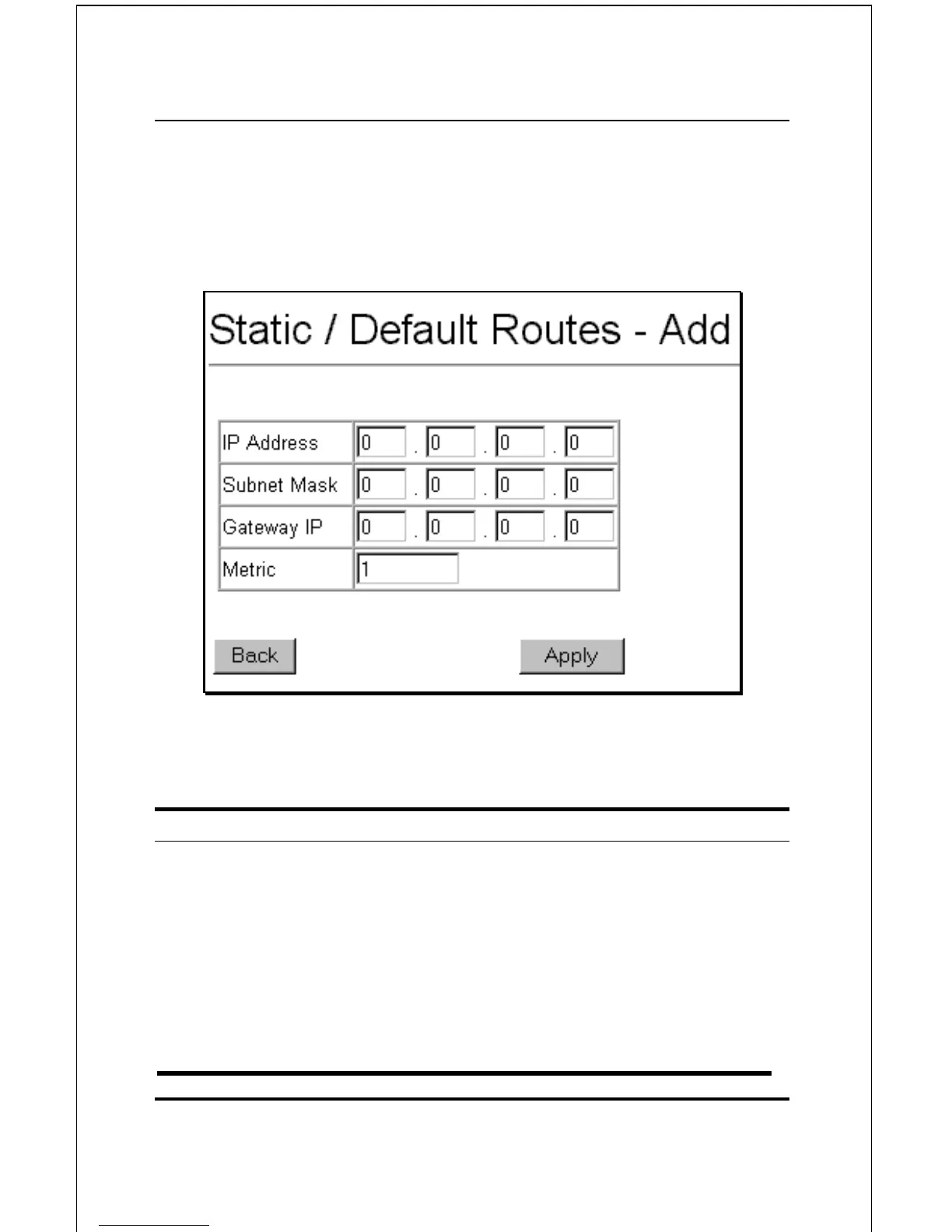
To add a new static/default route, click the New button:
Figure 6-69. Static/Default Routes – Add
The following fields can be set:
Parameter Description
IP Address
<0.0.0.0>
Allows the entry of an IP address
that will be a static entry into the
switch’s Routing Table.
Subnet Mask
<0.0.0.0>
Allows the entry of a subnet mask
corresponding to the IP address
above.
Gateway IP
Allows the entry of an IP address of a



 To Next Page