23
Using the Boot Menu
After you have finished, press <Ctrl+S> to save changes to RAM. Next, press
the <Esc> key to return to the Boot Menu. Position the cursor over the Save
Changes item and press <Enter>. This will save the settings to NV-RAM so
they will still be present after powering off or restarting the device. Make sure
the Reset button on the rear panel of the device is in the down position. Position
the cursor over the Restart System item and press <Enter> for the changes to
take effect. Your VoIP is now configured for use.
Configuring the IP
Configuring the SNMP
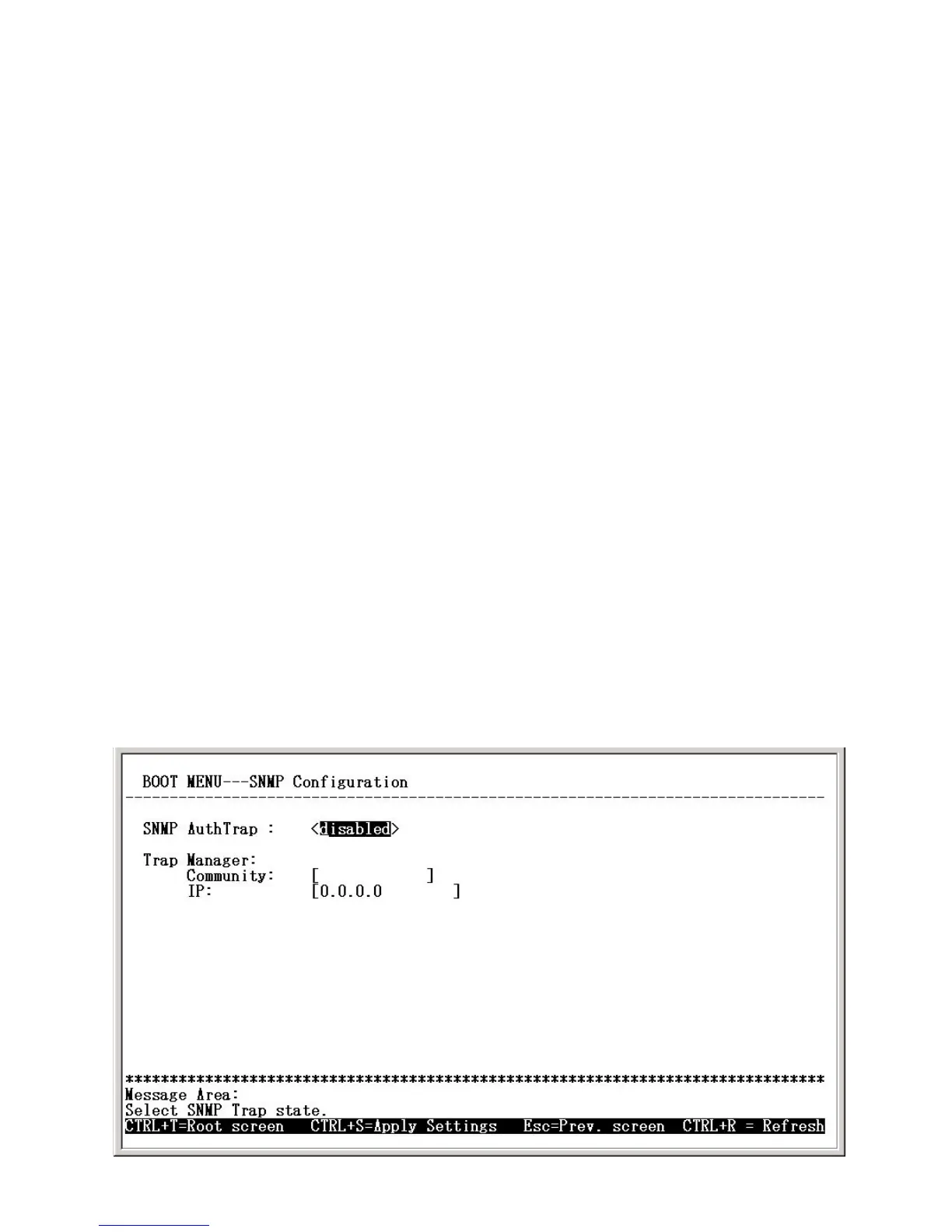
This screen allows you to set an SNMP trap manager.
Boot Menu—SNMP Configuration screen
Subnet mask: Enter a subnet mask for the VoIP gateway.
DHCP: When DHCP is selected, the VoIP gateway will attempt to ob-
tain its IP settings from a DHCP server located on your LAN.
IP address: Enter an IP address for the VoIP gateway.
BOOTP: When BOOTP is selected, the VoIP gateway will attempt to
obtain its IP settings from a BOOTP server located on your LAN.
Default gateway: Enter the IP address of the WAN device (usually a
router) you are using to make the WAN connection
.


 To Next Page