8D-Link DHP-600AV/DHP-601AV User Manual
Section 1 - Product Overview
Hardware Overview
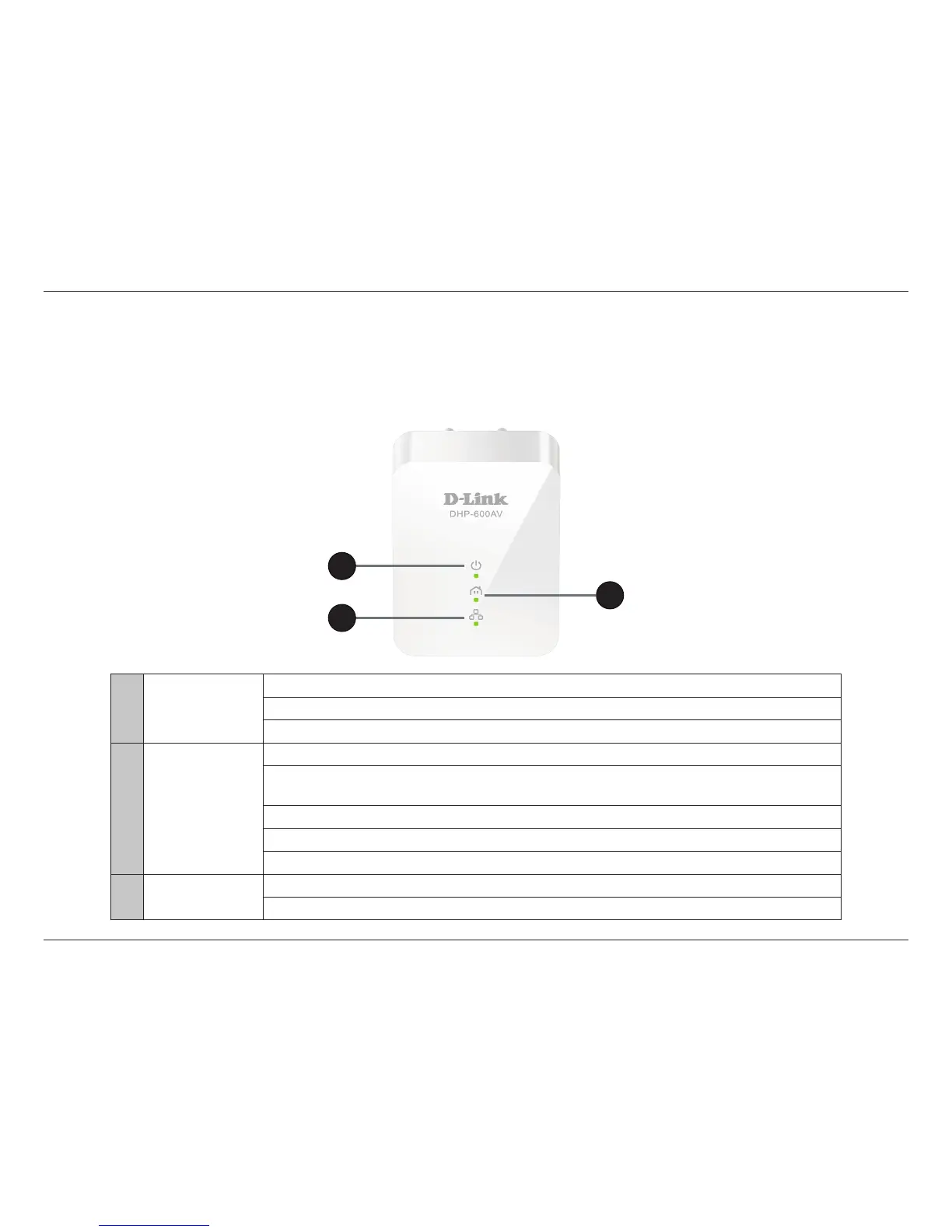
LEDs
1 Power LED
A solid light indicates the device is powered on.
A blinking light indicates The device is rebooting after reset or the Simple Connect button was pressed.
An o light indicates that the device is powered o.
2 Powerline LED
A solid light indicates that a Powerline connection is established.
An o light indicates that the device has not found any other compatible Powerline devices using
the same encryption key.
Green: The Powerline link rate is excellent.
Amber: The Powerline link rate is good.
Red: The Powerline link rate is fair.
3 Ethernet LED
A solid light indicates a connection to an Ethernet-enabled device.
An o light indicates there is no Ethernet connection.
2
3
1



 To Next Page