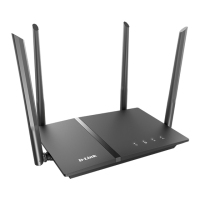
DIR-120 Ethernet Broadband Router
D-Link DIR-120 User Manual
CONTENTS
About This User’s Guide.........................................................................................................................................................................................................................................iv
Before You Start......................................................................................................................................................................................................................................................iv
Installation Notes......................................................................................................................................................................................................................................................v
Installation Information...........................................................................................................................................................................................................................................vi
INTRODUCTION ................................................................................................................................................................................... 1
Router Description and Operation............................................................................................................................................................................................................................1
Front Panel...............................................................................................................................................................................................................................................................3
Rear Panel ................................................................................................................................................................................................................................................................4
CONNECTING THE ROUTER............................................................................................................................................................... 5
Connect Router to Ethernet LAN .....................................................................................................................................................................................................5
Power On Router......................................................................................................................................................................................................................................................6
Reset.........................................................................................................................................................................................................................................................................6
BASIC ROUTER CONFIGURATION..................................................................................................................................................... 7
Configuring IP Settings on Your Computer.............................................................................................................................................................................................................7
ACCESSING THE CONFIGURATION MANAGER............................................................................................................................... 8
Login........................................................................................................................................................................................................................................................................9
Web Manager....................................................................................................................................................................................................................................10
Configure Internet Connection with the Setup Wizard ................................................................................................................................................................11
Configure Internet Connection Manually...............................................................................................................................................................................................................23
Network (LAN IP) Settings..............................................................................................................................................................................................................34
Printer Setup ....................................................................................................................................................................................................................................36
ADVANCED CONFIGURATION ......................................................................................................................................................... 41
Port Forwarding...............................................................................................................................................................................................................................42
Application Rules ............................................................................................................................................................................................................................43



 To Next Page